


RTX 5070 Ti 16GB for Video Editing and AI Workflows
RTX 5070 Ti 16GB for video editing powers faster renders and AI-assisted workflows, speed up Premiere and Resolve exports, and optimize inference. 🎬🤖
Read moreFind the best AI PC cooling South Africa offers. From powerful AIOs to custom loops, discover how to keep your high-performance hardware frosty for peak AI model training and inference. ❄️ We break down the best options available locally to protect your investment. 💻
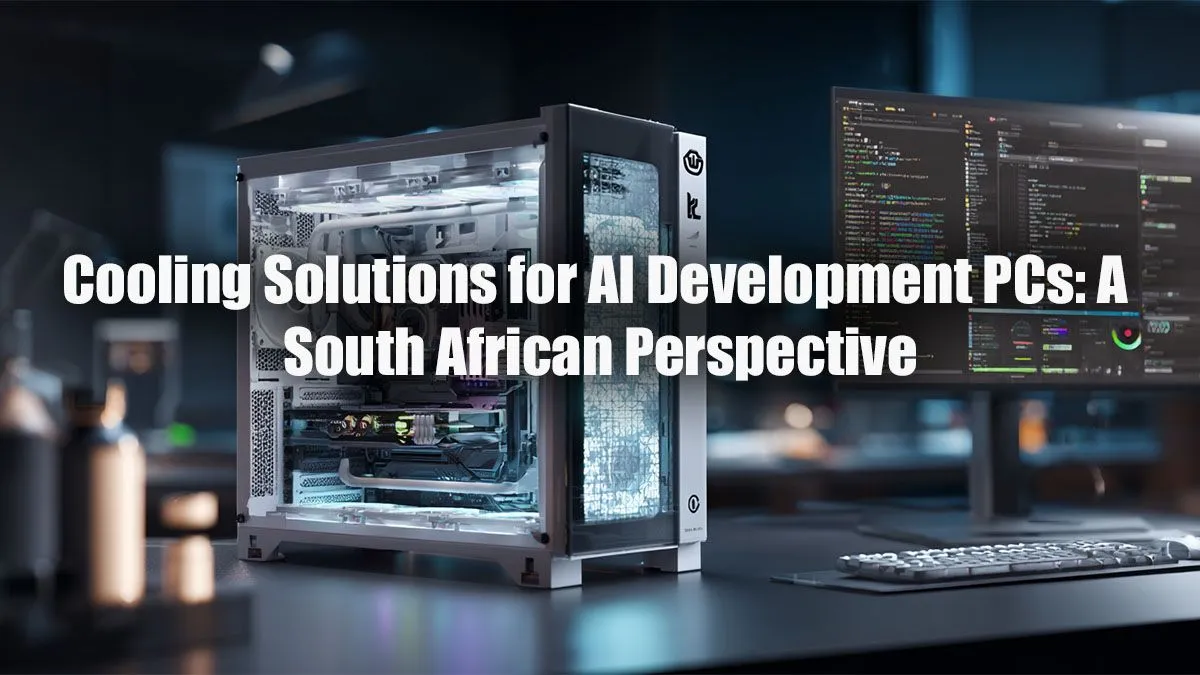
Running intense AI models in the South African heat? Your PC is probably feeling it. From training neural networks to complex data simulations, the processing demands can turn your rig into a space heater. Proper AI PC cooling in South Africa isn't just a luxury... it's essential for performance, stability, and protecting your investment. This guide breaks down exactly what you, as a developer, need to keep your components frosty and your code compiling smoothly. 🚀
Gaming is a sprint; AI development is a marathon. While a gaming session has peaks and valleys of intensity, training a model or rendering a complex scene pushes your CPU and GPU to their absolute limits for hours, even days. This sustained load generates a massive, constant amount of heat.
Without an effective cooling solution, your components will thermal throttle. This is a safety feature where the hardware automatically reduces its speed to prevent overheating. For you, that means longer training times, sluggish performance, and frustrating delays. Getting your AI PC cooling strategy right is the first step to unlocking your hardware's full potential.
A balanced approach is key. You can't just slap a massive cooler on your CPU and call it a day. Every part of the system needs to work in harmony to efficiently move heat out of the case.
Modern CPUs from Intel and AMD are designed to boost their clock speeds as high as possible until they hit a thermal or power limit. For the sustained workloads common in development, an All-in-One (AIO) liquid cooler is often the superior choice. AIOs use liquid to transfer heat from the CPU to a radiator, offering a larger surface area to dissipate that energy, keeping your processor running faster for longer.
The Graphics Processing Unit (GPU) is the heart of most AI rigs, and it's also the biggest heat producer. Thankfully, the coolers on modern graphics cards are incredibly robust. Whether you're leveraging the tensor cores in modern NVIDIA GeForce gaming PCs or the raw compute power of powerful AMD Radeon gaming PCs, their cooling solutions are built for intense sessions that mirror demanding AI workloads. The main challenge isn't the cooler itself, but ensuring it gets enough fresh, cool air.
This is where many DIY builds fall short. A high-airflow case, typically one with a mesh front panel, is non-negotiable. You need to create a clear path for air to travel: in through the front and bottom, and out through the back and top. A few well-placed case fans make a world of difference, preventing hot air from stagnating around your GPU and other components.
As a developer, data is everything. Use free tools like HWiNFO64 or GPU-Z to monitor your component temperatures under load. Run a benchmark or a short training script and watch the temps. If your CPU or GPU quickly hits 90°C or higher, it's a clear sign your current AI PC cooling solution in South Africa needs an upgrade.
Optimising every component for thermal performance takes time, research, and testing. For professionals whose time is money, a pre-configured system is often the most logical path. That’s why many South African developers opt for professionally assembled custom-built workstation PCs, which are balanced and tested for exactly these kinds of demanding, long-running tasks. These machines are built from the ground up with airflow and sustained performance as top priorities, saving you the headache of troubleshooting.
Ready to Build a Cooler, Smarter AI Rig? Don't let thermal throttling kill your productivity. A well-cooled PC is the foundation for any serious AI development. Explore our range of powerful workstation PCs, expertly configured for sustained performance right here in South Africa.
While not strictly necessary, liquid cooling is highly recommended for AI PCs. It offers superior thermal dissipation for high-TDP CPUs and GPUs during long training sessions.
For multi-GPU setups, custom water cooling is often the best solution. It allows you to directly cool each GPU, preventing thermal throttling and ensuring consistent performance.
South Africa's climate increases ambient temperatures, making efficient PC cooling crucial. High-performance air coolers and liquid AIOs are vital to maintain optimal temperatures.
A premium air cooler can be sufficient for a single-GPU AI workstation. However, for overclocking or multi-GPU rigs, a liquid cooling solution provides better overall performance.
Both are critical, but the GPU is often the priority as it generates the most heat in AI workloads. A robust cooling solution for your NVIDIA RTX 4090 is essential.
A quality AIO liquid cooler can range from R2,000 to R5,000. A full custom water cooling loop for a machine learning rig can cost significantly more depending on the components.
Yes, case airflow is fundamental. A case with excellent ventilation ensures your coolers can effectively dissipate heat, preventing thermal throttling and boosting performance.
Evetech offers a wide selection of PC cooling parts, including AIOs, fans, and custom loop components from top brands, perfect for building your ultimate AI workstation.
RTX 5070 Ti 16GB for video editing powers faster renders and AI-assisted workflows, speed up Premiere and Resolve exports, and optimize inference. 🎬🤖
Read more
- Assess longevity - Embrace scalable AI - Plan upgrade paths AI upscaling for gaming boosts visuals and FPS while extending GPU life, helping you future-proof your rig with smart upgrades ⚡🎮
Read more
RTX 5060 Ti for AI workflows delivers cost-effective tensor performance to accelerate training, inference, and data prep. Learn tuning tips, memory/driver setup, and benchmark gains to boost daily AI productivity. ⚡️💡
Read more
RX 9060 XT for machine learning: Explore whether the RX 9060 XT can handle local AI and ML tasks, plus practical tips, benchmarks, and configuration advice. ✅🔧
Read more
AI NAS combines storage and on-device AI by adding a neural processing unit (NPU). Learn how an AI NAS speeds inference, secures data, and boosts backups. 🤖💾
Read more
Edge computing smart home setups reduce latency, boost privacy, and enable on-device AI for future-proof automation and security. Learn hardware picks and upgrade tips. 🔒🤖
Read more
Discover webcams that automatically adjust light and color for crystal-clear video calls 🎥✨. Boost your streaming quality today!

Discover webcams that blend into your workflow 🎯 Capture moments while you work, stream, or create. Upgrade your setup with smart, multitasking tech!

Dedicated media keys give streamers one-touch control to mute, switch scenes, clip highlights, and adjust audio — cutting task time and boosting consistency 🎛️⚡

PBT vs ABS keycaps: Clear, local guide for South African gamers—compare feel, sound, durability and where to buy. Find the best material for your budget and playstyle 🎮🇿🇦

- Multi-Function Digital Dial: define benefits - Show gamer setups and macros - Offer buying and setup tips Multi-Function Digital Dial puts programmable control at your fingertips for faster actions and smoother streaming. 🎮⚙️

- Explain benefits; - Show the science; - Compare options; - Recommend picks. Magnetic wrist rest for gaming cuts wrist strain and boosts comfort during long sessions 🕹️✨