


RTX 5070 Ti 16GB for Video Editing and AI Workflows
RTX 5070 Ti 16GB for video editing powers faster renders and AI-assisted workflows, speed up Premiere and Resolve exports, and optimize inference. 🎬🤖
Read moreDiscover the best Corsair cooling for AI development in South Africa. 💻 Keep your high-performance AI rig from thermal throttling with our expert picks, from advanced AIOs to high-airflow fans. Maximize your model training and inference speeds with a perfectly chilled system! 🚀
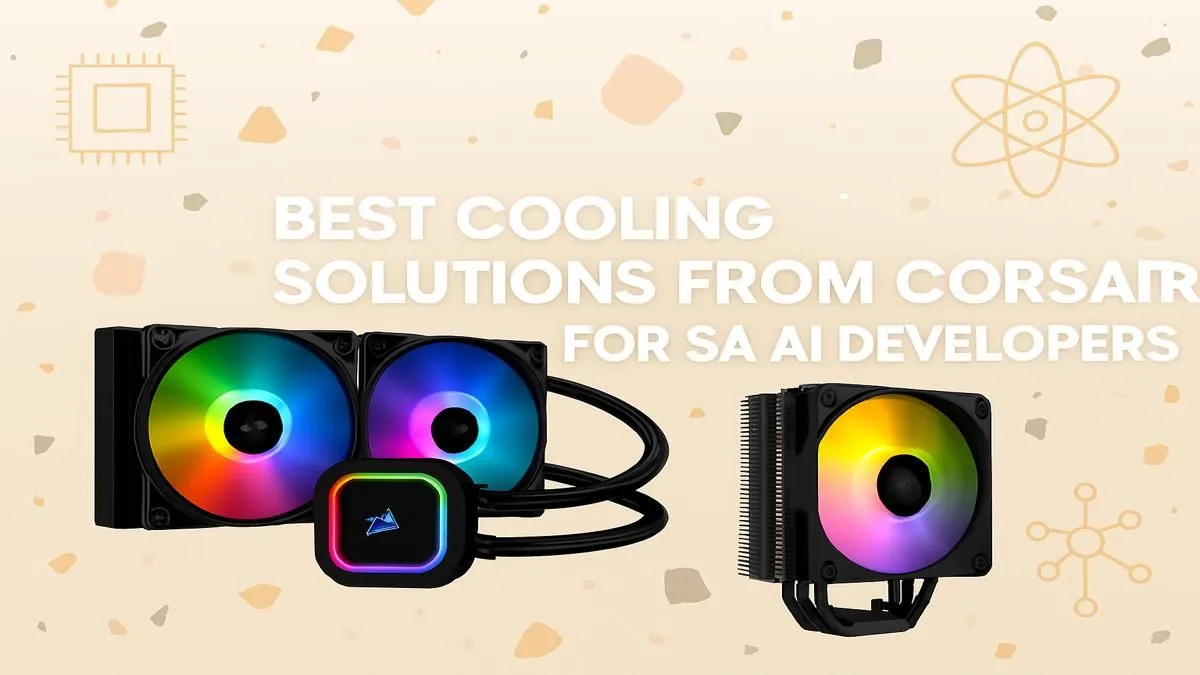
So, you're building a beast of a machine for AI development here in South Africa. You've got the GPU, the CPU, the RAM... but have you thought about the heat? AI workloads aren't like gaming; they push your components to their limits for hours on end. Your new rig can quickly get hotter than a December braai in the Karoo. That's where choosing the right Corsair cooling for AI becomes absolutely critical.
Training a neural network or processing massive datasets isn't a short sprint; it's a marathon at full tilt. Unlike gaming, which has peaks and troughs in demand, AI tasks create a sustained, intense thermal load that can overwhelm standard cooling solutions. When components overheat, they throttle—slashing performance and extending your render or training times. It's a bottleneck many developers only discover when their deadlines are looming.
This intense heat comes from both your CPU and your GPU. Whether you're running one of the latest high-performance NVIDIA GeForce PCs or leveraging the power of AMD Radeon systems, that graphics card is going to be generating a massive amount of heat. Effective Corsair cooling for your AI setup is about managing this total system temperature, not just the CPU.
When it comes to keeping those core temperatures in check, you have two main options: All-in-One (AIO) liquid coolers or high-performance air coolers. Corsair excels at both, offering brilliant solutions for any AI build.
If you're running a top-tier Intel Core i9 or AMD Ryzen 9 processor, an AIO is almost non-negotiable. The H150i, with its large 360mm radiator, offers incredible heat dissipation capacity.
Don't underestimate modern air coolers. The Corsair A115 is an engineering marvel, using a dual-tower design with six heat pipes to pull heat away from the CPU efficiently.
For optimal cooling in your case, aim for 'positive pressure.' This means having slightly more air being pushed in by your intake fans than being pulled out by your exhaust fans. This helps minimise dust buildup and ensures a steady supply of cool, fresh air is constantly flowing over all your components, not just the CPU.
A powerful CPU cooler is only one part of the equation. Your chassis needs excellent airflow to get the hot air out. Ensure you have a good case with multiple fan mounts. Investing in a set of Corsair's ML or AF series fans can make a massive difference, creating a wind tunnel that benefits your RAM, motherboard VRMs, and SSDs.
This holistic approach to thermal management is why many professionals opt for purpose-built professional-grade workstation PCs, which are designed from the ground up for superior airflow and thermal endurance. Proper Corsair cooling for an AI system is a complete strategy, not just a single component. 🚀
Ready to Build Your AI Powerhouse? Choosing the right cooling is crucial, but it's just one part of the puzzle. A well-built system ensures every component works in harmony. Explore our range of custom-built Workstation PCs designed for the intense demands of AI and machine learning.
For most AI workstations, a Corsair AIO liquid cooler like the iCUE H150i ELITE series offers the best balance of high thermal dissipation and manageable noise levels.
While not strictly necessary, liquid cooling for a deep learning rig is highly recommended. It efficiently manages the sustained high heat from GPUs and CPUs during training.
For a typical AI PC build, aim for at least three intake and two exhaust fans. High-airflow models from Corsair are ideal for keeping all components, including the GPU, cool.
Standard stock coolers often struggle with the intense, prolonged heat generated by AI workloads. Upgrading to a premium Corsair AIO or air cooler is crucial for performance.
A Corsair PC case with excellent airflow, like the 5000D AIRFLOW, is ideal. It provides ample space for large GPUs and multiple cooling fans essential for AI development.
Yes, the Corsair iCUE LINK system simplifies cable management and provides precise fan and pump control, allowing you to create custom cooling curves for demanding AI tasks.
RTX 5070 Ti 16GB for video editing powers faster renders and AI-assisted workflows, speed up Premiere and Resolve exports, and optimize inference. 🎬🤖
Read more
- Assess longevity - Embrace scalable AI - Plan upgrade paths AI upscaling for gaming boosts visuals and FPS while extending GPU life, helping you future-proof your rig with smart upgrades ⚡🎮
Read more
RTX 5060 Ti for AI workflows delivers cost-effective tensor performance to accelerate training, inference, and data prep. Learn tuning tips, memory/driver setup, and benchmark gains to boost daily AI productivity. ⚡️💡
Read more
RX 9060 XT for machine learning: Explore whether the RX 9060 XT can handle local AI and ML tasks, plus practical tips, benchmarks, and configuration advice. ✅🔧
Read more
AI NAS combines storage and on-device AI by adding a neural processing unit (NPU). Learn how an AI NAS speeds inference, secures data, and boosts backups. 🤖💾
Read more
Edge computing smart home setups reduce latency, boost privacy, and enable on-device AI for future-proof automation and security. Learn hardware picks and upgrade tips. 🔒🤖
Read more
Discover webcams that automatically adjust light and color for crystal-clear video calls 🎥✨. Boost your streaming quality today!
Read more
Discover webcams that blend into your workflow 🎯 Capture moments while you work, stream, or create. Upgrade your setup with smart, multitasking tech!
Read more
Dedicated media keys give streamers one-touch control to mute, switch scenes, clip highlights, and adjust audio — cutting task time and boosting consistency 🎛️⚡
Read more
PBT vs ABS keycaps: Clear, local guide for South African gamers—compare feel, sound, durability and where to buy. Find the best material for your budget and playstyle 🎮🇿🇦
Read more
- Multi-Function Digital Dial: define benefits - Show gamer setups and macros - Offer buying and setup tips Multi-Function Digital Dial puts programmable control at your fingertips for faster actions and smoother streaming. 🎮⚙️
Read more
- Explain benefits; - Show the science; - Compare options; - Recommend picks. Magnetic wrist rest for gaming cuts wrist strain and boosts comfort during long sessions 🕹️✨
Read more