


RTX 5070 Ti 16GB for Video Editing and AI Workflows
RTX 5070 Ti 16GB for video editing powers faster renders and AI-assisted workflows, speed up Premiere and Resolve exports, and optimize inference. 🎬🤖
Read moreFind the best GPU for Stable Diffusion in South Africa with our deep dive. We compare NVIDIA's CUDA dominance against AMD's ROCm potential, analyzing VRAM, benchmarks, and price-to-performance to help you choose the ultimate AI art graphics card. 🤖🎨
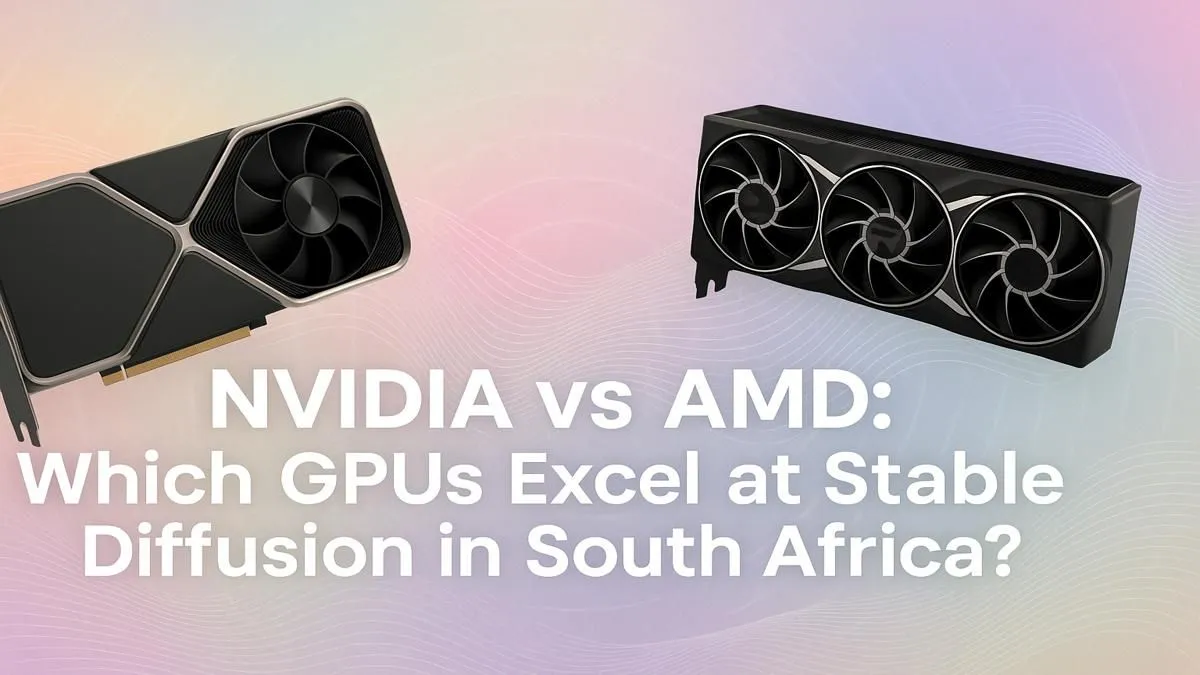
So, you've dived into the incredible world of AI art, turning text prompts into digital masterpieces with Stable Diffusion. But there's a problem... your PC sounds like it's about to take off, and generating a single image takes forever. If you're in South Africa and serious about AI, choosing the best GPU for Stable Diffusion is your most important decision. It's the difference between frustration and fluid creation. Let's break down the NVIDIA vs AMD battle.
When it comes to finding the best GPU for Stable Diffusion, one name consistently comes out on top: NVIDIA. The reason is simple and powerful: CUDA (Compute Unified Device Architecture).
Think of CUDA as a special language that only NVIDIA GPUs speak fluently. The entire AI and machine learning world, including the tools that power Stable Diffusion, has been built around this language. This means out-of-the-box compatibility, better performance, and access to a massive community of developers and guides. For South African creators who want to plug in and start generating without headaches, exploring the wide range of NVIDIA GeForce GPUs is the most direct path to success. You get less time troubleshooting and more time creating. ✨
So, where does that leave Team Red? It's true that AMD offers incredible gaming performance for your money, but the situation for AI is more complicated. AMD's answer to CUDA is ROCm (Radeon Open Compute platform). While it's a capable technology, it simply doesn't have the widespread, native support that CUDA enjoys.
Running Stable Diffusion on an AMD card often requires extra steps, community-built workarounds, and patience. Performance might not be as optimised, and you could run into compatibility issues with new updates or features. While it's definitely possible, it's a path for the tech-savvy tinkerer, not someone who just wants to create. If you're weighing your options, it's worth seeing what the latest AMD Radeon graphics cards offer, but be prepared for a more hands-on experience. 🔧
For Stable Diffusion, VRAM (Video RAM) is more critical than raw clock speed. It determines the resolution and complexity of the images you can generate. Aim for at least 8GB of VRAM. An RTX 3060 with 12GB is a fantastic starting point in SA because its generous VRAM often outperforms more powerful cards with less memory for AI tasks.
Beyond the NVIDIA vs AMD debate, what specific features make a GPU great for AI art generation?
This is non-negotiable. VRAM is the memory on your graphics card where the AI model and the images you're generating are stored.
The faster the VRAM, the quicker your GPU can access the data it needs. This directly impacts how fast your images are generated. Look for cards with GDDR6 or, even better, GDDR6X memory.
NVIDIA's RTX cards include specialised hardware called Tensor Cores, designed specifically to accelerate AI calculations. This gives them a significant performance advantage in applications like Stable Diffusion. For those doing this professionally, looking into specialised workstation graphics cards with massive VRAM pools can be a worthy long-term investment.
Ultimately, the best GPU for Stable Diffusion in SA is almost always an NVIDIA RTX card. The combination of CUDA support, Tensor Cores, and a massive support community makes it the clear winner for a smooth and powerful creative workflow. 🚀
Ready to Create at the Speed of Light? The NVIDIA vs AMD debate for AI is clear for now, but the right card still depends on your budget and goals. For the best performance and widest support in Stable Diffusion, an NVIDIA GPU is your ticket to stunning AI art. Explore our complete range of graphics cards and find the perfect engine for your creativity.
NVIDIA is currently better for Stable Diffusion due to its mature CUDA software platform, which offers superior performance, stability, and wider support across AI tools.
A minimum of 8GB of VRAM is recommended. However, for higher resolutions, faster training, and more complex models, 12GB to 24GB is ideal for optimal performance.
Yes, you can run Stable Diffusion on modern AMD GPUs using ROCm (Linux) or DirectML (Windows), but setup can be more complex and performance often lags behind NVIDIA.
The NVIDIA GeForce RTX 3060 12GB is an excellent affordable GPU for AI art, offering a generous amount of VRAM and solid CUDA performance for its price point in the SA market.
CUDA is NVIDIA's parallel computing platform. Most AI frameworks, including Stable Diffusion, are heavily optimized for it, resulting in significant speed and reliability advantages.
The NVIDIA GeForce RTX 4090 is the fastest consumer GPU for Stable Diffusion, delivering top-tier performance and 24GB of VRAM to handle any AI workload with ease.
Absolutely. Evetech stocks a wide range of NVIDIA GeForce and AMD Radeon GPUs perfect for AI generation, from entry-level models to high-performance cards for professionals.
The requirements are the same globally. You'll need a modern NVIDIA or AMD GPU with at least 8GB VRAM, but an NVIDIA RTX card with 12GB+ is highly recommended for best results.
RTX 5070 Ti 16GB for video editing powers faster renders and AI-assisted workflows, speed up Premiere and Resolve exports, and optimize inference. 🎬🤖
Read more
- Assess longevity - Embrace scalable AI - Plan upgrade paths AI upscaling for gaming boosts visuals and FPS while extending GPU life, helping you future-proof your rig with smart upgrades ⚡🎮
Read more
RTX 5060 Ti for AI workflows delivers cost-effective tensor performance to accelerate training, inference, and data prep. Learn tuning tips, memory/driver setup, and benchmark gains to boost daily AI productivity. ⚡️💡
Read more
RX 9060 XT for machine learning: Explore whether the RX 9060 XT can handle local AI and ML tasks, plus practical tips, benchmarks, and configuration advice. ✅🔧
Read more
AI NAS combines storage and on-device AI by adding a neural processing unit (NPU). Learn how an AI NAS speeds inference, secures data, and boosts backups. 🤖💾
Read more
Edge computing smart home setups reduce latency, boost privacy, and enable on-device AI for future-proof automation and security. Learn hardware picks and upgrade tips. 🔒🤖
Read more
Discover webcams that automatically adjust light and color for crystal-clear video calls 🎥✨. Boost your streaming quality today!
Read more
Discover webcams that blend into your workflow 🎯 Capture moments while you work, stream, or create. Upgrade your setup with smart, multitasking tech!
Read more
Dedicated media keys give streamers one-touch control to mute, switch scenes, clip highlights, and adjust audio — cutting task time and boosting consistency 🎛️⚡
Read more
PBT vs ABS keycaps: Clear, local guide for South African gamers—compare feel, sound, durability and where to buy. Find the best material for your budget and playstyle 🎮🇿🇦
Read more
- Multi-Function Digital Dial: define benefits - Show gamer setups and macros - Offer buying and setup tips Multi-Function Digital Dial puts programmable control at your fingertips for faster actions and smoother streaming. 🎮⚙️
Read more
- Explain benefits; - Show the science; - Compare options; - Recommend picks. Magnetic wrist rest for gaming cuts wrist strain and boosts comfort during long sessions 🕹️✨
Read more