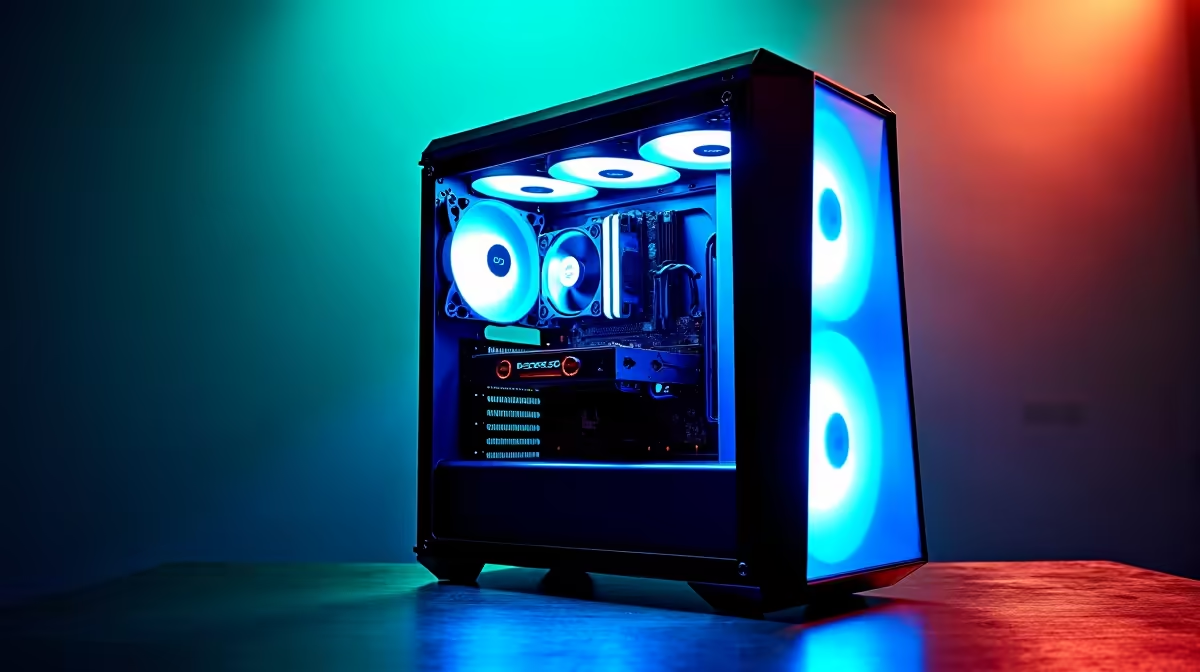
So, you’ve heard the buzz about DeepSeek. This powerful AI coding assistant is making waves across South Africa, promising to write, debug, and optimise code like a seasoned pro. But before you can unleash its full potential, there’s a critical question: is your current PC up to the task? Or will it buckle under the pressure? We’ve dived deep into the hardware requirements to create the ultimate guide to the best PC for DeepSeek. Let’s get you geared up. 🚀
What is DeepSeek and Why Does Your PC Hardware Matter?
Think of DeepSeek as a brilliant, lightning-fast junior developer that lives in your computer. Like any large language model (LLM), it relies on immense computational power to function. It's not like running a web browser or a word processor; running an AI model locally is more like rendering a complex 4K video or running a AAA game at max settings… but even more demanding in specific ways.
The performance of your DeepSeek experience boils down to three key hardware pillars:
- Graphics Card (GPU): This is the heart of any AI machine. The model's "brain" is loaded into the GPU's video memory (VRAM), and its powerful cores handle the complex calculations. Not enough VRAM, and you can't even load the model.
- Processor (CPU): While the GPU does the heavy lifting, the CPU manages the entire process, preparing data and ensuring the GPU is constantly fed with information to process.
- Memory (RAM) & Storage (SSD): System RAM is crucial for holding the data you're working on, while a fast SSD ensures the AI models and datasets load in seconds, not minutes.
Getting the balance right is key to building an effective PC for DeepSeek.
Benchmarking DeepSeek: The Key Components That Deliver
When you’re configuring a PC build for DeepSeek, not all components are created equal. The model's performance is directly tied to the power of your hardware, especially the graphics card. Here’s a breakdown of what truly moves the needle.
The GPU: Your AI Powerhouse ⚡
The single most important component for running DeepSeek locally is the GPU. The primary bottleneck is VRAM. For example, the popular DeepSeek-Coder-33B model requires a significant amount of VRAM to run effectively.
- NVIDIA is King: Thanks to its CUDA technology, NVIDIA's GeForce RTX cards are the industry standard for AI. Cards from the RTX 30 and 40 series, with their dedicated Tensor Cores, offer incredible performance. For a smooth experience, we recommend starting with at least 12GB of VRAM. You can find a huge variety in our range of NVIDIA GeForce gaming PCs.
- AMD & Intel Alternatives: While NVIDIA leads, options exist for other teams. Modern AMD Radeon gaming PCs offer excellent raw performance, and the ecosystem for running AI on them is constantly improving. Similarly, the latest Intel Arc gaming PCs provide a compelling value proposition, especially for those on a tighter budget.
AI Pro Tip: Use Quantised Models 🧠
If your GPU's VRAM is a limiting factor, don't despair! Look for 'quantised' versions of DeepSeek models (like GGUF or AWQ). These are slightly compressed versions that use significantly less VRAM with a minimal drop in performance, allowing you to run larger, more powerful models on more modest hardware.
CPU & RAM: The Unsung Heroes
While the GPU gets the spotlight, a weak CPU or insufficient RAM will create a serious bottleneck. You need a balanced system.
- CPU: A modern processor with multiple cores and high clock speeds is essential for managing data flow. Both the latest Intel-powered systems and the powerful AMD Ryzen PC deals offer fantastic options that won't hold your GPU back.
- RAM: For AI work, 16GB of system RAM is the absolute minimum. We strongly recommend 32GB as a comfortable starting point, with 64GB being ideal for handling larger datasets alongside the AI model without a hitch.
Building the Best PC for DeepSeek: Three Tiers for South Africans
So, what does the ideal DeepSeek PC look like? We’ve broken it down into three tiers to suit different needs and budgets, with real-world builds you can get right here at Evetech.
The Entry-Level Coder (Budget Build)
This build is for students, hobbyists, or developers just starting to explore local AI. It offers the best bang-for-your-buck, providing enough power to run smaller DeepSeek models and doubles as a fantastic 1080p gaming rig. Look for systems built around an RTX 4060 (with its 8GB or 16GB variants), a modern Core i5 or Ryzen 5 CPU, and 32GB of DDR4/DDR5 RAM. Many of our budget gaming PCs fit this profile perfectly.
The AI Enthusiast (Mid-Range Build) ✨
This is the sweet spot for most users. It provides a significant performance jump, allowing you to run larger, more capable models like DeepSeek-Coder-33B smoothly. This is the best PC for DeepSeek for serious developers and AI enthusiasts.
- GPU: NVIDIA GeForce RTX 4070 Super (12GB) or RTX 4070 Ti Super (16GB)
- CPU: Intel Core i7 or AMD Ryzen 7
- RAM: 32GB or 64GB of fast DDR5 RAM
- Storage: 1TB+ NVMe SSD
This configuration offers a premium experience without the premium price tag. You can find similar specs in many of our best gaming PC deals.
The Professional Powerhouse (High-End Build)
For professionals who rely on AI for their livelihood, performance is non-negotiable. This tier is built around the best components available, designed for running the largest models, fine-tuning, and heavy multitasking. Think NVIDIA GeForce RTX 4090 with its massive 24GB of VRAM, paired with a top-tier Core i9 or Ryzen 9 CPU and 64GB (or more) of RAM. These are true professional workstation PCs built for maximum productivity.
Pre-Built vs. DIY: The Evetech Advantage
While building a PC yourself can be rewarding, it also comes with risks. For a specialised machine designed for demanding AI workloads, a professionally assembled system offers peace of mind. Our pre-built PC deals are built by expert technicians, cable-managed for optimal airflow, and undergo rigorous stress testing to ensure rock-solid stability. Plus, you get a full system warranty, so you can focus on coding, not troubleshooting.
Ready to Build Your AI Powerhouse?
The right hardware unlocks a new world of AI-powered creativity and productivity. Whether you're debugging code or generating new ideas, the perfect DeepSeek PC is waiting. Explore our massive range of custom and pre-built PCs and find the perfect machine to conquer your world.