


RTX 5070 Ti 16GB for Video Editing and AI Workflows
RTX 5070 Ti 16GB for video editing powers faster renders and AI-assisted workflows, speed up Premiere and Resolve exports, and optimize inference. 🎬🤖
Read moreStruggling with high DeepSeek power consumption? ⚡ Learn to optimize your hardware and software settings for maximum AI performance without skyrocketing your electricity bill. This guide covers everything from GPU undervolting to choosing the right PSU for efficient DeepSeek operation. 💡
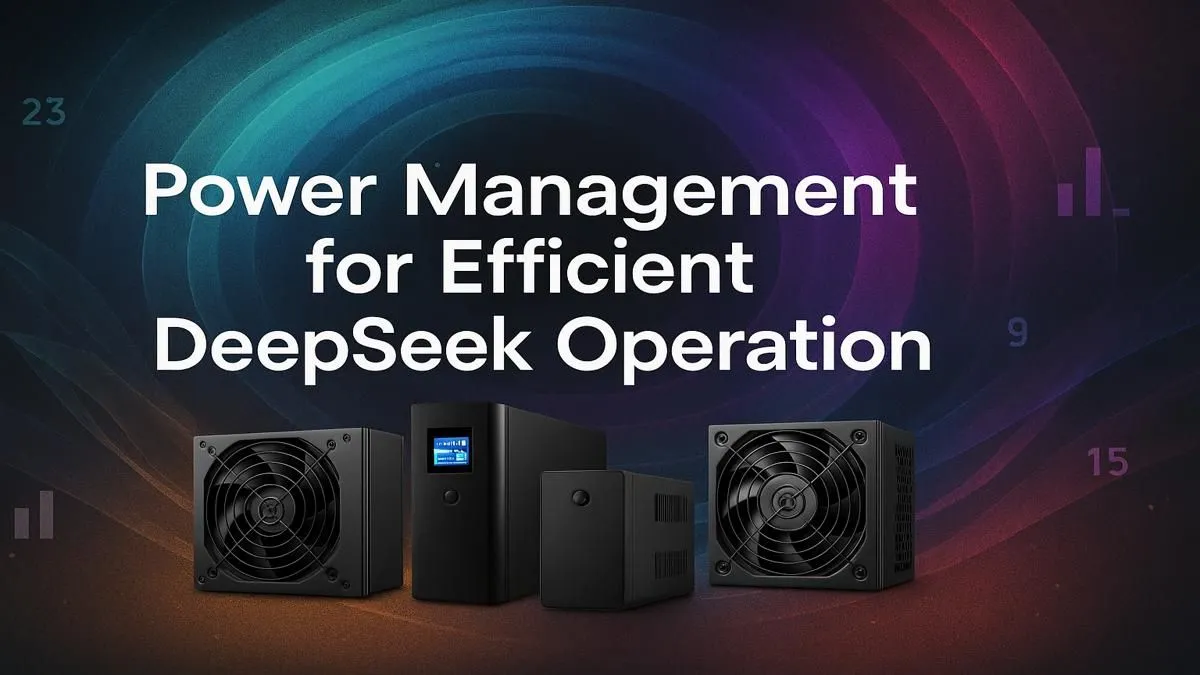
Running AI models like DeepSeek can make your PC's power meter spin faster than a load-shedding schedule change. With Eskom's tariffs climbing, high DeepSeek power consumption isn't just a performance issue… it's a direct hit to your wallet. The raw computational power needed for AI tasks can push your hardware to its limits, turning your high-tech rig into a very expensive room heater. So, how do you train your next-gen AI without tripping the mains? Let's get into it. ⚡
Before you can tame the beast, you need to understand it. AI workloads, especially training and complex inference tasks, are incredibly demanding. They hammer your GPU and CPU simultaneously, causing power spikes that can stress your components and your electricity bill. The key to peak AI efficiency isn't just about raw power; it's about smart, optimised power. Managing DeepSeek power consumption effectively means choosing the right components and configuring them for sustained performance without wastage. This approach not only saves you money but also improves system stability and longevity.
Your choice of hardware is the single biggest factor in your system's power profile. A well-balanced machine will deliver the performance you need without drawing unnecessary wattage.
While the GPU does the heavy lifting for most AI models, the CPU is crucial for data pre-processing, managing system resources, and keeping the entire pipeline flowing smoothly. Modern CPUs are designed with incredible efficiency cores. For example, many of the latest modern Intel-powered PCs offer a hybrid architecture that balances high-performance cores with power-sipping efficiency cores. Similarly, many AMD Ryzen systems provide excellent multi-core performance at a competitive thermal design power (TDP), making them a solid choice for managing AI workloads.
This is where the real power draw happens. For AI, NVIDIA's CUDA cores have long been the industry standard, and you'll find them in most NVIDIA GeForce gaming PCs, offering a great entry point. However, don't overlook the competition. The latest AMD Radeon gaming PCs are becoming increasingly capable in AI tasks, often providing excellent performance-per-watt. Even newer players are getting in on the action, with Intel Arc gaming PCs showing promise for future AI development. The goal is to find a card with enough VRAM and computational power for your models, without going overboard.
Your PSU is the heart of your PC. An inefficient, low-quality PSU will waste energy as heat before it even reaches your components. Always opt for a PSU with an 80 Plus Gold rating or higher. It ensures at least 87% efficiency at typical loads, directly reducing wasted electricity and helping to lower your overall system power consumption.
Putting it all together can be daunting. You need a balanced system where the components work in harmony. If you're starting from scratch, some of our budget gaming PCs can serve as an excellent, affordable base for AI experimentation.
For those who want a ready-to-go solution, exploring expertly configured pre-built PC deals removes the guesswork, ensuring all components are matched for stability and efficiency. A balanced system from our selection of the best gaming PC deals often provides the perfect middle ground for both gaming and serious AI work. For professionals where every minute of processing time counts, investing in one of our purpose-built dedicated workstation PCs is the ultimate move for maximum, optimised performance.
Ultimately, taming DeepSeek power consumption is a game of balance. By making smart hardware choices and fine-tuning your system, you can achieve incredible AI performance without getting a nasty surprise from Eskom. ✨
Ready to Build Your AI Powerhouse? Whether you're a hobbyist or a professional, having the right hardware is crucial for efficient AI development. Explore our range of powerful workstation PCs and find the perfect, optimised machine to bring your ideas to life.
Managing DeepSeek power consumption is crucial for reducing operational costs, preventing hardware thermal throttling, and ensuring system stability during long training or inference tasks.
You can monitor an AI model's power draw using tools like NVIDIA's `nvidia-smi` command-line utility or software like HWiNFO64, which provide real-time GPU power usage data.
Yes, undervolting your GPU for AI tasks can significantly reduce power consumption and heat output with minimal performance loss, leading to better overall efficiency.
The best PSU for DeepSeek workloads should have a high efficiency rating (80+ Gold or higher), ample wattage for your GPU/CPU, and stable power delivery to handle transient spikes.
Absolutely. Optimizing batch sizes, using lower precision data types (like FP16), and implementing efficient model code are all software settings that can lower power usage.
Modern GPUs with architectures designed for AI, like NVIDIA's Ada Lovelace series, offer the best performance-per-watt, making them highly power-efficient for DeepSeek.
RTX 5070 Ti 16GB for video editing powers faster renders and AI-assisted workflows, speed up Premiere and Resolve exports, and optimize inference. 🎬🤖
Read more
- Assess longevity - Embrace scalable AI - Plan upgrade paths AI upscaling for gaming boosts visuals and FPS while extending GPU life, helping you future-proof your rig with smart upgrades ⚡🎮
Read more
RTX 5060 Ti for AI workflows delivers cost-effective tensor performance to accelerate training, inference, and data prep. Learn tuning tips, memory/driver setup, and benchmark gains to boost daily AI productivity. ⚡️💡
Read more
RX 9060 XT for machine learning: Explore whether the RX 9060 XT can handle local AI and ML tasks, plus practical tips, benchmarks, and configuration advice. ✅🔧
Read more
AI NAS combines storage and on-device AI by adding a neural processing unit (NPU). Learn how an AI NAS speeds inference, secures data, and boosts backups. 🤖💾
Read more
Edge computing smart home setups reduce latency, boost privacy, and enable on-device AI for future-proof automation and security. Learn hardware picks and upgrade tips. 🔒🤖
Read more
Discover webcams that automatically adjust light and color for crystal-clear video calls 🎥✨. Boost your streaming quality today!
Read more
Discover webcams that blend into your workflow 🎯 Capture moments while you work, stream, or create. Upgrade your setup with smart, multitasking tech!
Read more
Dedicated media keys give streamers one-touch control to mute, switch scenes, clip highlights, and adjust audio — cutting task time and boosting consistency 🎛️⚡
Read more
PBT vs ABS keycaps: Clear, local guide for South African gamers—compare feel, sound, durability and where to buy. Find the best material for your budget and playstyle 🎮🇿🇦
Read more
- Multi-Function Digital Dial: define benefits - Show gamer setups and macros - Offer buying and setup tips Multi-Function Digital Dial puts programmable control at your fingertips for faster actions and smoother streaming. 🎮⚙️
Read more
- Explain benefits; - Show the science; - Compare options; - Recommend picks. Magnetic wrist rest for gaming cuts wrist strain and boosts comfort during long sessions 🕹️✨
Read more