


RTX 5070 Ti 16GB for Video Editing and AI Workflows
RTX 5070 Ti 16GB for video editing powers faster renders and AI-assisted workflows, speed up Premiere and Resolve exports, and optimize inference. 🎬🤖
Read moreStruggling with DeepSeek overheating your system? Don't let thermal throttling slow down your AI projects. Discover expert tips on optimizing software, improving airflow, and choosing the right cooling hardware to maintain peak performance. Keep your PC cool and efficient! ❄️💻
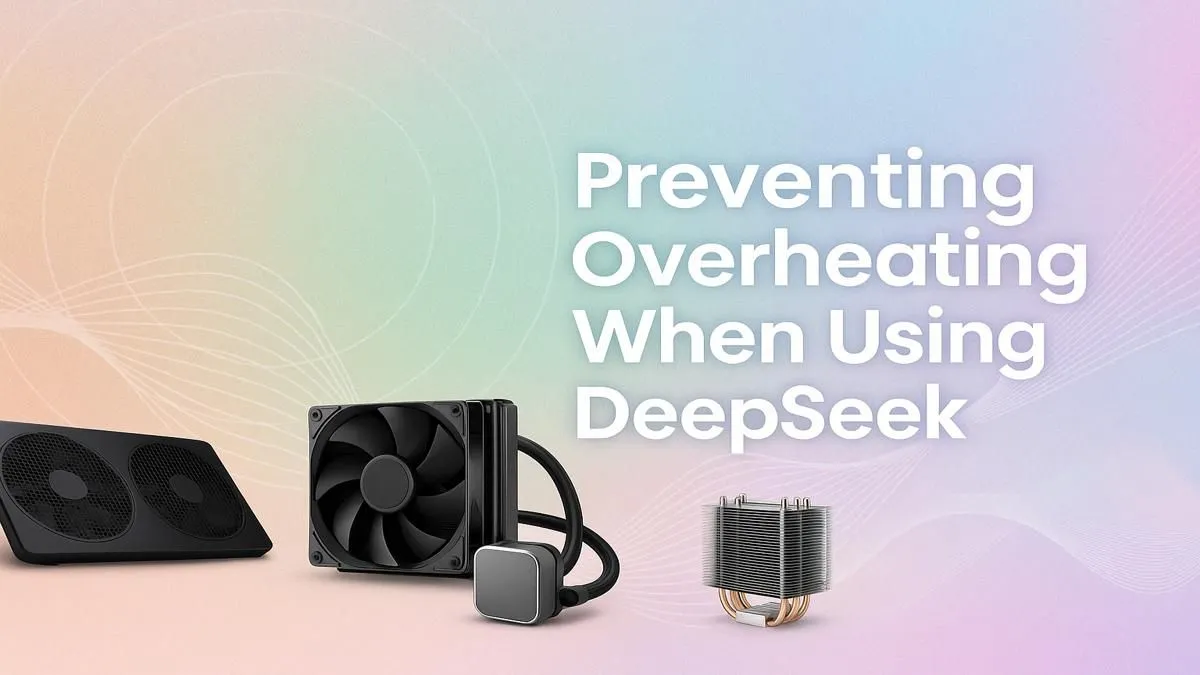
So, you're diving into the world of AI with tools like DeepSeek, and suddenly your PC sounds like it's preparing for takeoff from OR Tambo. That intense fan noise is a clear warning sign. AI workloads push your hardware to its limits in ways that even demanding games don't, leading to serious DeepSeek overheating. Before your machine throttles into oblivion or worse, let's look at some pro tips to keep your PC cool under pressure. 💻
Unlike gaming, which has moments of lower intensity, running a powerful AI model can pin your CPU and GPU at 100% usage for hours. This sustained, maximum-effort workload generates a massive amount of heat. If your cooling system isn't up to the task, temperatures will skyrocket, causing performance drops and potentially damaging your components.
This isn't just about the GPU; the CPU does heavy lifting too. To handle these complex tasks without a bottleneck, you need a balanced system. Both the latest Intel Core processors and powerful AMD Ryzen systems are designed for multitasking and heavy loads, but they still need adequate cooling to perform optimally. The core issue of DeepSeek overheating is relentless, constant demand.
Before you start shopping for new hardware, let's cover the basics. Often, a few simple tweaks can make a world of difference in managing your PC's temperatures.
Dust is the ultimate enemy of a cool PC. It acts as an insulator, trapping heat and clogging up fan bearings and heatsink fins.
Regular cleaning is crucial, especially in South Africa's dustier climates. This simple act can significantly lower your temps when your PC is under load.
How air moves through your case is just as important as how clean it is. Many modern NVIDIA GeForce gaming PCs and AMD Radeon-powered rigs come with excellent stock airflow, but it's always good to double-check. Ensure you have a clear path for air to travel from your intake fans (usually at the front) across your components and out through your exhaust fans (usually at the back and top). Tidy up your cables to remove any obstructions.
Most motherboards let you control fan speeds in the BIOS UEFI. Instead of the default "Silent" mode, try a "Performance" profile or set a custom fan curve. This tells your fans to spin up faster as temperatures rise, creating a more aggressive cooling response that's perfect for preventing overheating during long AI sessions.
If cleaning and airflow optimisation aren't enough, it might be time for some hardware upgrades. A system struggling with DeepSeek overheating often has a bottleneck in its cooling solution.
A high-performance CPU cooler—either a large air tower or an All-in-One (AIO) liquid cooler—is one of the best investments you can make. They are far more effective at dissipating heat than the stock coolers that come with most processors. This applies to all systems, from those running high-end GPUs to the latest Intel Arc gaming PCs. When you buy from us, many of our pre-built PC deals already include upgraded cooling solutions designed for heavy use.
Sometimes, you have to accept that your current rig just wasn't built for the intense, sustained workloads of modern AI. If you're constantly fighting high temperatures and performance throttling, it might be more efficient to upgrade. This is especially true if you're upgrading from older budget gaming PCs that lack the robust power delivery and cooling of newer platforms.
For professionals who rely on tools like DeepSeek, investing in one of our purpose-built workstation PCs can save you time, frustration, and money in the long run. These machines are engineered for stability and performance under constant, heavy loads. Don't let an overheating PC hold back your next big project. Why not check out the best gaming PC deals in South Africa to see what a modern, cool-running system can offer? 🚀
Ready to Build a PC That Can Handle Anything? Don't let overheating cut your AI journey short. A powerful, well-cooled machine is your key to unlocking maximum performance. Explore our wide range of custom-built computers and configure a rig that stays cool and quiet, no matter how hard you push it.
DeepSeek performs complex calculations that heavily tax your CPU and GPU. This high resource demand, especially with DeepSeek's high CPU usage, generates significant heat.
Yes, prolonged overheating can degrade and shorten the lifespan of your CPU, GPU, and other components. Modern PCs have safeguards, but preventing it is key for longevity.
You'll notice a sudden drop in performance, stuttering, and your PC's fans running at maximum speed. This is your system slowing down to protect itself from heat damage.
For intense AI tasks, consider upgrading to a high-performance air cooler, an All-In-One (AIO) liquid cooler, or adding more case fans for significantly improved airflow.
Ensure your GPU has proper airflow, clean its heatsink and fans regularly, and consider undervolting. You can also use software to set a custom, more aggressive fan curve.
Absolutely. Good airflow is critical. Ensuring unobstructed pathways for cool air to enter and hot air to exit can dramatically lower overall system temperatures.
RTX 5070 Ti 16GB for video editing powers faster renders and AI-assisted workflows, speed up Premiere and Resolve exports, and optimize inference. 🎬🤖
Read more
- Assess longevity - Embrace scalable AI - Plan upgrade paths AI upscaling for gaming boosts visuals and FPS while extending GPU life, helping you future-proof your rig with smart upgrades ⚡🎮
Read more
RTX 5060 Ti for AI workflows delivers cost-effective tensor performance to accelerate training, inference, and data prep. Learn tuning tips, memory/driver setup, and benchmark gains to boost daily AI productivity. ⚡️💡
Read more
RX 9060 XT for machine learning: Explore whether the RX 9060 XT can handle local AI and ML tasks, plus practical tips, benchmarks, and configuration advice. ✅🔧
Read more
AI NAS combines storage and on-device AI by adding a neural processing unit (NPU). Learn how an AI NAS speeds inference, secures data, and boosts backups. 🤖💾
Read more
Edge computing smart home setups reduce latency, boost privacy, and enable on-device AI for future-proof automation and security. Learn hardware picks and upgrade tips. 🔒🤖
Read more
Discover webcams that automatically adjust light and color for crystal-clear video calls 🎥✨. Boost your streaming quality today!
Read more
Discover webcams that blend into your workflow 🎯 Capture moments while you work, stream, or create. Upgrade your setup with smart, multitasking tech!
Read more
Dedicated media keys give streamers one-touch control to mute, switch scenes, clip highlights, and adjust audio — cutting task time and boosting consistency 🎛️⚡
Read more
PBT vs ABS keycaps: Clear, local guide for South African gamers—compare feel, sound, durability and where to buy. Find the best material for your budget and playstyle 🎮🇿🇦
Read more
- Multi-Function Digital Dial: define benefits - Show gamer setups and macros - Offer buying and setup tips Multi-Function Digital Dial puts programmable control at your fingertips for faster actions and smoother streaming. 🎮⚙️
Read more
- Explain benefits; - Show the science; - Compare options; - Recommend picks. Magnetic wrist rest for gaming cuts wrist strain and boosts comfort during long sessions 🕹️✨
Read more