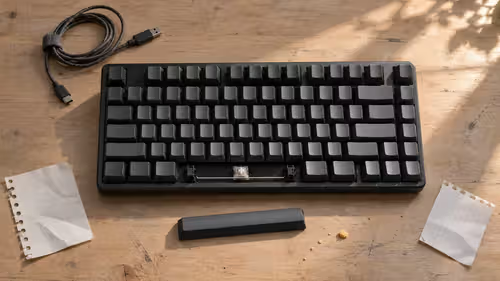
When the 3, E, D and C keys die together, the cause is almost never four separate failures. Those four keys sit on one diagonal line of the keyboard grid, so a single damaged trace, a loose ribbon cable or a patch of dried spill takes them all out at once. The quickest way to confirm a 3edc keys not working on laptop fault is to press them in the BIOS, where Windows settings cannot interfere.
Quick Answer
If 3, E, D and C stay dead in the BIOS, the keyboard or its ribbon cable is faulty, and a replacement part usually costs somewhere around R400 to R1,500 including labour. If they work in the BIOS but not in Windows, the cause is software: Filter Keys, a wrong layout or a driver. Test with a USB keyboard first so you can keep working while you decide.
🔍 Why Four Keys In A Line Fail Together
A laptop keyboard is not wired as one wire per key. It is a matrix of rows and columns, and each key press connects one row to one column. The controller scans the grid hundreds of times a second to see which crossings are closed.
On a standard QWERTY layout, the 3, E, D and C keys step down and to the left in a diagonal. On many boards that diagonal shares a single column line. When that one trace breaks, or the part of the ribbon cable carrying it loses contact, every key crossing the line stops responding. That is why you see a neat stripe of dead keys instead of random ones.
Two practical clues help you read the pattern:
- If other keys on the same row still work, the fault is on one column, not a whole row.
- If the dead keys change when you press hard on a different part of the palm rest, the ribbon cable is probably not seated properly.
🧪 Rule Out Software In Ten Minutes
Do the free checks before anyone opens the case.
- Press the keys in the BIOS. Restart, tap the setup key (often F2, Del or F10 depending on the brand), and press 3, E, D and C. A BIOS screen has no drivers and no Filter Keys, so a dead key here is a hardware fault.
- Try a live USB. Booting a Linux stick gives you the same hardware-only answer if the BIOS has no text field to type in.
- Check Accessibility. In Settings, Accessibility, Keyboard, switch off Filter Keys and Sticky Keys. They rarely kill specific letters, but they are the cheapest thing to rule out.
- Check the layout. In Settings, Time and language, Language and region, confirm the layout is the one printed on your keycaps.
- Reinstall the keyboard driver. In Device Manager, uninstall the keyboard entry under Keyboards, then restart so Windows rebuilds it.
If the keys work in the BIOS and fail only inside Windows, the answer is in steps three to five. If they fail everywhere, move on to the physical causes below.
💧 Spills, Dust And Loose Cables
Liquid is the classic cause of a stripe of dead keys. Sugary drinks leave a film that bridges traces on the membrane under the keycaps, and the damage often shows up days later when the residue dries. If you remember a spill, switch the laptop off and do not keep testing it.
South African conditions add their own build-up. Highveld dust in Gauteng works under keycaps through the dry winter months, and humid coastal homes in Durban and Cape Town let moisture creep into the keyboard layers. Neither is dramatic on its own, but over a few years they leave contacts dirty enough to drop out.
Safe first steps for a suspected dirty keyboard:
- Power off and unplug the charger.
- Tilt the laptop and tap the keyboard side gently to loosen crumbs.
- Use short bursts of compressed air at an angle, never held close.
- Do not pour isopropyl alcohol into the board.
A loose ribbon cable is the other common hardware cause. It can shift after a knock, a drop onto a bag floor or a previous repair. Reseating it is a five-minute job for a technician but a risky one for a beginner, because the connectors on thin laptops are fragile.
🛠️ Repair, Replace Or Upgrade
Your choices depend on the age and value of the machine.
Use an external keyboard. A USB keyboard costs around R150 to R500 and gets you typing again straight away. It is a fine stopgap on a desk setup, and a decent permanent answer for a laptop that never leaves a student's res room or a home office in Pretoria.
Replace the internal keyboard. On many models the keyboard is a standard spare part that a technician can swap. On thinner designs it is riveted into the top cover, which pushes the repair cost much higher. Ask for the part price before agreeing to the work.
Replace the laptop. If the machine is old, slow and has a dead keyboard, the repair money may be better put toward a newer model. Laptops start at around R8,000, and a new one removes the guesswork about cables and spills. Browse Intel gaming laptops if you want the extra performance, or look at the laptop best sellers for a sensible everyday option.
If the laptop is still new, contact the maker's support before anyone opens the case, since a third-party repair can complicate their help.
Frequently Asked Questions
Why would four keys in a line stop at once?
They share one electrical line in the keyboard matrix. Break that line, or the ribbon contact feeding it, and every key crossing it goes dead together while neighbouring keys keep working.
Can Windows settings really cause dead keys?
Rarely, and usually not a tidy diagonal of four. Filter Keys, a wrong language layout or a corrupt driver can misbehave, which is why the BIOS test comes first. If the keys respond there, the fault is in Windows.
How do I test whether it is hardware?
Press the keys inside the BIOS setup screen or boot a USB Linux stick. If they stay dead with Windows out of the picture, the keyboard or its cable is the problem.
Could a spill or dust be the cause?
Yes. Dried liquid can short a line of the matrix, and dust can block contacts. Both are common after a drink was knocked over, even if the laptop seemed fine at the time.
Does this happen on every laptop brand?
The pattern is the same on any make. Arrow, function and letter keys all fail in lines when a cable or matrix section dies, whatever logo sits on the lid.
Is a keyboard replacement worth it?
Often, if the part is a standard spare and the laptop is otherwise healthy. Get the part price first, and compare it against the value of the machine before you commit.
Ready to get typing properly again?
If fixing your old machine makes no sense, see which current laptops at Evetech suit study, work or gaming.