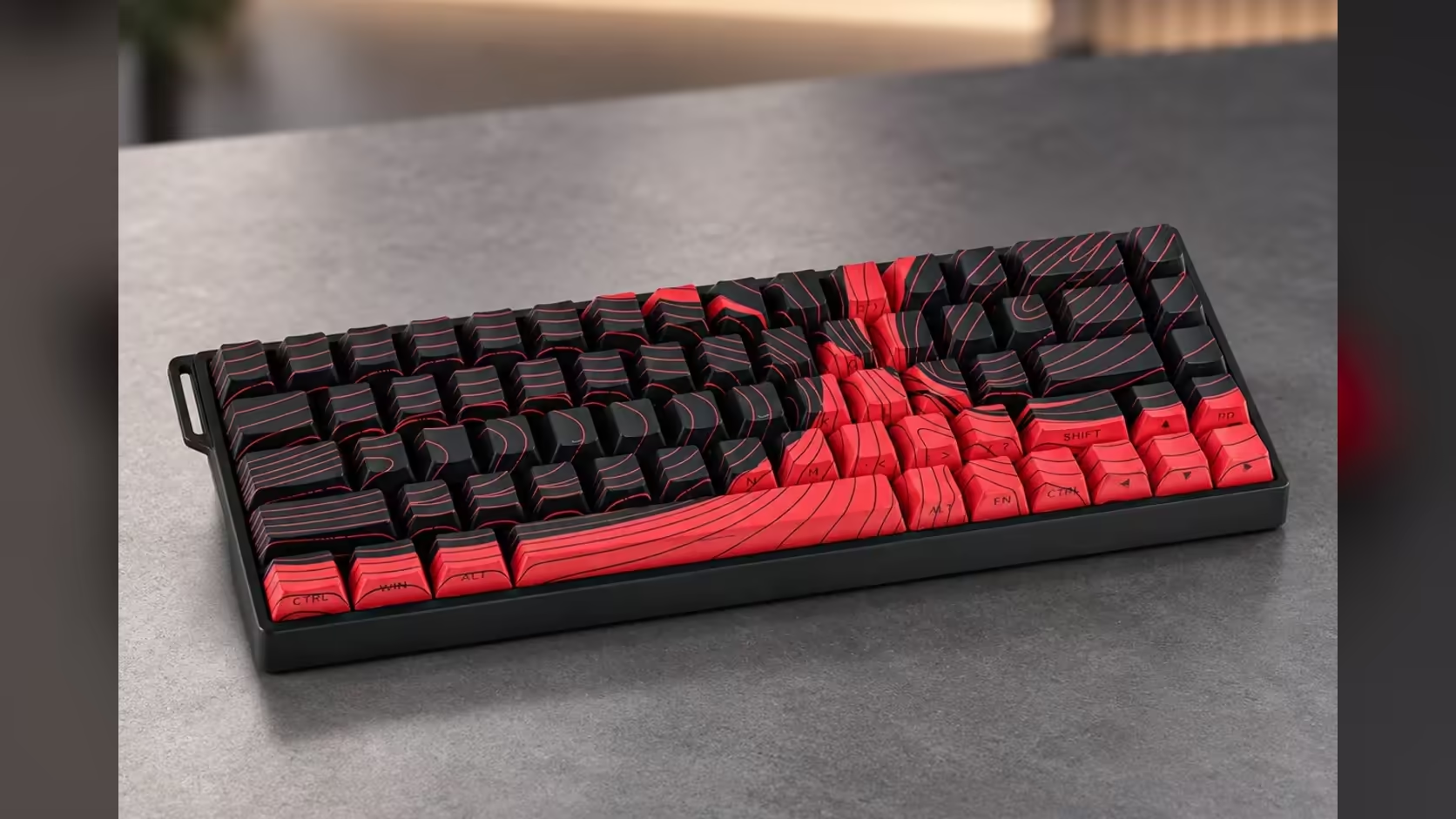
Low-sensitivity aim is a floor-plan problem before it is a skill problem. If turning 180 degrees in a shooter takes a full sweep of your forearm, every centimetre of clear cloth to the side of your keyboard counts. Pairing the AULA WIN68 with the 900mm AULA MP-XL gives you a small board and a very wide surface, and this guide shows how to arrange a low sensitivity desk setup around the pair.
Quick Answer
Park the WIN68 near the left end of the MP-XL and let the mouse claim the rest. A 65% board with 68 keys drops the number pad and moves the function row onto Fn combinations, so most of the 900 x 400mm pad stays open for arm sweeps. The pad's rubber base keeps the whole surface from creeping during fast flicks. Evetech sells the pad for R129, with the WIN68 HE at R449 and the WIN68 MAX at R699.
🎯 Why low sensitivity eats desk space
With a low in-game sensitivity, small wrist movements barely turn the camera. Players who run it rely on the whole arm: the elbow and shoulder drive big turns, and the wrist handles fine corrections. That style is popular for steady tracking, but it needs a long, uninterrupted lane.
Two measurements matter. Width decides how far a single swipe can travel before the mouse hits the keyboard or runs off the edge. Depth decides how much room you have to lift and reset the mouse without dropping off the front of the pad. The MP-XL gives you 900mm of width and 400mm of depth, which is generous on both counts.
Doing the sweep test
Before you commit to a layout, sit in your normal posture and do a slow full turn in a practice range. Mark where the mouse starts and stops. If the stop point lands near your keyboard, slide the board further left. If it lands near the right edge of the pad, move your resting position inwards. Five minutes of this saves weeks of clipped flicks.
🗺️ Arranging the WIN68 on the MP-XL
AULA does not publish outer dimensions for the WIN68, so work from the layout instead. It is a 65% board: 68 keys that keep the arrow cluster and put function keys, Home, End and similar commands on Fn layers. That makes it one of the narrowest layouts you can game on without losing arrows.
A sensible starting arrangement for a right-handed player:
- Keyboard pushed to the left third of the pad, its left edge a few centimetres in from the stitched border.
- A slight clockwise angle on the board, so your left wrist sits straight on the movement keys.
- Mouse resting point roughly in the middle of the remaining cloth, leaving room to swing in both directions.
Because the WIN68 is small, angling it does not push a corner off the fabric. That keeps all four feet on the same surface, so the board never rocks.
Cable routing
The WIN68 is a wired board that connects through a detachable USB-C cable, which is also how it holds 8000Hz polling. Take the cable off the back edge of the pad, away from the mouse lane, and clip or tape it along the desk to the PC. A cable that loops across the cloth will catch the mouse on exactly the kind of wide swipe you built this layout for.
⚖️ HE or MAX for players who live on aim
Both WIN68 editions share the same 65% frame, the same 8000Hz polling over the cable and Rapid Trigger on magnetic switches, so the desk layout is identical whichever you pick. The difference sits under the keycaps.
The WIN68 HE uses Gray Wood magnetic switches that actuate at 32gf and bottom out at 50gf. It gives you Rapid Trigger with per-key actuation, set in AULA's web driver, and it suits players who want a light, easy step into magnetic switches.
The WIN68 MAX uses Wing Chun switches at 36gf and tightens Rapid Trigger precision to 0.01mm. The MAX alone adds DKS, SOCD, Toggle, Rapid Switch and Mod-Tap, and its driver can take the dead zone to zero. If counter-strafing and clean direction changes are a big part of your game, those modes are the reason to step up.
Neither choice changes how much room your mouse gets, which is the point of this build.
🧽 Keeping the surface consistent
A low-sensitivity setup exposes any unevenness in the pad, because the mouse covers so much of it. The MP-XL uses a Speed-type polyester fabric designed for a smooth glide and consistent tracking, and AULA rates it for optical and laser sensors. Stitched edges stop the border fraying where your forearm drags across it, and the 3mm thickness lies flat after being rolled.
Keep the lane clean: a quick wipe removes the skin oil and dust that make one patch feel slower than another. If you want a sense of what other players are building with, Evetech's peripheral best sellers list is updated with what sells, and the wider range of gaming mouse pads at Evetech covers other sizes if your desk is shallower. Evetech covers either WIN68 edition with a 2 Years Local Warranty; the pad gets a single year.
Frequently Asked Questions
How far left should the WIN68 go?
Far enough that your widest practice-range sweep stops before the board. On a 900mm pad that usually means the left third.
Does angling the keyboard cost mouse space?
Very little with a 65% board, because its narrow frame turns without swinging a corner into the mouse lane.
Is the WIN68 MAX better for low-sensitivity play specifically?
Sensitivity is about the mouse. The MAX helps with movement keys through SOCD and 0.01mm Rapid Trigger, which pairs well with precise aim.
Will the pad shift when I swing my whole arm?
Its anti-slip rubber base is there to stop that, and a keyboard resting on one end adds extra hold.
Where should the cable go?
Off the back edge of the pad, away from the right-hand side where the mouse travels.
Ready to give your aim more room?
Pair a compact keyboard with an extended pad from Evetech's peripheral range and set up a lane built for full arm sweeps.