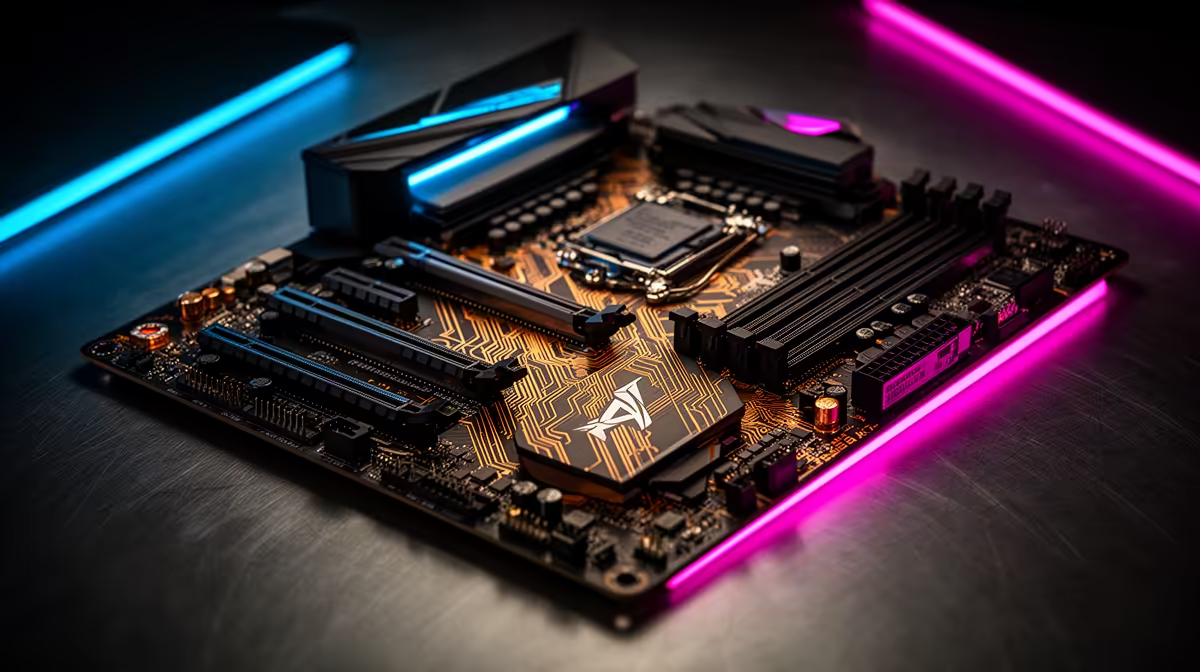
Building a new gaming PC in South Africa? Awesome! But before you splash out on a beastly graphics card, let's talk about the unsung hero of your rig: the motherboard. Choosing the right one is crucial. It’s the central hub that connects everything, and picking the wrong one can bottleneck your performance before you even install your first game. This guide will help you find the best motherboard for your gaming PC right here in SA.
Understanding the Best Motherboard for Your Gaming PC in South Africa
Think of the motherboard as the foundation of your computer. It dictates what processor you can use, how much RAM you can install, and what kind of storage drives will work. Getting this choice right from the start saves you a lot of headaches (and money) down the line. The best motherboard for a gaming PC isn't always the most expensive one; it's the one that perfectly matches your CPU and your needs.
A powerful CPU and motherboard combo is essential for running graphically intense worlds, like those you'll find in a top-tier Cyberpunk 2077 gaming PC.
Key Features to Look For in a Gaming Motherboard
When you're browsing options, the specs can look like a different language. Let's break down what actually matters for a smooth gaming experience.
CPU Socket & Chipset
This is non-negotiable. Your motherboard's socket must match your chosen CPU. For modern processors, you're generally looking at:
- Intel: LGA 1700 socket for 12th, 13th, and 14th Gen CPUs.
- AMD: AM5 socket for Ryzen 7000 series and newer.
The chipset (like Intel's Z790 or AMD's B650) is the board's brain, controlling features like overclocking support and the number of available ports. A high-end chipset is great for enthusiasts, but a mid-range B-series board is often the sweet spot for most gamers building a rig for titles like Call of Duty: Warzone 2.0.
RAM Slots & Speed ⚡
For gaming today, 16GB of RAM is the standard, but having four RAM slots gives you an easy upgrade path to 32GB. This is especially useful for memory-hungry simulation games. For example, a proper Microsoft Flight Simulator gaming PC benefits massively from having 32GB of fast RAM. Also, check if the board supports DDR4 or the newer, faster DDR5 memory standard and make sure it matches the RAM you buy.
PCIe Slots for Your Graphics Card
Your graphics card will slot into the main PCIe x16 slot. Modern motherboards feature PCIe 4.0 or 5.0, which offer massive bandwidth for the latest GPUs. While a PCIe 5.0 GPU isn't essential for today's games, choosing a motherboard with this feature is a smart way to future-proof your build. This ensures you can handle the demands of any new open-world game, like what you'd expect from a high-performance GTA V gaming PC.
Pro Tip: Check Your Case Clearance! 🔧
Motherboards come in different sizes (ATX, Micro-ATX, Mini-ITX). Before you buy, double-check that the motherboard form factor is compatible with your PC case. An ATX motherboard won't fit in a Mini-ITX case, so measure twice and buy once!
Connectivity and I/O Ports
The back of your motherboard is where you plug everything in. Look for a good selection of USB ports, including at least one USB Type-C if you can. For online gaming, a 2.5Gbps Ethernet port provides a faster, more stable connection than standard 1Gbps ports. This is a must-have for competitive players who need every advantage in games like Fortnite, PUBG, or when climbing the ranks in a custom Overwatch 2 gaming PC.
Aesthetics and Build Quality ✨
While performance comes first, nobody wants an ugly rig! Features like integrated I/O shields, heatsinks for M.2 SSDs, and reinforced PCIe slots not only look good but also improve durability and cooling. Onboard RGB lighting can also be a nice touch, allowing you to synchronise the colour scheme of your entire setup, which is perfect for showing off a creative Minecraft gaming PC build.
Ready to Build Your Ultimate Rig?
Choosing the best motherboard for your gaming PC is the first step to building a legendary machine. It doesn't have to be complicated. Our team of experts has already done the hard work, creating perfectly balanced builds for every budget and game. Explore our wide range of custom gaming PCs and find the perfect machine to conquer your world.