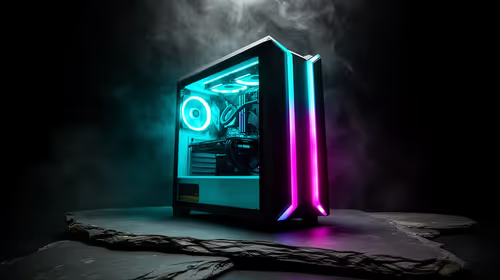
Building your first rig is a rite of passage for every South African gamer. It is easy to get lost in CPU benchmarks, but the chassis is where the magic happens. Choosing the best PC case for beginners ensures your journey starts with a win. You need a layout that respects your time and your hands... nobody likes sharp metal edges or impossible cable routes 🔧.
Prioritise Cable Management and Interior Space
A common mistake for first-time builders is picking a case based solely on its exterior colour or RGB lighting. While aesthetics matter, the internal layout is what determines your stress levels. When browsing the massive range of computer cases available, look for those with dedicated cable routing channels.
Beginner-friendly cases offer plenty of space behind the motherboard tray... this is vital for hiding that "spaghetti" of power cables. A clean build is not just for show. It helps optimise airflow and keeps your components cool during those hot December gaming sessions in Jozi or Durban.
Look for Tool-less Design and Pre-installed Fans
The best PC case for beginners should make the installation process feel intuitive. Many modern options feature tool-less drive bays and thumb-screws for side panels. This means you spend less time hunting for a screwdriver and more time getting your OS ready.
First-Time Builder Tip ⚡
Before you mount your motherboard, check if the standoffs are pre-installed. If they aren't, ensure you screw them into the correct holes for your motherboard size (ATX or Micro-ATX). This prevents a short circuit and saves you from a very expensive mistake!
Brands like Fractal Design are legendary for their intuitive layouts and high build quality. They often include velcro straps for cable management, which are much easier to adjust than plastic zip ties if you make a mistake 🚀.
Balancing Performance and Your Budget
You do not need to spend a fortune to get a user-friendly experience. If you want flair without the fuss, Gamdias gaming cases often come with pre-installed fans and integrated ARGB hubs. This simplifies the wiring process significantly for a novice.
For those keeping a close eye on their ZAR, you can find excellent chassis options under R1500 that still offer tempered glass and decent airflow. Look for a "shroud" at the bottom of the case... this allows you to tuck away excess power supply cables, keeping the main chamber looking professional and tidy ✨.
Why Airflow is Non-Negotiable
South African summers are brutal on hardware. Ensure your chosen case has a mesh front panel rather than solid plastic or glass. A mesh design allows your fans to pull in fresh air more efficiently. This simple feature can lower your CPU temperatures by several degrees, extending the lifespan of your brand-new components.
Ready to Find Your Perfect Match?
Choosing the right chassis is the foundation of a great build. Whether you need a silent workstation or a high-airflow gaming beast, we have the stock to get you started. Explore our massive range of computer cases and find the perfect machine to conquer your world.