A new graphics card raises two entirely separate questions the moment it arrives in the box. Does the power supply actually feed it, and does the card physically fit once the side panel goes back on? A GPU upgrade check needs both answers before the old card comes out, because they get answered in completely different ways.
Quick Answer
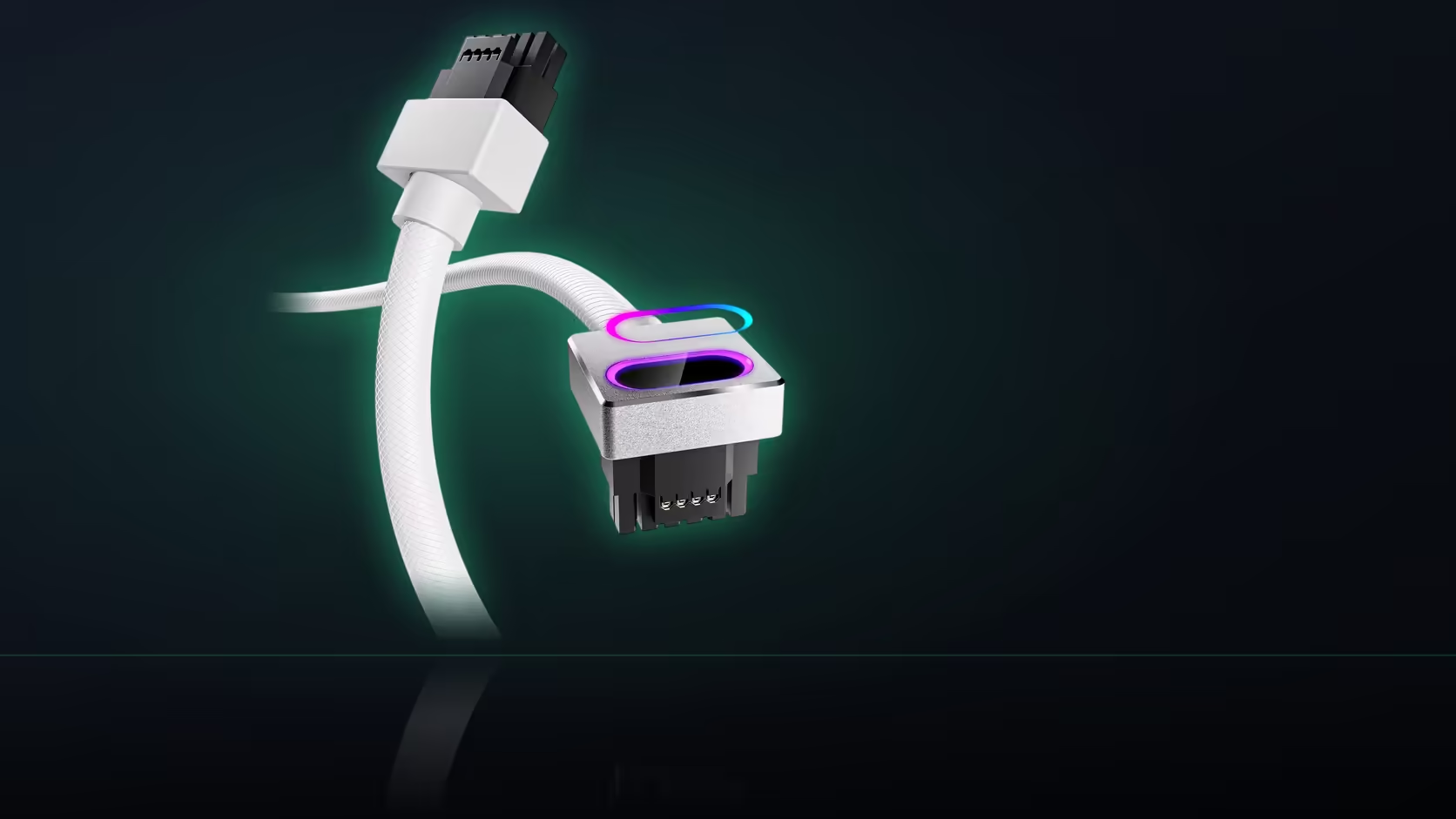
The power question is answered by specification: check whether your supply has a native connector matching the card's requirement, since a 16-pin 12VHPWR card needs a supply built for it rather than an adapter bodge. The clearance question can only be answered with the card physically in the case, measuring the space between it and the side panel. AsiaHorse's Hydrus 16-pin cable, priced at R699, is rated at 480W and covers 12VHPWR cards from the RTX 40-series through the RTX 5080 and 5070, but it is not compatible with the RTX 5090.
⚡ The power side comes first
Confirming the connector type is the easier of the two checks, since it can be settled from a spec sheet before the card ever arrives. A 12VHPWR card wants its power supply to carry the matching 16-pin socket built in; without that, you are looking at either a genuinely rated adapter cable or a different supply entirely. Compare the Hydrus cable's 480W rating against the card's own published power draw as part of this check, not as an afterthought.
One caution worth carrying into this decision: Lian Li and Sharkoon units show up more often than others in AsiaHorse's own damage reports for this cable, and a different pairing is what they suggest wherever those two brands are involved.
A right-angle connector buys real depth
Where the power side checks out, a right-angle head such as the one on the Hydrus cable turns the cable at the card rather than letting it stand straight out toward the panel, which uses noticeably less of the depth a shallow case has to offer.
📐 Clearance needs the card in hand
Specifications cannot answer whether a specific card, its power connector, and the cable behind it all fit between the board and the closed side panel - that only becomes clear with the card mounted. Measure from the card's power socket to the inside of the panel before ordering a cable, and treat a panel that presses against anything as a fit failure rather than a tight but acceptable fit.
🧭 If clearance still fails, the fix is mechanical, not electrical
A right-angle cable buys real depth, but it does not always buy enough of it - a genuinely shallow case with a genuinely long card can still end up pressing against the panel even with the connector turned. At that point the remaining fix is mechanical rather than another cable: mounting the card vertically instead of horizontally removes the panel-clearance question entirely, since the card then sits parallel to the glass rather than pointing straight at it.
AsiaHorse's PCIe 5.0 riser, priced at R1,299, is built for exactly this move - a 200mm cable, right-angle slot connector, plated contacts and shielded wiring, all of it working across PCIe 5.0, 4.0 and 3.0 slots so it is not tied to whichever generation the board happens to be. No throughput number comes with it, and none is quoted here, since the riser's job in this context is purely mechanical: it turns a card that will not fit standing up into one that fits lying flat against the side panel instead.
Whichever route solves the clearance problem, the same discipline from the power check applies: confirm the fix with the actual card in the case before ordering anything else around it, rather than assuming a right-angle head or a riser will close a gap that has not actually been measured.
For the cable side of this check, the cable solutions range lists every power and lighting option AsiaHorse sells; clearance-related mounting hardware itself lives in the case accessories category.
Frequently Asked Questions
What exactly is the power question?
Whether the card's connector type is actually served - for a 16-pin card, that means the power supply having a native port built for it.
And the clearance question?
Whether the card, its power connector, and the cable behind it all fit within the space between the board and the closed side panel.
Which of the two is easier to check?
The power question, since it can be answered from specifications alone. Clearance genuinely needs the card physically in the case.
Does a right-angle cable make a real difference?
Yes - turning the cable at the card uses far less depth than a connector standing straight out from it toward the panel.
How does the 480W rating factor in?
Compare it directly against the card's own published power draw before assuming the Hydrus cable is the right match for a given build.
Are any power supplies flagged as a poor pairing?
Two brands specifically, Lian Li and Sharkoon, are flagged in AsiaHorse's own guidance as combinations to avoid with this cable, with a different supply suggested instead.
When should both checks happen?
Before ordering the card, since discovering a clearance problem afterward is a far more expensive fix than checking beforehand.
Planning a graphics card upgrade?
Browse Evetech's graphics card range alongside the case accessories and cable solutions categories to check power and clearance before you commit.