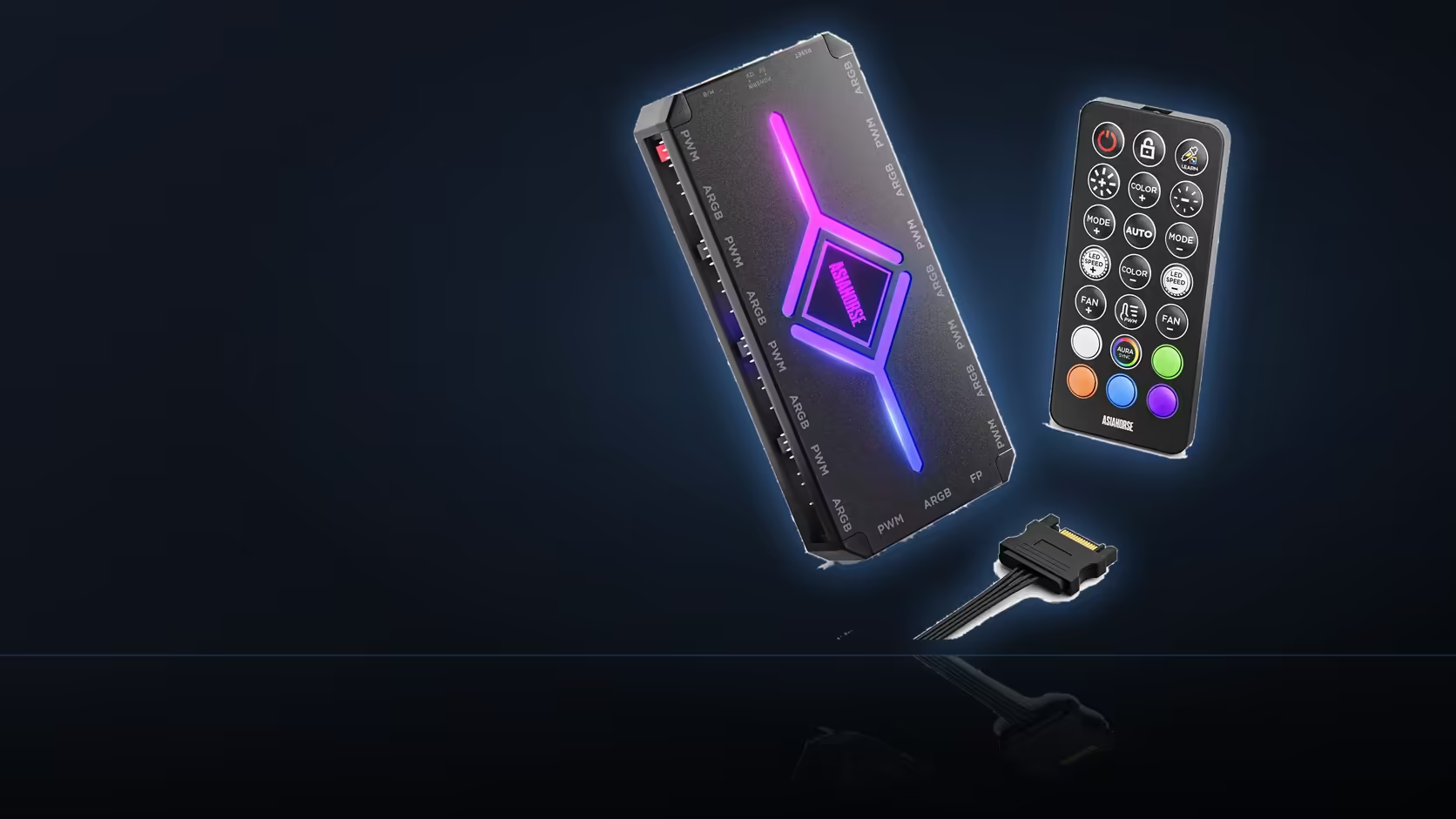
The magnetic mount on the ASH-S1 makes picking a spot feel almost inconsequential - snap it to any steel surface and move on - but the position still matters a great deal once you consider that up to eighteen individual connections, across two separate banks, all have to reach that one spot without straining a cable or blocking a port that will need attention later.
Quick Answer
Choose a flat steel surface with clear access to both sides of the hub, not simply the first spot where the magnet happens to hold. Up to eighteen connections across the fan and lighting banks need to be reachable, plus the SATA power lead, so a position picked purely for convenience of mounting can turn into a position that is awkward to work on for the rest of the build's life. Plan for access first and let the magnet do the rest.
🧲 The magnet solves attachment, not placement
It is worth separating these two problems clearly, because the ease of magnetic mounting can make it feel like the whole placement question is solved once a steel surface is found. Attachment and placement are different questions. The magnet answers the first - it will hold the hub securely to any steel panel without screws or adhesive. It says nothing about the second, which is whether that particular spot leaves both banks of ports reachable, whether the SATA lead can get there without tension, and whether the position will still make sense once every fan and lighting cable in the build is connected.
A hub magnetically clamped into a tight corner, hard against a bend in the case frame, is just as securely mounted as one sitting in open space on the tray - but only one of those positions lets you actually plug in a ninth fan cable or troubleshoot a lighting fault six months later without first working out how to reach the unit at all.
📐 What "room to reach both banks" actually means in practice
The fan bank and the lighting bank sit on opposite sides of the unit, so a position needs clearance on both sides, not just one. A spot pressed flush against a case wall on one side might look tidy, but it blocks whichever bank faces that wall entirely. Worth physically checking, before finalising the position, that a hand and a cable can reach every port on both banks without needing to unmount the hub first.
This becomes more important the more of the eighteen positions actually get used. A build with three fans and one lighting strip barely tests this, since so few ports are populated that access rarely becomes an issue. A build using six or seven fan ports and five or six lighting ports is a different story - that many cables converging on one small unit needs genuine working room around it, not just enough space for the magnet to sit flat.
🔧 Steel, access, and cable reach together
The steel-panel requirement narrows the options somewhat, since not every internal surface in a case is magnetic - some cases mix steel trays with aluminium panels, and the exterior material is not always the same as the interior frame. Testing a candidate spot with any small magnet before committing the hub to it confirms whether it will actually hold. Once a genuinely steel, accessible spot is found, the last check is the SATA lead - it has to reach from the power supply without pulling taut, since a lead under tension both looks untidy and adds strain to the connector over time.
Behind the motherboard tray is the usual answer for most cases, since steel is common there, the position is roughly central to both fan and lighting cable runs, and it stays out of view through a windowed panel. Cases with generous tray cutouts, of the kind found in Evetech's case fan range, make this positioning question easier from the outset, and a more modest build might find the NZXT fan controller's smaller port count simplifies the access question considerably.
Frequently Asked Questions
What actually makes a mounting position good?
A flat steel surface with clearance on the sides carrying the ports, so connectors can be reached without moving the hub.
How many connections might realistically need reaching?
Up to eighteen across the two banks, plus the SATA lead, so access matters more here than on most components.
Where do most builders end up placing it?
Behind the motherboard tray, where steel is common and cables from both banks can be routed out of sight.
Does the magnet allow the position to change later?
It does, which is one of its advantages, so a position can be adjusted without undoing any fixing.
Should the hub sit near the fans or the power supply?
Somewhere between the two, since both the fan cables and the SATA lead have to reach it comfortably.
What if the only available steel surface is awkward?
Adhesive or tie mounting elsewhere is an alternative, since access usually matters more than using the magnet at all costs.
Can cable weight actually shift a magnetically held hub?
Eighteen connections pulling in one direction can shift a magnetically held unit, so leaving slack in the leads helps.
Working out where the hub should live in your case?
Browse Evetech's case fan range for models with tray layouts that leave room to reach both banks comfortably.