Highveld winters are sneaky. Days in Pretoria and Johannesburg can be bright and mild, but an unheated bedroom at seven in the morning or late at night is another story, and plenty of homes here are built for summer rather than for winter. Cold fingers are stiffer and slower, and a keyboard that felt light in January can feel like hard work in July. Magnetic keyboards offer a fix most boards cannot: adjustable actuation that lets you set a shallower press point for the cold months.
Quick Answer
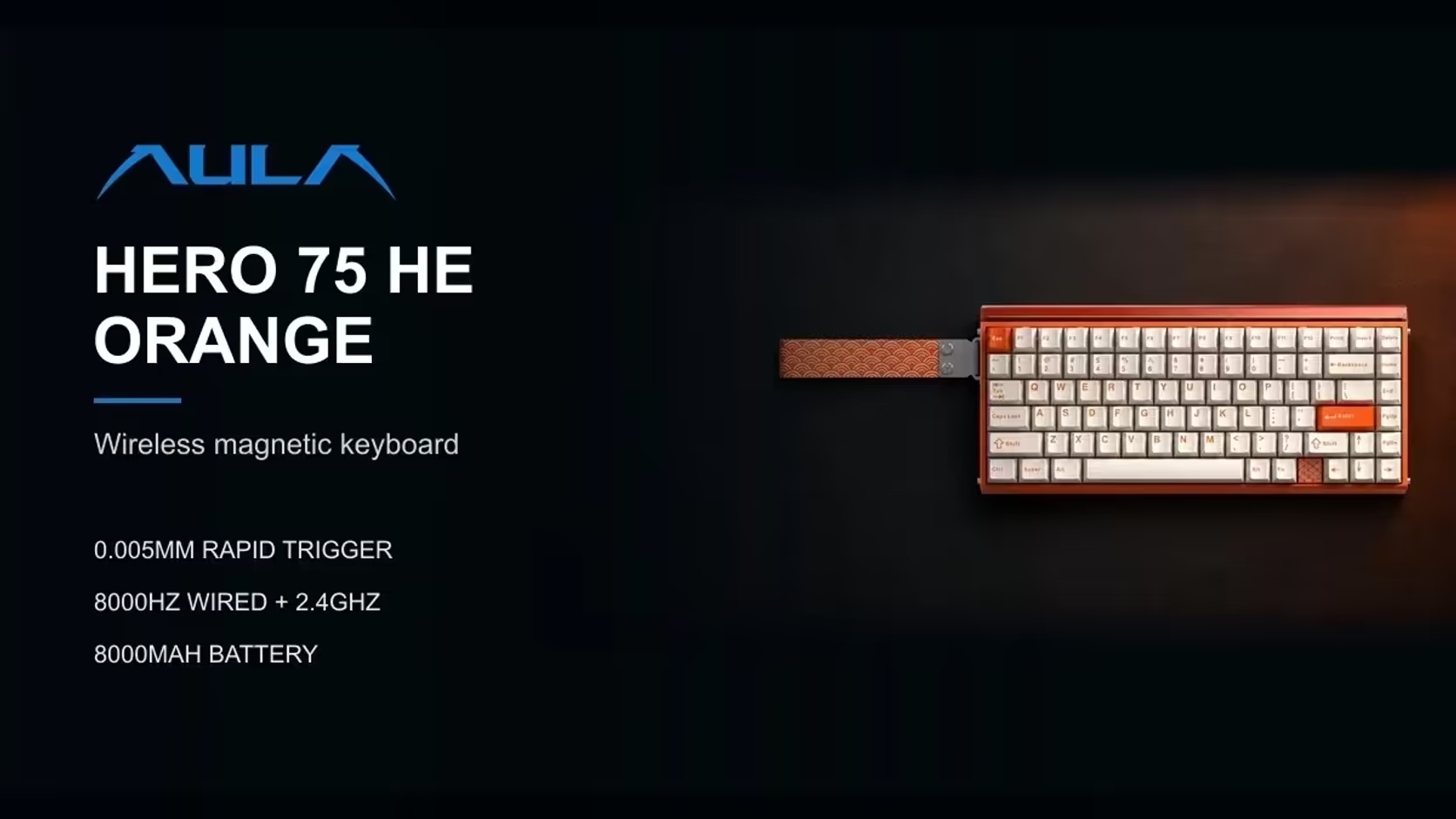
Set a shallower actuation point so cold, stiff fingers fire each key with less travel. On the AULA WIN68 MAX, HERO 75 HE and HERO 84 HE, actuation adjusts from 0.1mm to 3.4mm, and on the WIN68 HE you set actuation per key in AULA's web driver. Evetech covers all four with a 2 Years Local Warranty, handled here in South Africa. Evetech prices the WIN68 HE at R449, the WIN68 MAX at R699, the HERO 84 HE at R719 and the HERO 75 HE at R899.
🥶 Why cold hands type differently
When your hands get cold, blood flow to the fingers drops and the joints feel stiffer. Movements become less precise and a little slower, and pressing a key all the way down takes more effort than it should. Typing errors creep in, and in a game, inputs start to feel late.
A mechanical or membrane keyboard can only respond at one fixed depth. A magnetic keyboard measures exactly how far each key has travelled, so you can decide how deep a press needs to go before it counts. In winter, making that point shallower means a stiff finger does less work for the same result.
🧲 What each AULA board lets you set
- WIN68 HE: actuation and release points are set per key in AULA's web driver, using its 32gf Gray Wood magnetic switches.
- WIN68 MAX: actuation adjusts per key between 0.1mm and 3.4mm, on 36gf Wing Chun switches, with a zero dead zone option.
- HERO 75 HE: adjusts from 0.1mm to 3.4mm in fine 0.005mm steps, in the AULA HUB web driver.
- HERO 84 HE: the same 0.1mm to 3.4mm window, but in 0.01mm increments, on pre-lubed 33gf Black King switches.
All four also have Rapid Trigger, which resets a key the moment it starts to lift. That helps cold hands too, because a key does not need a full release before it can fire again.
🔧 Setting a winter profile
A separate winter profile keeps your summer setting intact. The exact menus differ by board, so treat this as a general method:
- Open the driver. The WIN68 boards use AULA's web driver, which AULA states supports Windows. The HERO 75 HE uses the AULA HUB web driver, and the HERO 84 HE's web driver runs in a Chromium browser.
- Save your current setting as your normal profile before changing anything.
- Raise the actuation point a little. Move it shallower in small steps rather than jumping to the minimum. A modest change is often enough.
- Type for a few minutes on a cold morning and see how it feels. Adjust again if needed.
- Treat movement keys separately. For gaming, some players keep WASD slightly shallower than the rest.
- Save it as a winter profile so you can switch back when the weather turns.
Too shallow can backfire
Go too far and keys start firing when your fingers merely rest on them, which is worse than stiff typing. Cold hands can also shake a little, and an extremely shallow setting will register that. If you see stray letters appearing, move the actuation point back a step or two. A zero dead zone, offered on the WIN68 MAX, makes the board even more sensitive, so use it carefully in winter.
🏠 Warm hands help more than any setting
Software is only half the answer. A few habits make a bigger difference:
- Warm your hands before a session, with a hot drink or a minute of stretching.
- Wear fingerless gloves if the room stays cold.
- Keep the keyboard away from a draughty window.
- Close the door and warm the room a little if you can.
Local cover for the long run
A keyboard you rely on through every season is worth buying where it can be looked after. Buying locally rather than importing means any fault is handled by Evetech in South Africa, with no courier trip overseas. All four boards come under the two-year cover mentioned above.
Compare all four in the gaming keyboards category at Evetech. Because they are hot-swappable, you can also try a lighter feel later from the keyboard switches range, keeping to switches that suit each board's magnetic sockets.
Frequently Asked Questions
Does a shallower actuation really help stiff fingers?
Yes. Keys register with less travel, so a cold finger does less work for each press.
What range do the HERO boards allow?
Both adjust from 0.1mm to 3.4mm, in 0.005mm steps on the HERO 75 HE and 0.01mm steps on the HERO 84 HE.
Could keys fire by accident if I go too shallow?
Yes. Resting fingers or a slight tremor can trigger keys, so move back a step if stray inputs appear.
Why do Highveld winters affect typing at all?
Many homes are unheated, and cold rooms reduce blood flow to the fingers, making them stiffer and slower.
Is the warranty on these boards handled locally?
Yes. Claims go through Evetech in South Africa.
Where do I change the actuation setting?
In AULA's web driver for each board, including the AULA HUB driver on the HERO 75 HE.
Want a keyboard you can tune for winter?
Browse the magnetic keyboards at Evetech and find one with adjustable actuation for cold mornings and late nights.