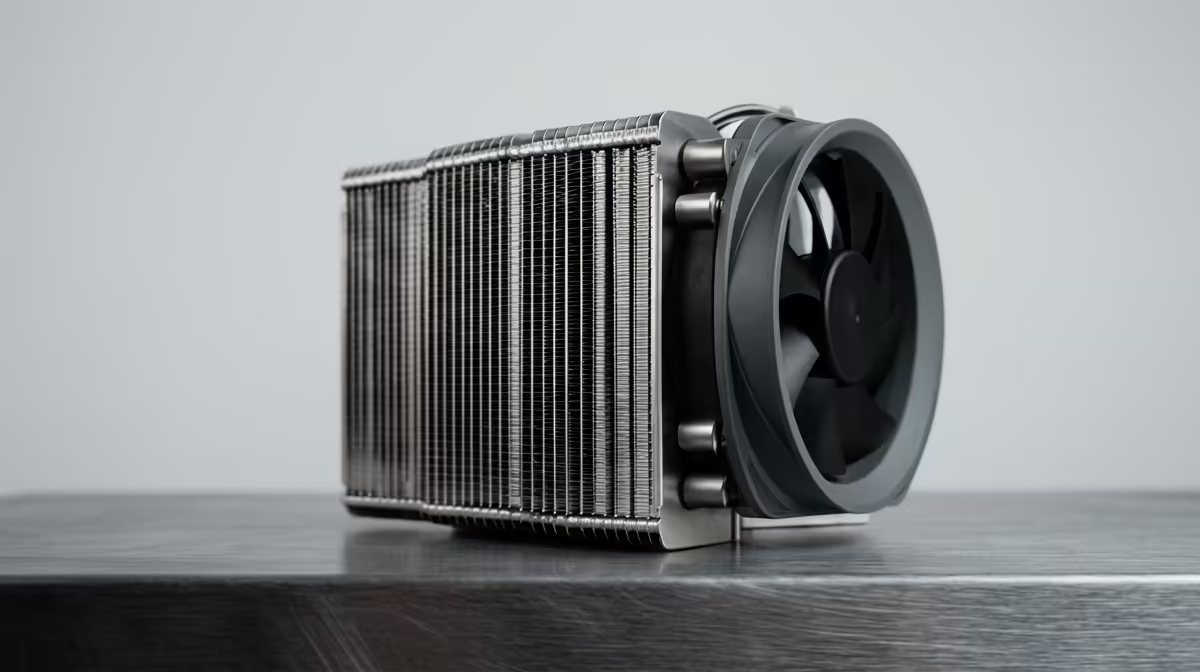
Is your beast of a gaming rig powerful, but sounds like a jet taking off from OR Tambo? You're not alone. Many South African gamers sacrifice peace and quiet for performance. But what if you could have both? The Corsair iCUE LINK Titan 360 RX is a premium liquid cooler built for incredible performance, and with a few smart tweaks, you can optimise it for near-silent operation without giving up those precious frames. Let's get it done. 🤫
Understanding the Tools for Silence
Before we dive into the software, let's appreciate the hardware. The Corsair iCUE LINK Titan 360 RX isn't just another AIO cooler. Its magic lies in the combination of a high-surface-area 360mm radiator and the new RX series fans, designed for high static pressure and efficient, quiet airflow. The iCUE LINK ecosystem also simplifies cable management, which can subtly improve airflow.
Our goal isn't to cripple its cooling power... it's to create a smart, responsive system that only ramps up when absolutely necessary, achieving truly silent operation most of the time.
Your Guide to a Whisper-Quiet Titan RX
Getting the most out of this cooler is all about fine-tuning within Corsair's iCUE software. Forget "set it and forget it"; a few minutes of customisation will pay huge dividends in acoustic performance.
1. Master Your Fan Curves in iCUE
The default fan profiles are good, but a custom curve is better for optimising the Corsair iCUE LINK Titan 360 RX for noise.
- Open iCUE and select your Titan RX cooler.
- Navigate to the "Cooling" tab.
- Instead of the "Quiet" preset, click the '+' button to create a new profile. Name it something like "My Silent Curve".
- Set the fan curve based on your CPU Package temperature.
- Item
This custom curve ensures your PC stays silent during browsing or light tasks and only becomes audible when the heat is truly on. A quiet PC creates an immersive environment, which is only enhanced by a cohesive setup. This same level of control and customisation can be found across a wide range of modern gaming keyboards that complete your battle station.
Pump Pro Tip ⚙️
Your AIO pump also makes noise. Unlike fans, many pumps are quieter when running at a consistent speed rather than ramping up and down. In iCUE, try setting your pump to the "Quiet" or "Balanced" fixed RPM preset. This often provides more than enough flow for the coolant and creates a more stable, less noticeable background hum.
2. Case Airflow is Still King
Your new cooler is only one part of the equation. A stuffy case with poor airflow will force the Titan RX's fans to work harder and spin faster to compensate. Ensure you have a clear path for air to travel through your case—ideally, cool air drawn in from the front or bottom, passing over your components, and exhausted out the top and back. ❄️
A well-ventilated case complements a silent cooler, creating the perfect foundation for a focused gaming setup. This focus extends to your peripherals, where the feel and sound of your keyboard matter immensely. Enthusiasts often look to Glorious gaming keyboards for their modularity, allowing you to choose switches that provide the perfect balance of tactile feedback and quiet actuation.
Advanced Tweaks for the Silent Enthusiast
If you've dialled in your fan curves and optimised your case airflow, you're already 90% of the way to achieving Corsair iCUE LINK Titan 360 RX silent operation. But for those who want to push it further, consider your peripherals. The loudest thing in your setup might now be your frantic clicking and typing.
Investing in a keyboard with quieter switches can complete your silent build. Many options from top brands offer linear or tactile switches designed for a less "clacky" experience. You can find a fantastic Razer Gaming Keyboard with their Yellow or Orange switches for a quieter, more responsive feel.
And let's be honest, a quiet build doesn't have to be a boring one. You can synchronise your cooler's lighting with your entire setup using iCUE. To complete the look, pairing it with peripherals like RGB Razer keyboards creates a stunning, unified aesthetic that performs as quietly as it looks. ✨
Ready to Build in Silence?
The Corsair iCUE LINK Titan 360 RX proves that you don't have to choose between elite performance and quiet operation. With the right components and a little fine-tuning, you can build a PC that conquers the latest titles without the distracting roar. Explore our full range of PC Components and start planning your ultimate quiet build today.