


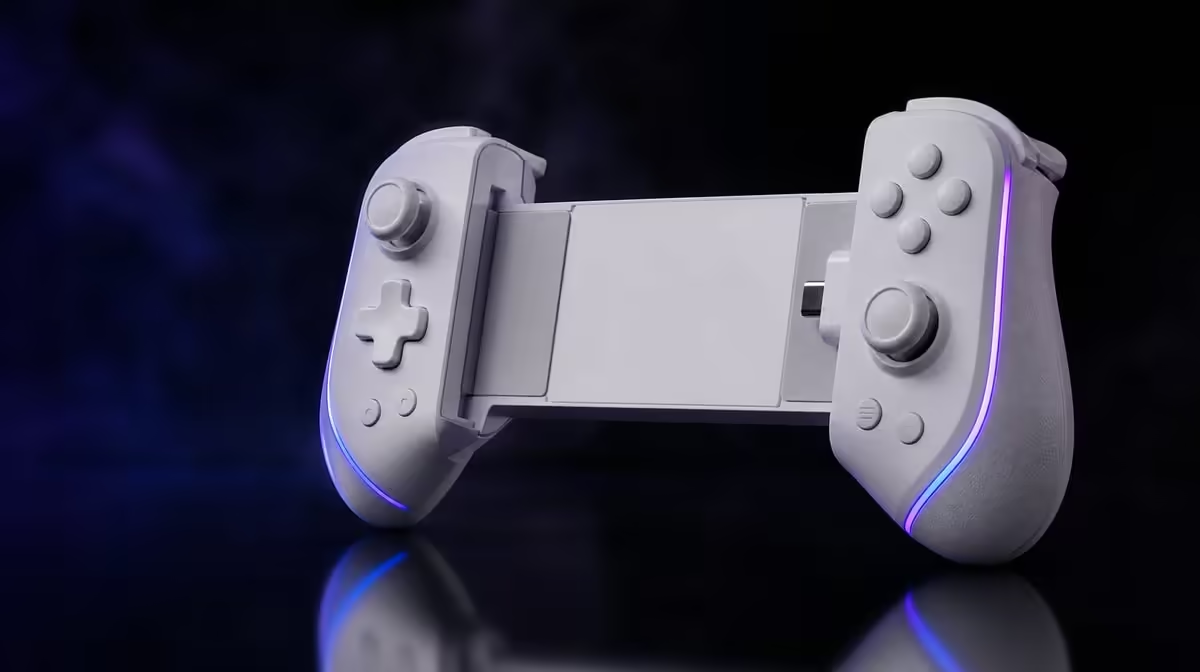
Lighting and control settings should never hide inside one vague profile. Customise the Cyclone 2 RGB lighting and game profiles by choosing a visual purpose first, then naming input changes separately. The R999 Phantom White controller supports adjustable RGB, tri-mode connection and magnetic controls, while its included dock gives each saved setup a consistent home.
Quick Answer
Choose a supported RGB effect for preference or profile identification, then save game controls under a name that states the device and title. The GameSir Cyclone 2 costs R999 with its dock included. Keep lighting, TMR stick response, Hall trigger behaviour and connection changes traceable so any poor result can be reversed cleanly.
🌈 Give lighting one clear purpose
RGB may express preference or help distinguish a saved setup, but it does not improve stick precision, trigger travel or connection latency. Decide what the visual choice is meant to communicate before browsing effects.
If lighting identifies profiles, use a simple scheme and record it. The useful part is recognition, not the complexity of the effect. A player should be able to glance at the controller and know which saved state is intended.
Test the chosen effect separately from input changes. This avoids crediting a visual change for a control improvement or blaming it for a mapping fault.
The Evetech gaming controller collection gives RGB-equipped controllers the right category context alongside more important compatibility and input questions.
🗂️ Name profiles by device and game
Begin with a default profile that proves the Cyclone 2 works on the chosen host. Test both TMR sticks, the Hall analog triggers and the face buttons before customisation.
Create a new profile only for a named problem or preference. Include the device and game in the title, followed by a short purpose such as "trigger setup" or "layout". Avoid labels like "new" and "final" that lose meaning later.
Tri-mode and multiplatform flexibility make naming more important. A profile that works on one host may not map identically on another. Preserve the working version rather than editing it each time the controller moves.
Write a short change log: setting, old state, new state and reason. If the result is poor, restore the earlier value instead of layering another correction.
Run the profile through a complete game loop before keeping it. Navigate a menu, test the mapped action, move each stick and press both triggers. A profile that looks correct in a settings page may still create an awkward combination during play.
🎯 Separate magnetic input tuning
Mag-Res TMR sticks use magnetic sensing for direction. Check their neutral point and range before changing response. Hall analog triggers need their own graduated-press test in a title that supports partial input.
Do not combine a stick deadzone change, trigger remap and RGB effect in one save. The profile may look attractive while the source of a control problem becomes impossible to trace.
After each input adjustment, perform the same test action and return to default if behaviour worsens. A reversible profile is more valuable than an elaborate one.
Keep platform-specific copies independent. If an Android title needs different prompts from a PC game, preserve both working states rather than editing one profile back and forth. The RGB cue can help identify them, but the profile name remains the source of truth.
Browse Evetech gaming accessories once the controller's input and visual roles are clear.
🔋 Keep charging separate from RGB
A Smart Start-Stop dock comes with the Cyclone 2. Seating the controller correctly and maintaining clean contact are charging tasks; the RGB state should not be used to infer battery health.
Place the dock on a level surface away from direct sun and excess dust. Return the controller consistently, confirm stable contact and let the smart charging system manage its intended routine.
If lighting remains active or changes around charging, interpret it only through known controller behaviour rather than inventing a battery claim. The queue supplies no fixed runtime or charging duration.
Review lighting after a full session. A bright or animated effect may be enjoyable, distracting or irrelevant depending on the playing space. Save the choice because it suits the user, not because it is expected to improve the controls.
At R999, the Cyclone 2 combines visual customisation, magnetic input, multiplatform links and the dock. Its best profile is the one that makes those layers easy to understand. The Evetech accessory best-seller view can round out the setup after that structure is in place.
Perform a reset drill before finishing. Load the untouched baseline, verify default input and then return to the named custom profile. If that round trip is easy, the setup remains maintainable.
Finally, test the profile after moving to another connection only when the new host recognises default input. A failed route cannot be repaired through RGB or mappings. Connection first, control second and lighting last keeps the Cyclone 2 customisation useful.
Test the saved profile after closing and reopening the relevant controller software or reconnecting the host. The mapping, response choices and visual cue should return together. If they do not, simplify the profile name and change only the setting that failed to persist before repeating the check.
Frequently Asked Questions
What should an RGB choice accomplish?
It can express preference or help identify a profile. It should not be treated as a performance improvement.
Why separate lighting from input changes?
Separate edits make cause and effect visible. A stick, trigger or mapping issue can then be reversed without disturbing the chosen effect.
Should one profile be copied across every platform?
Not automatically. Test each host and game, then create a clearly named profile only where its behaviour differs.
How do I undo a poor profile quickly?
Return to the untouched baseline and reintroduce only the change that had a proven benefit.
How much is the RGB Cyclone 2?
The Phantom White GameSir Cyclone 2 is R999, including its smart charging dock.
Ready to make lighting and controls easy to identify? Explore Evetech gaming controllers and build Cyclone 2 profiles that keep visual choices, device routes and input changes clearly separated.










