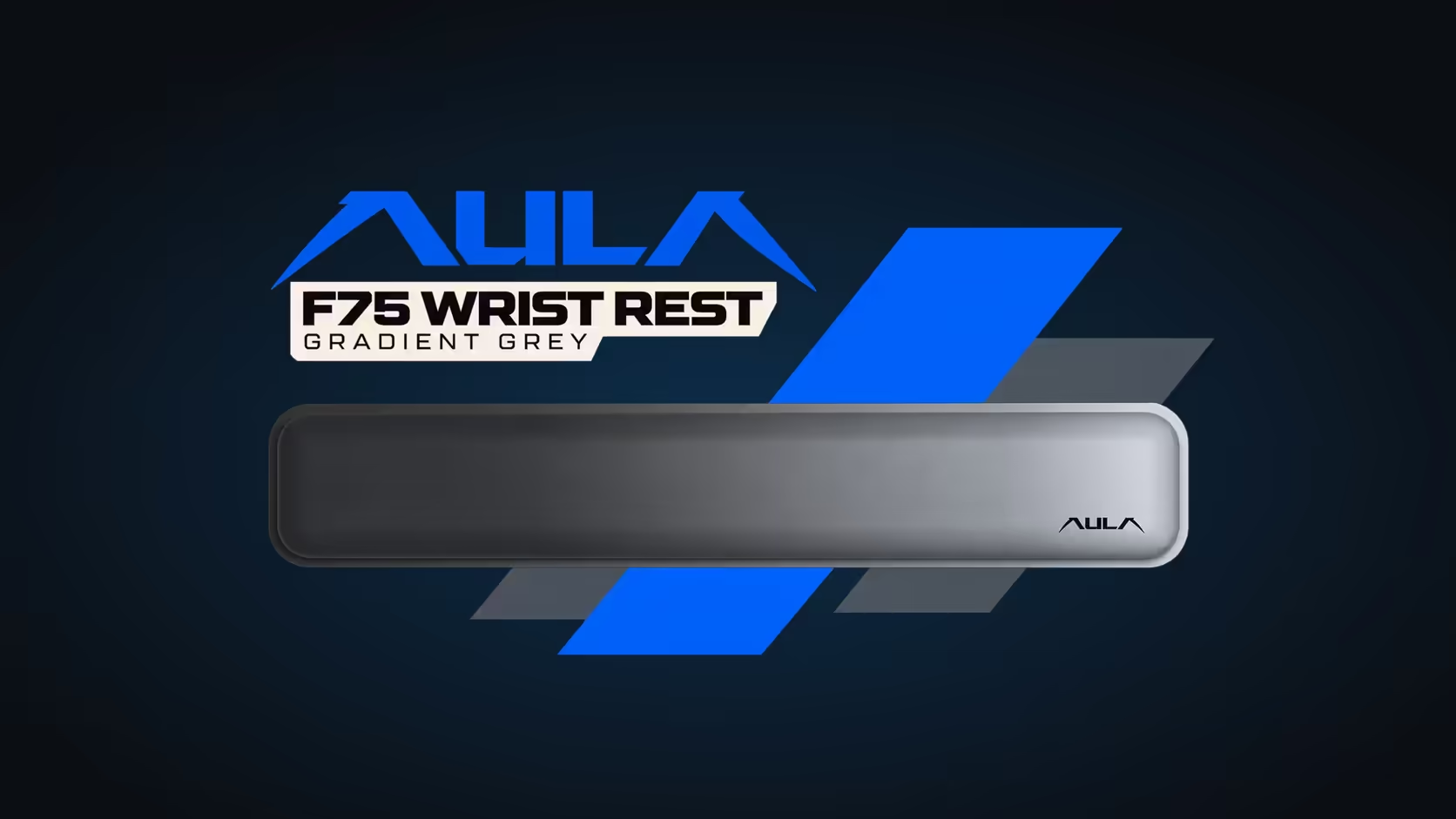
A matched desk setup is mostly about repeating one idea across several objects. The AULA F75 Wrist Rest gives you a strong idea to repeat: a Gradient Grey top that is darkest at one end and lightest at the other. Pair it with the right keyboard and the fade looks deliberate rather than random. This build walks through matching a Gradient Grey wrist rest to an AULA keyboard, starting with the one board that shares its colour name.
Quick Answer
The AULA F99 Max, R799 at Evetech, is the closest match, because AULA lists it in Gradient Grey with gradient grey keycaps. On the rest, which Evetech sells for R39, the grey deepens towards the left end and pales towards the right, where AULA prints its logo. The F99 Max is a 96% board and the rest was made for a 75% layout, so place the rest under the main keys and leave the number pad side open. For a second grey option, the F108 PRO V2 Sea Dome edition comes in dark grey and light grey.
🎨 Step 1: Read the rest's colour properly
Before choosing a keyboard, look at how the rest is coloured. Its top is not a flat grey. The darkest tone starts at the left edge and lightens steadily as it runs right, finishing at the pale end that carries the AULA logo.
That direction matters. A left-to-right fade reads best when something nearby echoes it, or when the keyboard behind it offers the same two tones. A single flat colour next to it can make the gradient look like a mismatch instead of a feature.
⌨️ Step 2: Choose the keyboard
The F99 Max: same colour name
The F99 Max is listed in Gradient Grey, and its keycaps are gradient grey with side-printed legends. That makes it the obvious partner: the name matches, and the keycaps carry a gradient of their own. Side-printed legends also keep the tops of the keycaps clean, which lets the colour carry the look.
It is a 96% board with 97 keys and a number pad, and mid-board it has a TFT smart screen next to a turning knob. Keep in mind that a shared colour name is not a promise of an identical shade. Matching names do not guarantee matching shades between two products, so think of Gradient Grey as a common theme rather than a guaranteed twin.
The F108 PRO V2 Sea Dome edition: two greys
If you want a mechanical board with a number pad and prefer a two-tone look over a gradient, the F108 PRO V2 Sea Dome edition pairs a darker grey with a lighter one. It uses LEOBOG Sea Dome linear switches and adds an audio-reactive dot-matrix display. It is a full-size board, so the same numpad rule applies.
📍 Step 3: Place the rest
The F75 Wrist Rest was made for AULA's F75 keyboard, which is a 75% board. On a wider keyboard such as the F99 Max, it will not span the full width.
- Centre it under the main typing block, not under the whole keyboard. That is where both palms land.
- Leave the number pad side free. The rest ends before the numpad, so a hand working the numbers will sit on the desk.
- Keep the logo on the right. Flipping the rest reverses the fade and puts the logo on the left, which undoes the point of matching it.
- Push it close to the keyboard's front edge, so the palm heel meets it without your fingers leaving the home row.
💡 Step 4: Let the lighting support the grey
Grey sits comfortably next to almost any colour, but a busy rainbow effect can overpower it. The F99 Max has south-facing RGB with 16.8 million colours, so you can tune the backlight to suit. A few ideas:
- Cool white or pale blue keeps the setup neutral and lets the grey stay the star.
- A single accent colour chosen once and repeated on other lit gear on the desk gives a tidy, planned feel.
- Low brightness keeps the side-printed legends readable without washing out the keycap colour.
You can also use the F99 Max's screen to support the theme. It can show the time or a GIF of your own, so a simple monochrome image fits the palette better than a colourful animation.
Check it in your real lighting
Colours shift under different light. Look at the setup in daylight and again under your usual evening lighting. If the two greys clash in one of them, try adjusting the keyboard's backlight colour before swapping anything out.
Evetech backs the rest and the F99 Max alike with a 1 Year Local Warranty. Find the rest in the keyboard accessories category, and compare the F99 Max and other grey boards in Evetech's gaming keyboards range.
Frequently Asked Questions
Which way does the colour fade?
Left is darkest and right is palest, and the logo marks the pale end.
Which AULA board is listed in Gradient Grey?
The F99 Max, which also has gradient grey keycaps with side-printed legends.
Will the rest cover the F99 Max's number pad?
No. It was made for a 75% layout, while the F99 Max is 96%, so the numpad side stays uncovered.
Is the shade guaranteed to match exactly?
No. A shared colour name is a strong starting point, but shades and finishes can differ between products.
Is there a mechanical grey option with a number pad?
Yes. Yes. The F108 PRO V2's Sea Dome edition mixes dark and light grey on a full-size frame.
What backlight colour suits a grey setup?
Cool white, pale blue or a single accent colour tends to work best alongside grey.
Building a desk in shades of grey?
Browse Evetech's keyboard accessories and gaming keyboards to pair a Gradient Grey rest with a board that suits it.