


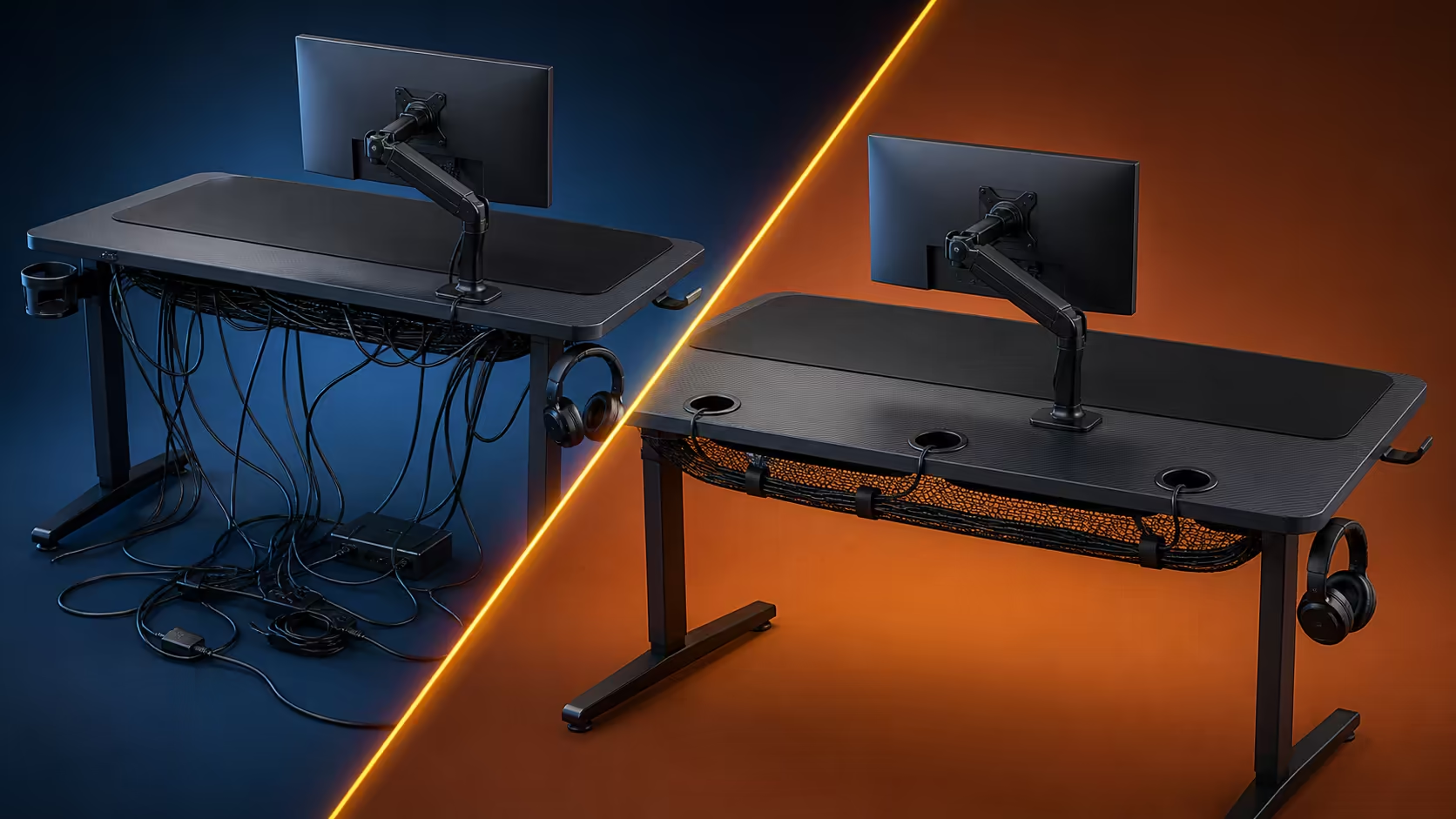
Cable clutter returns when visible leads are hidden without deciding where they should go. Fixing cable clutter with desk cut-outs and under-desk management begins by disconnecting safely, removing abandoned wires and assigning every active device a labelled path. The R5,099 Arozzi Arena offers three cut-outs across its 160x82cm top for the rebuild.
Quick Answer
Photograph the working connections, power down, then sort leads by device and destination. Use the nearest Arena cut-out for a short surface run, support adapters and excess cable below, and leave only enough slack for intended movement. The desk costs R5,099; choose any separate tray, net or clips only after measuring the underside and counting the actual bundle.
🧹 Strip the setup back safely
Save the current arrangement with clear photos of ports and power connections. Shut down equipment and disconnect it using the appropriate method. Do not pull a lead by its cable or work around live plugs merely to preserve uptime.
Lay every cable beside its device. Remove duplicates and abandoned leads from the desk area instead of tucking them into a new organiser. Check connector condition before reuse.
Group the surviving items by display, PC, input, audio, network and charging. This makes it easier to choose routes without creating one dense mixed bundle.
Compare gaming desks with cable features after the cable count is known.
🗺️ Build short surface routes
Position equipment first, then assign the closest sensible cut-out. The Arena's three openings allow different parts of the broad worktop to drop leads below without crossing the full width.
Leave a small service loop for a moving monitor or wired mouse. Too little slack pulls at ports; too much rebuilds visible coils. Keep the huge full-surface mousepad free of raised cable runs that interfere with input.
Label both ends before they disappear. Use tags that can be read without removing every tie, and keep frequently changed chargers separate from stable display leads.
Study Arozzi gaming station layouts for surface zoning while keeping the cable map specific to owned hardware.
🧰 Support the underside bundle
Measure clear space beneath the Arena, including knees, frame, adjustment areas and chair travel. Choose a separate organiser that accepts adapter dimensions and weight without sagging or forcing tight bends.
Power bricks should rest on support rather than hang from a device connector. Keep plugs reachable and avoid wrapping warm adapters inside dense coils. Route cables away from sharp edges and moving areas.
Test the chosen working height after installation. Watch every lead while adjusting the setup; none should tighten, lift hardware or fall towards the user's legs.
The monitor-attachment feature can change the display route. Finalise compatible screen hardware before dressing cables tightly, because arm movement needs its own service slack.
🔁 Keep clutter from returning
Reserve one accessible route for a likely future device. When new gear arrives, label and integrate it immediately rather than laying the lead across finished bundles.
Inspect monthly for dead cables, sagging support, dust and stressed connectors. The Arena's water-resistant, easy-clean surface should be maintained without spraying liquid near cut-outs or electronics.
Explore gaming setup combinations by counting the extra connections before adding an accessory. A clear desk is partly the result of refusing gear that has no task.
Keep the before and after photos. If clutter returns, compare which route or device changed and correct that point instead of restarting the entire underside.
Plan cleaning into the cable map. Leave enough access to vacuum dry dust around supported adapters without tugging connections. Keep liquids and cleaning sprays away from openings, power hardware and the monitor-attachment area.
A shared workstation should label ownership as well as device purpose. Personal chargers can occupy an accessible changeable route, while stable display and PC leads remain in the deeper managed bundle. This reduces accidental disconnection when one user packs away.
Check cable length before buying replacements. Measure the route from port to cut-out, down to support and across to the destination, including service movement. The shortest straight-line figure is rarely the correct working length.
Avoid compressing a large bundle into the smallest possible tie. Broad gentle routing protects connector bends and lets individual leads be identified. Reusable fastening can suit a changing setup better than a permanent closure, provided it still supports the load correctly.
Finish with a deliberate disconnect drill. Identify and release one monitor or charger lead using its labels, then restore it without disturbing another connection. If that small job requires opening every route, revise access before declaring the cleanup finished.
Leave the floor visible beneath the finished station. Loose leads should never become a path for chair wheels or feet, and dust should be removable without pulling the organised bundle. A clean desktop is incomplete if the working area below remains obstructed.
Frequently Asked Questions
What is the first step in fixing cable clutter?
Photograph connections, power down safely and remove cables that no active device uses.
How should the three cut-outs be assigned?
Match each opening to nearby equipment so visible surface runs remain short and do not cross the mouse area.
How much cable slack is enough?
Keep enough for intended device and desk movement, with the remaining length supported below.
Where should power bricks go?
Place them in a suitable underside support where their weight does not hang from ports and plugs remain accessible.
Does height adjustment affect cable management?
Yes. Every route must retain safe slack at the selected working position and through intended setup changes.
How can clutter stay controlled after upgrades?
Integrate one labelled lead at a time, remove abandoned cables and preserve an accessible service path.
What does the Arena cost?
The dark grey 160x82cm desk costs R5,099.
Ready to rebuild the underside from active connectors rather than old bundles? Browse Evetech's cable-ready gaming desks, photograph every port, and make each of the three drops serve a measured equipment group.











