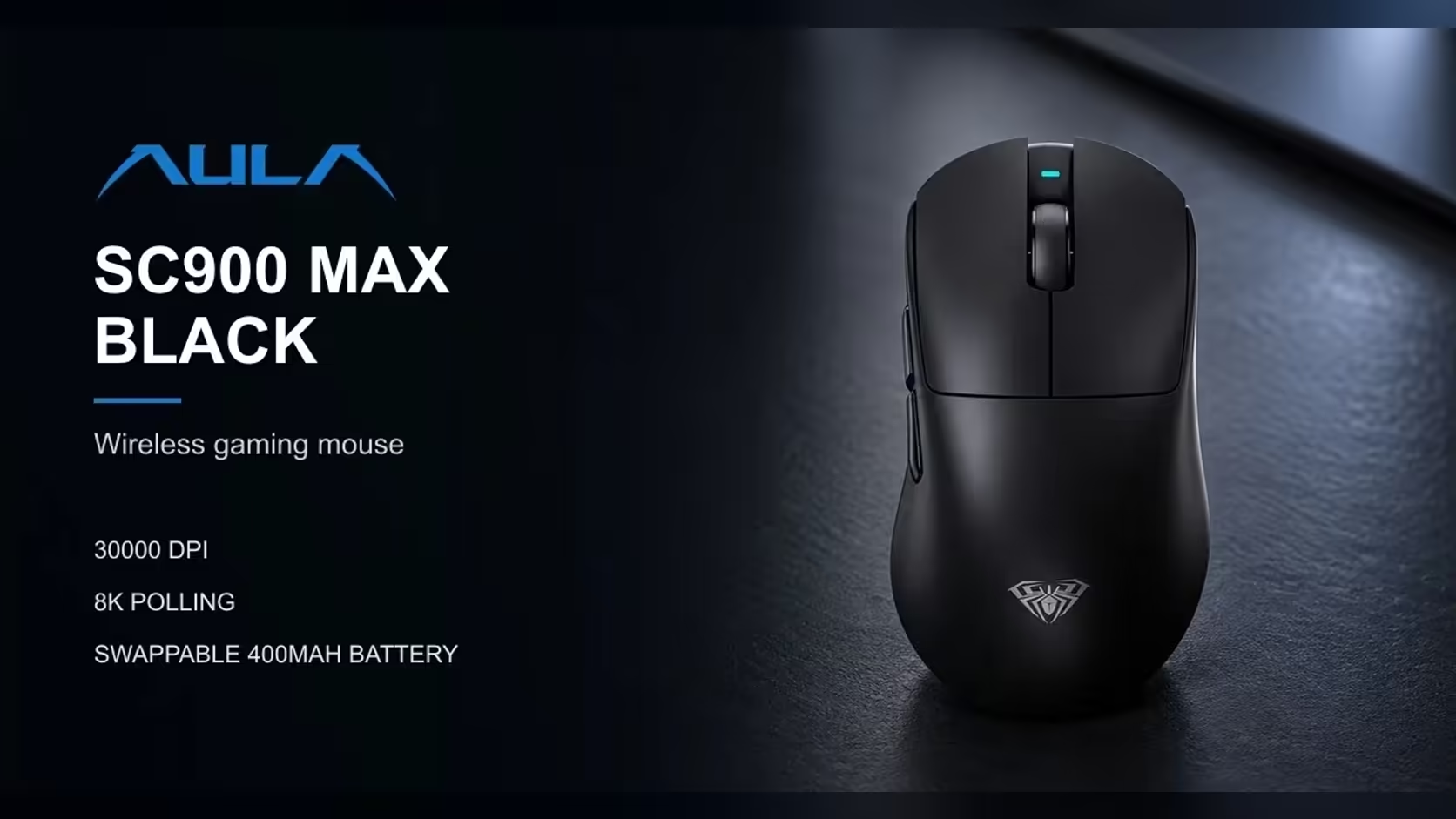
Most wireless mice travel without anyone giving the battery a second thought, because it is sealed inside the shell. The AULA SC900 MAX is different: its 400mAh lithium cell lifts out from under a cover on the base, and a spare cell can travel on its own. Flying with a lithium mouse battery, especially a loose one, deserves a little planning, since airlines treat spare lithium batteries more carefully than devices with a battery fitted.
Quick Answer
Pack the SC900 MAX, and any loose 400mAh lithium cell, in your carry-on luggage rather than your checked bag, and cover a loose cell's contacts so they cannot touch metal. Airlines generally restrict loose lithium batteries in checked baggage, but the exact rules differ between carriers and change over time, so check your airline's current guidance before you fly. Evetech's 1 Year Local Warranty covers the mouse itself. The mouse costs R749 at Evetech.
✈️ Why carry-on rather than checked
Lithium batteries can, very rarely, overheat if they are damaged or short-circuited. In the cabin, a problem can be spotted and dealt with quickly. In the hold, it cannot. That is the general reasoning behind airline rules that keep spare lithium batteries out of checked luggage.
A mouse with its battery fitted, and a separate spare cell, may be treated differently by different airlines. Rather than guessing, keep both in your carry-on bag, where they are most likely to be acceptable, and read your airline's rules on batteries and electronics before the trip.
🔋 Battery in the mouse, or out?
Leaving the cell fitted in the SC900 MAX is the simplest option. The battery sits under its cover on the base, protected from knocks and from anything metal in your bag. Set the switch on the base to off so the mouse does not wake up in transit.
If you carry a second cell, it travels loose, and that is the one that needs protecting.
🛡️ Protecting a loose cell's contacts
The main risk with a loose battery is its contacts touching coins, keys or other metal objects and short-circuiting. A few simple precautions prevent that:
- Keep the cell in its own small plastic bag or case.
- Cover the contacts with a small piece of non-conductive tape.
- Keep it in a separate pocket from keys, coins and charging cables.
- Do not pack a damaged, swollen or dented cell. Leave it at home.
📏 Is a 400mAh cell a concern?
A 400mAh battery is small compared with a laptop or power bank battery. Airlines often set their rules by a battery's energy rating rather than its mAh figure alone, and AULA does not publish that rating for this cell. So do not assume size alone decides the rule. Check the airline's guidance, and if in doubt, ask the airline or the airport before you travel.
📦 Packing the receiver and cable
The 2.4GHz receiver is tiny and easy to lose in a bag. Keep it in a small zip pocket or a case with the mouse, and pack the USB-C cable alongside. The cable matters on a trip because it both charges the battery and works as a wired connection, at up to 8000Hz, if the cell runs low.
If you will use a laptop while travelling, remember the SC900 MAX also connects over Bluetooth, which needs no receiver at all. It works with Windows and macOS.
🛬 After landing
When you reach your destination:
- Check that the mouse and any loose cell look undamaged.
- Refit the battery if you removed it, and close the base cover firmly.
- Set the base switch to the mode you need: 2.4GHz with the receiver, or Bluetooth.
- Charge over USB-C if the level is low.
At 62g all-in and 126 x 68 x 44mm, it slips into a laptop bag pocket without adding bulk. Compare portable options in Evetech's gaming mice, or see the full wireless mouse range.
Frequently Asked Questions
Why put the mouse and battery in carry-on luggage?
Airlines generally keep spare lithium batteries out of checked bags so any problem can be dealt with in the cabin. Check your airline's current rules.
Should I leave the battery in the mouse?
It is the simplest option. The cell stays protected under its cover. Switch the mouse off on the base for the journey.
How do I protect a loose cell?
Keep it in its own bag or case, tape over the contacts, and keep it away from keys and coins.
Does a small 400mAh battery avoid the rules?
Do not assume so. Airlines often use the battery's energy rating, which AULA does not publish, so check their guidance.
What should I check after the flight?
Look for any damage, refit the cell securely, choose your connection mode and charge if needed.
How should I pack the receiver?
In a small zip pocket or case with the mouse, so it does not get lost among other items.
Ready to take your setup on the road?
Browse Evetech's gaming mice and find a light wireless model that travels well.