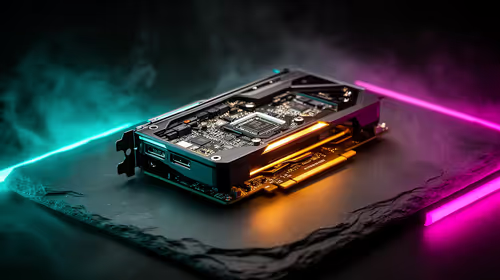
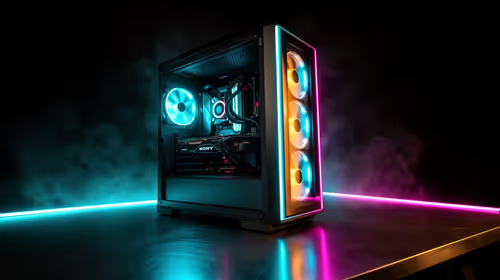
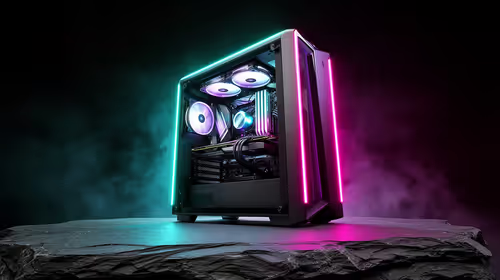
That familiar South African summer heat is back... and your gaming PC feels it too. When your rig starts sounding like a jet engine during a heatwave, you're not just losing frames to thermal throttling; you're shortening your components' lifespan. Effective gaming PC cooling isn't a luxury in SA, it's a necessity. Let's dive into keeping your machine frosty, even when the mercury climbs past 30°C. 🌡️
Understanding Airflow: The Foundation of Good PC Cooling
Before you even think about fancy liquid coolers, you need to master the basics of PC ventilation. Think of your PC case as a wind tunnel. The goal is simple: get cool air in, get hot air out. Most setups use intake fans at the front to pull in fresh air and exhaust fans at the back and top to push out the hot air generated by your CPU and GPU.
A balanced or slightly "positive pressure" setup (more intake than exhaust) is ideal. This helps minimise dust buildup by forcing air out of small unfiltered gaps. Getting this right is the first, most crucial step in any PC cooling strategy.
Beyond the Fans: How Your Environment Affects Cooling
Your PC doesn't exist in a vacuum. The space around it plays a huge role in its ability to breathe. Shoving your tower into a tight, enclosed cabinet is a recipe for overheating, as it will just recycle its own hot exhaust air.
This is where your physical setup becomes critical. A purpose-built gaming desk with proper ventilation gives your PC the space it needs. Ensure there's at least 10-15 cm of clear space around all vents. Tidy cable management also improves airflow inside and outside the case, so it's worth the effort! ✨
Quick Temp Check ⚡
Not sure how hot your PC is running? Download a free tool like HWMonitor or use the performance overlay in your graphics card software (NVIDIA's GeForce Experience or AMD's Adrenalin). For your CPU, anything consistently over 85°C under load is a sign you need better cooling. For your GPU, aim to stay below 80-85°C during intense gaming sessions.
Practical Steps for Better Gaming PC Cooling in SA
Ready to take action? Here are a few practical, high-impact ways to improve your gaming PC's cooling performance without breaking the bank.
1. Clean Your PC Regularly
Dust is the enemy of cool. It clogs fans, insulates components, and suffocates your system. Every few months, power down, unplug, and give your PC a thorough clean with compressed air. Pay special attention to fan blades, heatsinks, and dust filters. It's the cheapest and most effective maintenance you can do.
2. Optimise Your Fan Curves
Most modern motherboards let you control fan speeds in the BIOS/UEFI. You can set up a "fan curve," which tells your fans to spin faster as temperatures rise. A more aggressive curve can make a massive difference during a demanding Apex Legends match on a hot day. It might get a bit louder, but performance is worth the trade-off.
3. Consider Your Entire Battlestation
A holistic approach often yields the best results. A well-designed space promotes better habits and better airflow. Investing in a complete Arozzi gaming setup, for example, ensures your components, monitor, and seating are all working in harmony. On that note, don't forget your own comfort! A breathable mesh gaming chair can make those long sessions during a summer heatwave much more bearable.
4. Upgrade Key Cooling Components 🔧
If cleaning and tweaking aren't enough, it might be time for an upgrade. A better CPU cooler (whether a large air tower or an All-in-One liquid cooler) can dramatically lower processor temperatures. Adding more or higher-quality case fans will improve overall system ventilation. Plus, many modern options from our NZXT case lighting and fan range add some slick RGB colour to your build while improving performance.
Ready to Beat the Heat?
The South African summer is no joke, but with the right gaming PC cooling strategy, your rig can stay frosty. From high-airflow cases to powerful CPU coolers, we've got everything you need to win the war against thermal throttling. Explore our complete range of PC cooling solutions and keep your frames high when the temperatures are higher.