


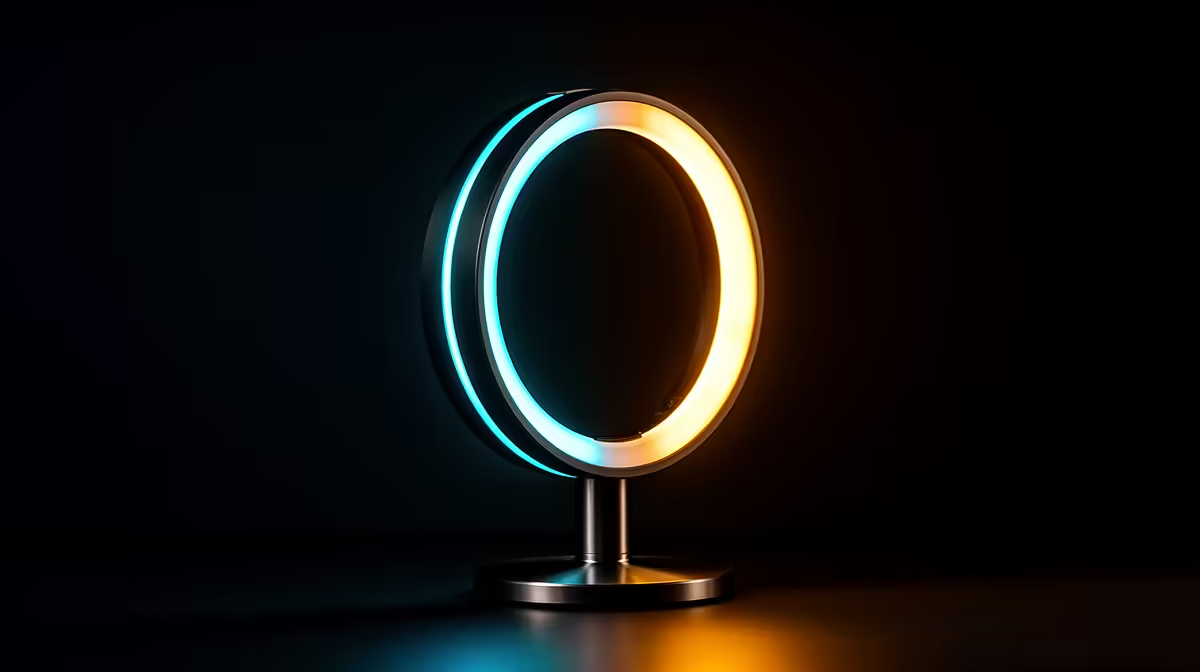
A dim room and a webcam pointed at a shadowed face is the fastest way to lose viewers before they hear a word you say. A good led streaming light fixes that in one placement, and the NearStream SL10B does it without needing a permanent spot near a wall socket, since it runs on its own battery for hours at a time.
Quick Answer
Set the NearStream SL10B above eye level, angled down at roughly 45 degrees toward your face, and dial the colour temperature between 700K and 6500K to match your room and camera. At R629, it gives streamers, vloggers and gamers even, adjustable light without buying a separate stand, mains cable or diffuser.
💡 Positioning the Light for Your Face
Placement matters more than brightness. Set the SL10B slightly above your eye line and angle it down toward your face rather than pointing it straight ahead, which tends to flatten features and create harsh reflections in glasses. A 45-degree downward angle from just above eye level fills in shadows under the brow and chin without washing out detail.
Distance and Diffusion
Keep the light close enough to illuminate your face evenly but far enough back that it does not blow out highlights on skin. Because the SL10B is compact, it works well clamped to a monitor arm, mounted on a small desk stand, or propped on a shelf behind your webcam, whichever keeps it steady at the right angle for your specific desk setup.
🎨 Getting the Colour Temperature Right
The SL10B's bi-colour range runs from 700K, a warm amber tone, through to 6500K, a cooler daylight-matched white. Warmer settings toward the low end suit cosy, casual streams and evening sessions, while cooler settings closer to 6500K read as cleaner and more neutral on camera, which tends to suit gaming content and daytime recording.
There is no single correct number here. The right setting depends on your camera's white balance, the colour of your walls and desk, and the mood you want the stream to have. Small adjustments, tested on a quick recording rather than guessed from the room, make the biggest difference.
Testing Before You Go Live
The fastest way to dial in a setting is to record a short test clip rather than judging the light by eye alone. Screens and eyes adjust to colour casts that a camera still picks up, so what looks neutral in the room can read as too warm or too cool once footage plays back. Running a ten-second test clip after every adjustment, rather than only checking once the whole session is underway, saves having to redo a stream's opening minutes because the lighting was off.
🔋 Running Without a Constant Power Cable
The built-in 2000mAh battery is what separates this setup from most desk lamps repurposed for streaming. Instead of routing a mains cable across your desk or behind your monitor, the SL10B can run cordless for extended sessions, which matters if your setup does not have a spare plug point exactly where the light needs to sit.
That said, for long streaming sessions it is worth keeping the light topped up between broadcasts rather than running it flat, and having the right cable solutions on hand keeps charging and any other desk cabling tidy rather than tangled behind your setup.
🎮 Fitting It Into a Gaming or Streaming Desk
A compact bi-colour light like this slots naturally alongside a webcam, microphone arm and second monitor without dominating the desk the way larger softbox lights do. For anyone building out a streaming corner from scratch, browsing Evetech's gaming accessories range alongside the light itself helps round out the setup with a stand, mount or extra cabling in one pass rather than several separate orders.
The NearStream SL10B itself stays simple to operate once it is positioned correctly: dial in the colour temperature, angle it toward your face, and leave it there for future sessions rather than re-adjusting every time you sit down.
For anyone streaming from a smaller desk, the compact size of the SL10B also means it does not compete for space with a boom arm microphone or a second monitor, which bulkier ring lights and softbox kits often do. That makes it a practical first light to add before considering any extra fill lighting later.
Frequently Asked Questions
Where should I place a bi-colour streaming light?
Slightly above eye level, angled down at about 45 degrees toward your face, close enough to light your features evenly without causing glare.
What does the 700K to 6500K range actually control?
It adjusts the colour temperature from warm amber tones through to cool, daylight-matched white, letting you match the light to your room and camera.
Does the SL10B need to stay plugged in while streaming?
No. Its built-in 2000mAh battery lets it run cordless for extended sessions, though topping it up between streams avoids it running flat mid-broadcast.
Is this light only for streaming, or does it work for gaming too?
It suits both. The same adjustable colour temperature that improves stream video quality also makes it useful for general desk lighting during gaming sessions.
How much does the NearStream SL10B cost?
It is priced at R629.
Will a single light cast an unwanted shadow behind me?
A single light source can create a mild shadow depending on your background, and moving it slightly to one side rather than positioning it directly overhead usually softens that.
Does this light work for group calls or just solo streaming?
It works for either, though for a wider shot with more than one person in frame, positioning it further back and slightly higher covers a broader area evenly.
Ready to get your bi-colour light mounted and dialled in? Position the NearStream SL10B at eye level, pick a temperature between 700K and 6500K, and video or gaming sessions are ready to go. Evetech stocks the R629 light under streaming lights.











