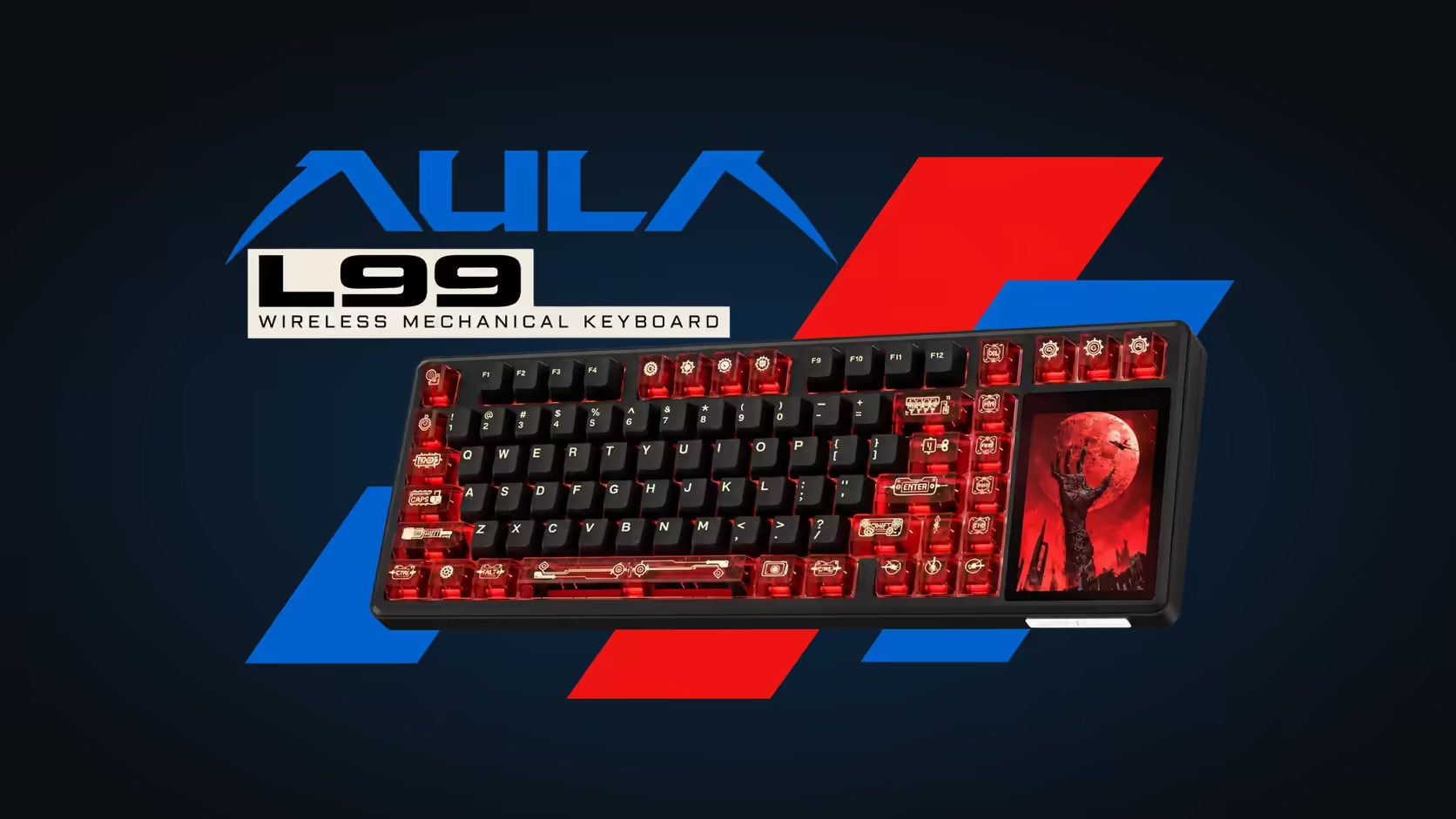
A normal keyboard collects crumbs and dust. A keyboard with a touchscreen collects fingerprints too, and they show every time the panel lights up. The AULA L99's 3.98-inch display is part of how you use the board, so cleaning a keyboard touchscreen safely is worth getting right: the wrong cloth or cleaner can leave fine scratches or a streaky film that never quite goes away.
Quick Answer
Clean the L99's touchscreen with a dry microfibre cloth, or one barely dampened with water, wiping gently in straight lines. Never spray liquid onto the board, avoid harsh household cleaners and paper towels, and clean between sessions rather than mid-use so a stray touch does not change a setting. Evetech, which sells the L99 at R1,099, covers it with a 1 Year Local Warranty, but that is for faults, not for damage from the wrong cleaner.
🧽 The right tools for a small screen
Microfibre, always
A clean microfibre cloth, the kind sold for spectacles or camera lenses, lifts oil without grinding grit into the surface. Paper towels and tissues feel soft but carry wood fibres that can leave hairline marks, especially when there is dust already on the glass.
Keep one cloth just for screens. A cloth that has wiped a greasy desk or a dusty case will move that dirt straight onto the panel.
Water before anything stronger
For most smudges, a dry cloth is enough. For stubborn marks, dampen a corner of the cloth with a little clean water, wring it until it is barely moist, then wipe. Follow with the dry part of the cloth. That handles the vast majority of fingerprints and light grime.
Skip the harsh stuff
Glass cleaners with ammonia, kitchen sprays, bleach-based wipes and abrasive creams have no place near a display. They can damage coatings and seep into gaps. If you want something stronger than water, choose a product sold specifically for electronic screens and follow its instructions.
💧 Why you never spray the board
The L99's screen is built into the right side of the keyboard, right next to the keys. Liquid sprayed onto the panel can run into the switch sockets, the case seams or the display edge. The board also holds an 8000mAh battery and hot-swap sockets that accept switches without solder, so it has plenty of electronics that should stay dry.
Always apply liquid to the cloth, never to the keyboard, and use far less than you think you need.
⏱️ A cleaning routine that fits the board
Clean when you finish, not while you work
The panel is a working touchscreen. It runs lighting menus, settings, a numpad, a calculator and mouse simulation, so wiping it while it is active can trigger something you did not mean to. Clean at the end of a session, when an accidental menu change costs nothing, and glance at the lighting and settings afterwards in case the cloth nudged one.
A weekly wipe, a monthly deeper clean
A quick dry wipe once a week keeps oils from building up into a film. Once a month, do the damp-cloth wipe on the screen and give the keys some attention too.
Clearing the gap between keys and screen
Dust likes the join between the key block and the display area. A soft, clean brush or a small hand-held air blower clears it without pressing on the panel. Tip the board slightly so loosened dust falls out rather than deeper in. The L99 is hot-swappable, and a keycap puller gives better access for a deep clean between switches, but keep the screen side dry while you work.
🔍 Protecting the panel day to day
The easiest way to keep a screen clean is to touch it with clean hands. Snacking at the desk and then tapping the lighting menu is how most of the smudges get there.
When the board is not in use, keep it covered or somewhere dust-free, and avoid stacking books or controllers on top of it. The two-stage feet can be folded flat when you store it, which reduces the chance of something pressing on the panel.
If the screen ever starts behaving oddly after cleaning, such as a patch that no longer responds, stop and dry everything thoroughly before trying again. A fault that persists is a matter for the warranty.
For more boards with and without screens, the gaming keyboards at Evetech are a good place to browse, alongside the keyboard best sellers.
Frequently Asked Questions
What cloth is safest for the L99's screen?
A clean microfibre cloth kept only for screens. It lifts fingerprints without scratching.
Should cleaner go on the screen or the cloth?
On the cloth, and only a little. Never spray any liquid directly onto the keyboard.
Can I use kitchen sprays or glass cleaner?
No. Household and ammonia-based cleaners can harm screen coatings. Water or a screen-specific product is enough.
How do I get dust out of the gap beside the screen?
Use a soft brush or a hand-held air blower, with the board tilted so the dust falls out.
Why not clean it while I am using it?
The panel is touch-sensitive, so a cloth can change lighting or settings. Clean between sessions and check the settings afterwards.
How often should I clean it?
A dry wipe weekly and a gentle damp wipe about once a month keep oils from building up.
Ready to keep your setup looking sharp?
Explore Evetech's gaming keyboards and find a board that fits the way you work and play.