



Content Warning PC build under R20,000 for SA gamers
Content Warning on R20,000 needs careful part balance. This SA build guide frames CPU, GPU, RAM, SSD, cooling, and upgrade trade-offs without promising live prices, stock, or exact FPS.
Read moreA laptop SSD upgrade starts with confirming the M.2 slot length, usually 2280, and whether it runs NVMe or the older SATA interface, since the wrong drive type simply will not boot. Evetech stocks NVMe SSDs sized for common laptop upgrade paths.
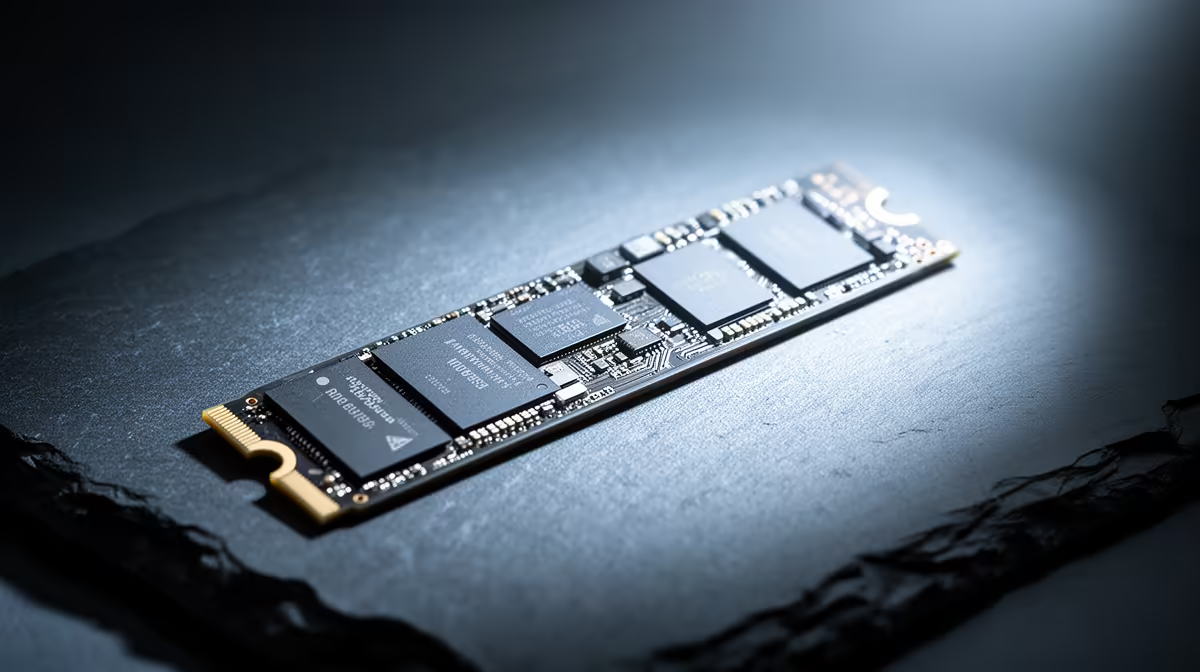
An M.2 drive can look right in the product photo and still be wrong for your laptop. The slot may accept NVMe only, the chassis may need a shorter module, or the spare connector may share lanes with another device. Check the exact machine before you copy a game library or remove a single screw.
Find your laptop's complete model code and open its official specification or service manual. Confirm the number of M.2 slots, supported lengths, NVMe or SATA interface, documented capacities and any heatsink clearance. Check whether a second slot is free before replacing the Windows drive. In Evetech's July 2026 SSD snapshot, the Dahua V800 512GB (a 2.5-inch SATA drive, not an M.2 module) was about R1,499; a dated figure that only matters once you confirm your laptop's slot type, length and NVMe-or-SATA interface.
Read the model code from the base label and compare it with Windows System Information. A family name alone is too loose because manufacturers change storage layouts between screen sizes, processor options and regional versions.
Open Disk Management to see how many physical disks Windows recognises. Then use the laptop maker's support page or a hardware-information utility to find the installed drive model. The model number tells you whether the existing module is SATA or NVMe and gives you a baseline for capacity.
Do not assume an empty-looking drive letter means a free M.2 slot. Drive letters describe Windows volumes, not motherboard connectors. The service manual or a careful physical inspection must confirm the socket.
Evetech's laptop best-sellers provide current capacity comparisons while you work out whether an upgrade will extend the machine you own.
M.2 2280 is common in laptops, with 22 mm width and 80 mm length, but compact machines can use 2242 or 2230 modules. The screw standoff needs to sit at the correct length. Do not let a loose drive hang in a socket because the board lacks the right mounting point.
NVMe drives communicate over PCI Express. M.2 SATA drives use the SATA interface despite sharing a similar card shape. A socket's physical key is useful evidence, though it does not tell the whole compatibility story. Read the manual and controller specification.
Check component height as well. A thick heatsink sold for a desktop SSD may prevent the laptop cover from closing. Some laptops use a thin thermal pad or metal shield designed for that bay. Refit those parts in the documented order.
An open second socket lets you keep Windows untouched and add capacity for games. That is often the lower-risk route. Confirm that both slots support the same interface and length; the second connector can have different lane or generation support.
Replacing the original drive makes sense when there is only one slot or the boot disk itself is too small. Decide between cloning and a clean Windows installation before opening the base. A clone preserves apps and settings, while a clean install leaves old clutter behind but needs more setup time.
Whichever route you choose, back up saves and personal files to storage outside the laptop. Save the recovery information for device encryption and confirm you can sign into the accounts you will need. A fast new SSD cannot recover a file that existed only on the old one.
Shut down, remove the charger and follow the maker's service procedure. Keep screws in labelled positions because lengths may differ. Use a plastic opening pick around the base clips and stop if the cover catches near a missed fastener.
Disconnect the internal battery when the manual calls for it. Hold the SSD by its edges, align the notch and slide it into the socket at an angle. Lower it onto the standoff and tighten the small retaining screw until seated. The screw holds the module down; it does not need desktop-case force.
Replace the thermal pad or shield without folding it over nearby components. Before closing the cover, inspect the battery lead and make sure no cable sits across a screw post.
The gaming laptop range at Evetech gives you another reference if storage access on an older model has become impractical.
A secondary blank drive should appear in Disk Management, where you can initialise and format it. Stop if the capacity looks wrong. A replacement boot drive needs either your cloned installation or Windows installation media and the correct storage driver for the platform.
Check SSD health and interface speed after the first boot. Copy a large folder, install one game and watch temperatures during sustained use. Laptop airflow is tight, so a drive that benchmarks well for thirty seconds can still slow once heat builds.
If the new SSD vanishes after sleep or creates boot errors, reseat it and check firmware, storage-controller mode and model compatibility. Put the original drive back when you need to separate an installation fault from a software problem.
Use the exact model's service manual, which should show the socket and supported module lengths.
NVMe uses PCI Express, while M.2 SATA uses the SATA interface. Similar card shapes do not make them interchangeable.
No. The socket and controller must support the drive's interface.
The maker may document tested capacities or firmware limits. Use that guidance and check current support notes for the exact model.
Only when replacing the boot drive. A second SSD can be added as storage without moving Windows.
It can shorten storage-heavy loading and file work, but it will not raise frame rate in every game.
Yes. An open compatible socket can add space while leaving the working Windows drive alone.
Need more laptop storage without replacing a working machine? Compare current laptops at Evetech, then confirm your exact M.2 slot, interface and cooling clearance before choosing the drive.
Use the exact model's service manual, which should show the socket and supported module lengths.
NVMe uses PCI Express, while M.2 SATA uses the SATA interface. Similar card shapes do not make them interchangeable.
No. The socket and controller must support the drive's interface.
The maker may document tested capacities or firmware limits. Use that guidance and check current support notes for the exact model.
Only when replacing the boot drive. A second SSD can be added as storage without moving Windows.
It can shorten storage-heavy loading and file work, but it will not raise frame rate in every game.
Yes. An open compatible socket can add space while leaving the working Windows drive alone.
Content Warning on R20,000 needs careful part balance. This SA build guide frames CPU, GPU, RAM, SSD, cooling, and upgrade trade-offs without promising live prices, stock, or exact FPS.
Read more
Atomic Heart at R50,000 needs a balanced CPU, GPU, memory, SSD, and cooling plan. This SA build guide frames the budget without exact FPS, stock, or live price promises so you can match parts to your monitor.
Read more
Sea of Thieves at R60,000 gives SA buyers a high-end desktop tier for 1440p luxury and sensible 4K headroom. Balance a high-end GPU with a fast CPU, 32GB RAM, quality power and SSD storage instead of chasing vanity spend.
Read more
Openserve Durban packet loss should be checked step by step before replacing gear. Test Ethernet, Wi-Fi signal, router logs, device drivers and time-of-day patterns, then escalate with evidence.
Read more
Minimum 1440p gaming PC for MMO and live-service games should balance GPU, CPU, RAM, storage and cooling around real workloads. SA buyers can use this guide to avoid overbuying and plan a sensible upgrade path.
Read more
Cheapest 1440p ultrawide gaming PC at R80,000 should be shortlisted around the job it must do. South African buyers should compare panel type, resolution, refresh rate, and ports, warranty path, and upgrade room before treating any pick as best.
Read more
Yes, if you split your time between a phone and a PlayStation, because the GameBuds use two links. Evetech sells them at R3,999 with IP55 protection and a Qi charging case. Dongle for console, Bluetooth for phone.

Skip the RTX 5060 Ti for podcast recording when quiet operation, display support, and simple PC fit matter more. SA creators should compare thermals, port layout, local warranty, and editing needs before picking a GPU.

80+ Gold vs 80+ Platinum for video editing in 4k is about PSU efficiency, heat, fan behaviour, quality, and wattage headroom, not direct FPS. SA buyers should compare the whole build.

A recommended build for Marvel Rivals at R25 000 should feel clearly stronger than budget tiers while staying balanced. In SA, use the extra room for GPU power, CPU support, SSD capacity, case airflow, and upgrade flexibility.

File Explorer preview pane can be toggled with Alt+P. A downloaded file may still have its preview blocked by Windows security; that warning is different from a hidden panel or a broken drive.

File Explorer opens Home by default on current Windows 11 layouts. Set Open File Explorer to This PC if you prefer drives first; the change does not move documents or remove their Quick access pins.

Windows show hidden files is a File Explorer visibility option, not a recovery tool. Enable Hidden items to inspect a known folder, keep protected system files separate and avoid deleting unfamiliar entries.

Windows Snap layout popup appears when you hover over a window maximise button. Its dedicated Multitasking option can turn that flyout off; a popup missing in only one app may instead be an app-window issue.

Magnetic switches are taking over SA gaming keyboards because adjustable actuation gives players faster control. For Mbombela gamers, the appeal is rapid reset, smoother key feel, and tuning per title without changing boards.

Where Cape Town gamers buy a Steam Deck should be shortlisted around the job it must do. South African buyers should compare fit, performance, compatibility, and upgrade room, warranty path, and upgrade room before treating any pick as best.

RTX 5090 1440p Horizon Forbidden West should be checked through settings, CPU balance, drivers, and monitor goals. SA gamers can use this quick checklist before choosing visuals, refresh targets, upgrade timing, or a monitor pairing.

What laptop do Mechatronics students at should be shortlisted around the job it must do. South African buyers should compare CPU, GPU, RAM, and screen quality, warranty path, and upgrade room before treating any pick as best.