



Content Warning PC build under R20,000 for SA gamers
Content Warning on R20,000 needs careful part balance. This SA build guide frames CPU, GPU, RAM, SSD, cooling, and upgrade trade-offs without promising live prices, stock, or exact FPS.
Read moreOpenserve Durban packet loss should be checked step by step before replacing gear. Test Ethernet, Wi-Fi signal, router logs, device drivers and time-of-day patterns, then escalate with evidence.
Packet loss on Openserve in Durban should be tested as a measurable connection problem, not guessed from one bad match. For gaming, packet loss should be 0%, with anything above 1% already visible in shooters and voice chat; start with Ethernet where possible, a 5-minute ping test, and a second device before replacing hardware.
Test the gaming PC or console as close to the router as possible. If Wi-Fi shows the problem but Ethernet is clean, focus on channel congestion, distance, or router placement. If both paths show the same packet loss, record the time, game server region, device used, and whether other people were streaming or downloading.
The local network still matters even when the service is the headline. Check the fibre ONT, Ethernet cable, and router path, try a known-good Cat6 cable for wired tests, and restart the router after saving any important settings. A router class such as TP-Link Archer AX55 or ASUS RT-AX series router is a reasonable upgrade path when an older unit struggles with many devices; broad local pricing often sits around R1,200 to R3,500.
Write down three useful numbers: average ping, worst spike or loss percentage, and time of day. For Durban players, evening congestion can look different from a single bad Wi-Fi room, so compare a morning or midday test with a normal gaming slot. Screenshots of repeated results are more useful than a complaint that only says the line feels bad.
For packet loss, 0% is the target and 1-2% can already hurt hit registration. For lag spikes, jumps above 100 ms during a match are enough to cause rubber-banding even when average ping looks acceptable.
Only buy after a wired test shows the home router is the weak point. If Ethernet is clean and Wi-Fi is bad, a better router or mesh placement may help; if Ethernet also fails, gather evidence for the line or route.
Yes, because routing, tower load for LTE, and fibre-area congestion vary by area. Keep results tied to Durban, the provider name, and exact test times so the pattern is easier to escalate.
Run cable test, second-device test, router restart, driver or firmware check, then provider evidence in that order so each result has a clear cause.
Content Warning on R20,000 needs careful part balance. This SA build guide frames CPU, GPU, RAM, SSD, cooling, and upgrade trade-offs without promising live prices, stock, or exact FPS.
Read more
Atomic Heart at R50,000 needs a balanced CPU, GPU, memory, SSD, and cooling plan. This SA build guide frames the budget without exact FPS, stock, or live price promises so you can match parts to your monitor.
Read more
Sea of Thieves at R60,000 gives SA buyers a high-end desktop tier for 1440p luxury and sensible 4K headroom. Balance a high-end GPU with a fast CPU, 32GB RAM, quality power and SSD storage instead of chasing vanity spend.
Read more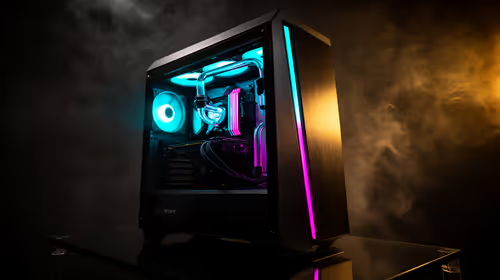
Minimum 1440p gaming PC for MMO and live-service games should balance GPU, CPU, RAM, storage and cooling around real workloads. SA buyers can use this guide to avoid overbuying and plan a sensible upgrade path.
Read more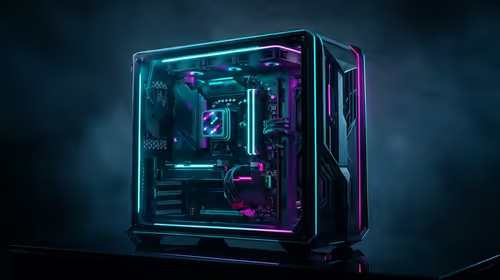
Cheapest 1440p ultrawide gaming PC at R80,000 should be shortlisted around the job it must do. South African buyers should compare panel type, resolution, refresh rate, and ports, warranty path, and upgrade room before treating any pick as best.
Read more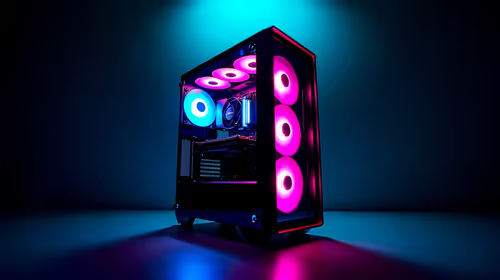
Use this R25,000 gaming PC build in Free State guide as a cautious planning view, not a live stock promise. Compare fit, specs, budget, warranty, delivery options, and upgrade needs before choosing hardware in South Africa.
Read more
Yes, if you split your time between a phone and a PlayStation, because the GameBuds use two links. Evetech sells them at R3,999 with IP55 protection and a Qi charging case. Dongle for console, Bluetooth for phone.

Skip the RTX 5060 Ti for podcast recording when quiet operation, display support, and simple PC fit matter more. SA creators should compare thermals, port layout, local warranty, and editing needs before picking a GPU.

80+ Gold vs 80+ Platinum for video editing in 4k is about PSU efficiency, heat, fan behaviour, quality, and wattage headroom, not direct FPS. SA buyers should compare the whole build.

A recommended build for Marvel Rivals at R25 000 should feel clearly stronger than budget tiers while staying balanced. In SA, use the extra room for GPU power, CPU support, SSD capacity, case airflow, and upgrade flexibility.

File Explorer preview pane can be toggled with Alt+P. A downloaded file may still have its preview blocked by Windows security; that warning is different from a hidden panel or a broken drive.

File Explorer opens Home by default on current Windows 11 layouts. Set Open File Explorer to This PC if you prefer drives first; the change does not move documents or remove their Quick access pins.

Windows show hidden files is a File Explorer visibility option, not a recovery tool. Enable Hidden items to inspect a known folder, keep protected system files separate and avoid deleting unfamiliar entries.

Windows Snap layout popup appears when you hover over a window maximise button. Its dedicated Multitasking option can turn that flyout off; a popup missing in only one app may instead be an app-window issue.

RTX 5080 with a 550W PSU is a risky default without exact board specs. Check the card vendor's PSU guidance, CPU power draw, connector support, and SA upgrade cost before treating 550W as compatible.
Skip the RTX 5060 Ti for podcast recording when quiet operation, display support, and simple PC fit matter more. SA creators should compare thermals, port layout, local warranty, and editing needs before picking a GPU.

ITX makes an esports PC easier to move, while ATX is usually simpler for cooling, upgrades, and value. SA builders should choose by desk space, travel needs, parts availability, thermals, and how often they upgrade.

Where Johannesburg gamers buy a ROG Ally X should be shortlisted around the job it must do. South African buyers should compare fit, performance, compatibility, and upgrade room, warranty path, and upgrade room before treating any pick as best.