


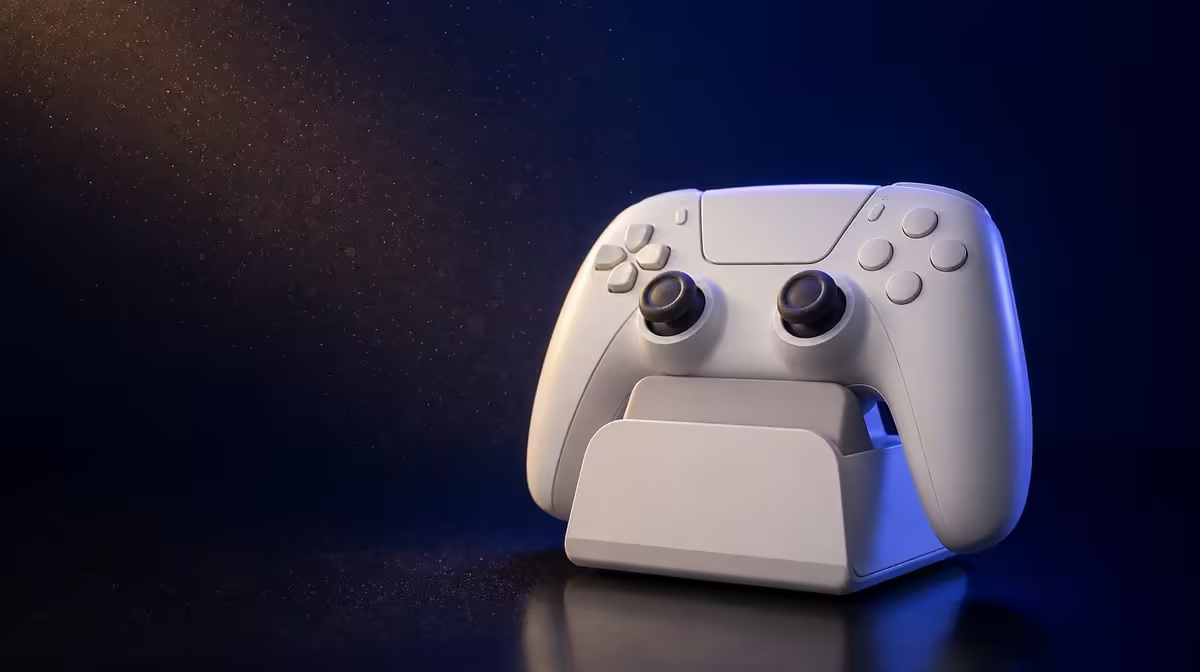
Warm air and fine dust challenge the contact points around a charging dock, not the idea of smart charging itself. To maintain a controller dock in South Africa, keep the Cyclone 2 base level, shaded and gently cleaned. The R999 package includes Smart Start-Stop Charging, which still depends on stable seating and a suitable physical environment.
Quick Answer
Store the Cyclone 2 dock away from direct sunlight, disconnect power before cleaning and use a gentle dry method on exposed areas. Check that the R999 controller sits evenly and that the cable does not move the base. Smart charging manages power; it does not replace maintenance.
☀️ Choose a cooler, stable position
Direct sun can heat the controller and dock unnecessarily. Choose an indoor position away from a window beam, heater or other hot equipment.
The surface should remain level when the controller is placed or lifted. Route the cable with enough slack that it cannot drag the base sideways.
Use the controller's actual lift and return path to test the location. A dock can remain level while empty yet slide when the gamepad is removed at an angle. Adjust the position until daily handling leaves the base where it started.
Check the position again after rearranging the desk. A once-stable dock can become awkward when another object presses against its lead or reduces ventilation.
Look at the path of afternoon sun as well as the morning position. A base can begin shaded and become hot later. Moving it farther from the window is simpler than trying to manage repeated heat exposure.
Keep air moving naturally around the setup rather than enclosing the dock among warm devices. Give it normal ventilation and keep it away from unnecessary heat.
The Evetech gaming controller category provides useful package context for docked controllers.
🧹 Remove dust without adding risk
Disconnect the dock from power. Begin with a dry, gentle clean of exposed contact points, the controller resting area and the surrounding base.
Do not pour or spray liquid onto the charging path. Avoid scraping contacts or pushing debris inward. The aim is to clear accessible dust without creating a second problem.
Inspect by visible condition and charging behaviour. A dusty room may need attention more often than a closed, clean space, so a fixed universal interval would be less useful than observation.
Make a quick inspection part of returning the controller. Look for visible dust, check that the cable has not tightened and confirm the resting surface is clear. This adds seconds rather than waiting for charging to become unstable.
Reseat the controller after reconnecting power and watch whether contact remains stable.
If the result changes only after cleaning, note that evidence. If instability returns when the desk is bumped, the supporting surface or cable path deserves more attention than the contact face.
⚡ Separate smart behaviour from poor contact
Smart Start-Stop Charging can change state as it manages power. Rapid interruptions linked to movement, crooked seating or debris belong to the physical contact check.
Keep a short note when instability occurs: position, visible dust, cable tension and whether reseating helped. Patterns make maintenance more focused.
Use a dry inspection light or normal room light rather than probing the dock. Maintenance should reveal obvious contamination and alignment issues without opening or modifying the charging hardware.
If the issue survives cleaning and alignment, test one suitable power-path variable at a time. Do not replace several parts or change desk location during the same attempt.
Allow each test to complete long enough to show a stable result. Rapidly reseating the controller several times can create the very status changes being investigated.
Browse Evetech gaming accessories once the base and cable are organised.
🔋 Protect the whole controller routine
Return the Cyclone 2 to the dock without pressing its TMR sticks against nearby objects. A deliberate storage position supports both charging contact and physical control care.
Customisable RGB, tri-mode routes and game profiles do not change the maintenance order. Power down, inspect the base, clear exposed dust, check alignment and then confirm charging.
Smart management cannot promise a fixed battery lifespan. Age, temperature, heavy use and contact stability remain relevant. The realistic value is an included dock that supports an organised routine at R999.
The controller's tri-mode and multiplatform features may move it between devices, but the dock should remain a dependable home. Finish every session by disconnecting from the host, checking the correct profile is saved and seating the controller squarely.
Review the routine seasonally or after moving the setup. Warmer conditions, new dust patterns and cable rearrangements can change the environment even if the dock has not changed.
Use the included dock as a maintenance anchor rather than a sealed appliance. The final check should confirm shade, a level base, cable slack, clean exposed areas and even seating. Those five observable conditions support Smart Start-Stop management without inventing battery promises.
The Evetech accessory favourites page can help with the surrounding setup after the dock has a safer South African location.
After maintenance, observe several normal charging cycles before declaring the routine fixed. A dock that works only when the controller is pressed or angled still needs alignment attention. Record the room condition, visible cause and successful correction so the next dusty or hot period can be handled with evidence rather than a rigid calendar.
Frequently Asked Questions
Why should the dock avoid direct sunlight?
Direct sun can add unnecessary heat around the controller and charging base. A shaded indoor position is more suitable.
Can liquid cleaner be used on the contacts?
Start dry and gentle with power disconnected. Do not introduce liquid into the charging path.
Does smart charging replace maintenance?
No. Automation still depends on stable contact, alignment, cable routing and a clean environment.
What does the dock-and-controller package cost?
Evetech lists the Phantom White GameSir Cyclone 2 with its included dock at R999.
Ready to keep a dock reliable through warm, dusty conditions? Explore Evetech controllers and accessories, then give the Cyclone 2 a shaded, level and gently maintained charging home.











