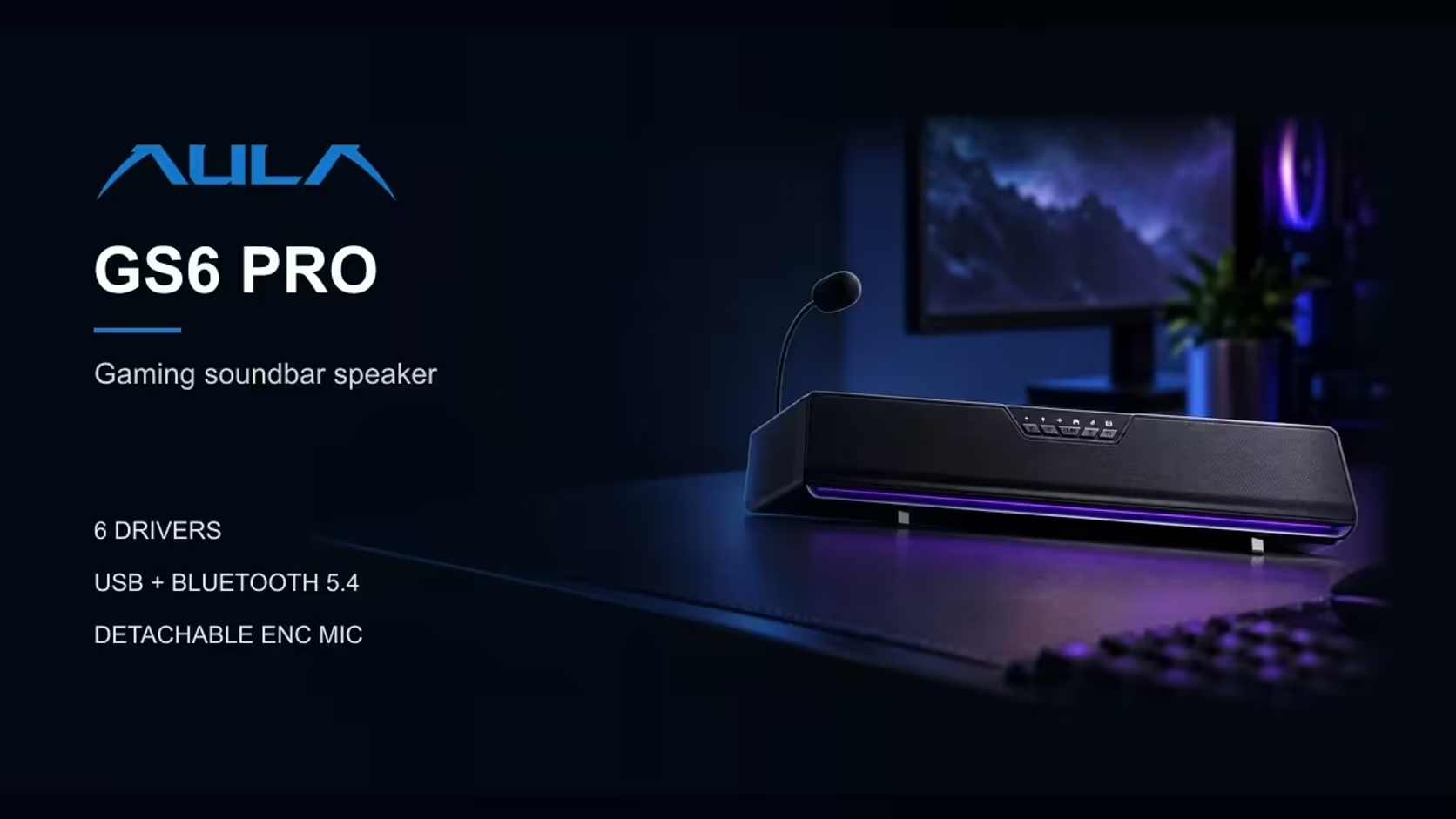
Late-night gaming has an obvious rule: the rest of the house should not hear the explosions. Plugging headphones into the PC solves the noise, but it usually means losing whatever tuning your speakers applied. The AULA GS6 Pro keeps that tuning. Its soundbar headphone port, a 3.5mm output on the bar, passes the speaker's sound processing through to your headphones, so the setup you dialled in for daytime carries into the quiet hours.
Quick Answer
Plug wired headphones into the AULA GS6 Pro's 3.5mm output and, according to AULA, they receive the speaker's sound processing. Whichever of Game, Music or Movie you have selected still applies, and on Windows 10 and above AULA's driver adds EQ and a 7.1 surround effect. It is a straightforward way to keep the same sound at night without waking anyone, from a soundbar that costs R349 at Evetech.
🌙 Why route headphones through the bar
Most PCs have their own headphone jack, so why use the soundbar's? Because the GS6 Pro brings its own sound hardware. Audio travels from the PC to the bar over USB, and a C-Media sound card chip inside the bar processes it. Plug headphones into the PC and that audio never reaches the bar's chip. Plug them into the bar and it does.
That matters if you have settled on a mode you like. Game mode for a shooter, Movie mode for a series, Music mode for a playlist: each shapes the sound in its own way, and AULA says headphones on the bar's port get that processing. Switching to headphones then becomes a change of output, not a change of sound.
What stays the same and what changes
The source, the modes and any driver settings stay where you left them. What changes is the transducer: your headphones replace the bar's six drivers. Different headphones will still sound like themselves, of course, since the processing shapes the signal and your headphones turn it into sound.
🛠️ A late-night routine that works
Setting up for quiet play takes about a minute once you have done it a few times.
Step one: plug in before the volume matters
Connect your wired headphones to the 3.5mm output on the bar while the volume is low. AULA's page does not say whether the bar's own speakers go silent when headphones are connected, so check that on the evening you set it up, at a low level, before the rest of the household is asleep.
Step two: choose the mode for what you are playing
Use the button on the bar to select Game, Music or Movie. If you have AULA's driver installed on Windows 10 or later, your EQ settings and the 7.1 surround effect can come along as well.
Step three: keep the mic in reach
The detachable 360-degree mic stays on the bar, with ENC noise cancellation and AEC echo cancellation. With the game audio in your headphones rather than the room, the mic has almost nothing to echo, which makes late-night team chat cleaner. The mute button on the bar cuts it when you need a break.
Step four: calm the lighting
The GS6 Pro's 15 RGB LEDs along the base offer solid, flowing, breathing and music-rhythm effects. In a dark room, a solid colour is less distracting than a pulsing one, and those effects run without any driver.
🎚️ Getting the most from the processing
The bar's modes and the optional driver features give you several layers to work with:
- The onboard modes, chosen with the bar's button, work without any software installed.
- EQ lets you shape bass and treble to suit your headphones rather than the room.
- The 7.1 surround effect adds virtual width for games where direction matters.
- AI noise cancellation and the voice changer apply to the mic side, not your headphones.
If a pair of headphones sounds too bright or too heavy through the bar, adjust the EQ for that pair and leave the mode alone. Many players end up with one EQ for daytime speakers and one for night headphones.
Wireless headphones
The port is a wired 3.5mm output, so it suits wired headphones. The GS6 Pro's Bluetooth 5.4 connection is an input for playing from a phone or tablet, not an output to wireless headphones.
🔈 Back to speakers in the morning
When the quiet hours end, unplug the headphones and the bar is ready to play out loud again. All six of the bar's drivers take over again, still on whichever mode you picked the night before.
If you are weighing up other desk audio, Evetech keeps conventional PC speakers in one place and the complete speakers selection in another. Should a hardware fault appear, the bar's 1 Year Local Warranty through Evetech handles it locally.
Frequently Asked Questions
Do headphones on the bar get the same sound as the speakers?
They get the bar's sound processing, according to AULA, so your chosen mode and driver settings carry over.
Do the speakers switch off when headphones are plugged in?
AULA's page does not say. Test it once at low volume so you know how your bar behaves.
Can I use Bluetooth headphones with the GS6 Pro?
Not through the headphone port, which is a wired 3.5mm output. Bluetooth 5.4 on the bar is for playing from a phone or tablet.
Does the 7.1 effect reach the headphones?
AULA says the port carries the speaker's processing, and the 7.1 effect is part of its driver on Windows 10 and above, so run the driver if you want it.
Will the mic still work while I use headphones?
Yes. The mic stays on the bar, and with the audio in your ears there is far less for it to echo.
Ready for late-night sessions that keep the house asleep?
Quiet nights need a speaker that hands over to headphones cleanly; Evetech's speakers collection has desk audio built for that switch.