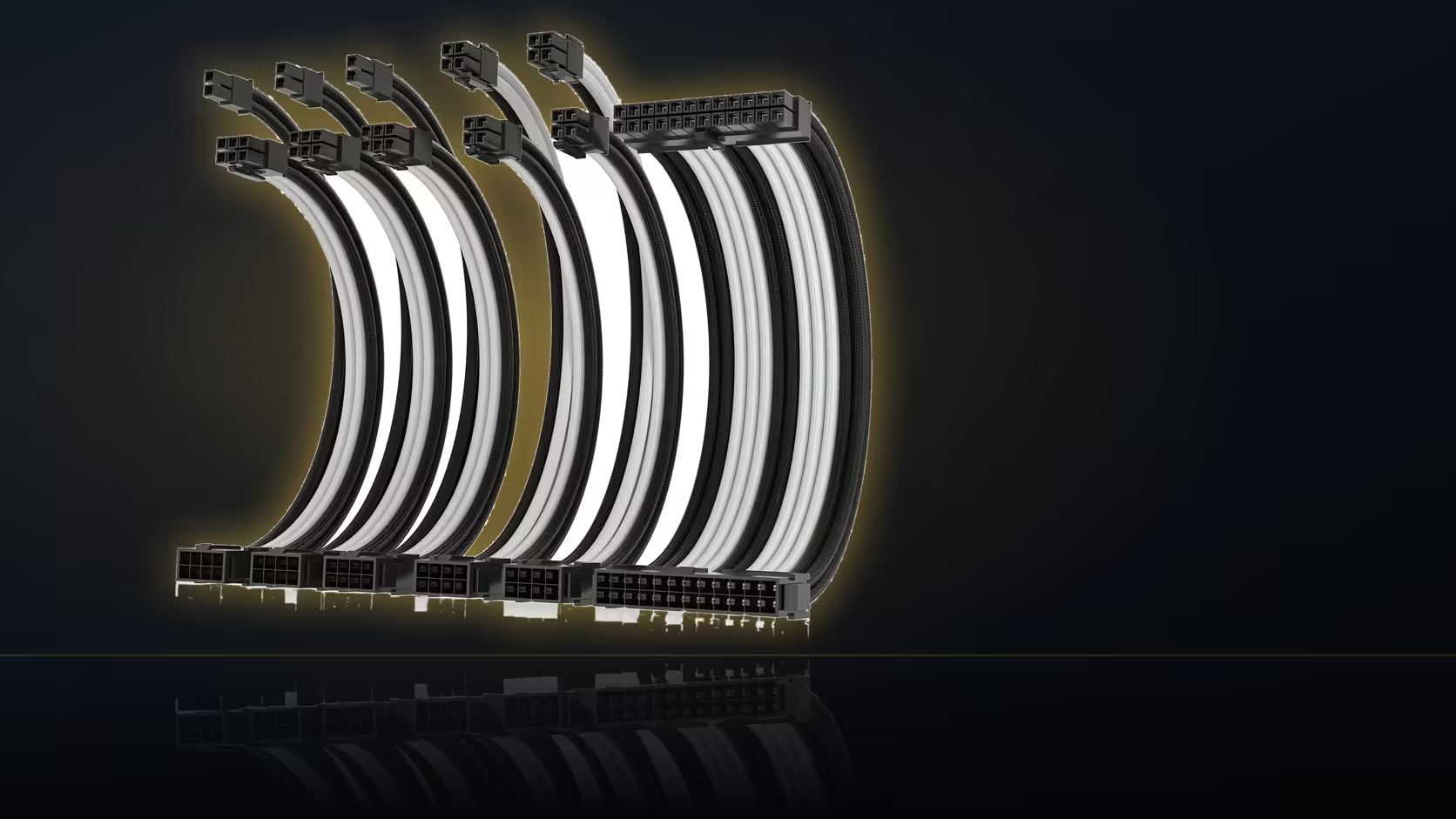
Moving a dual-EPS system into a new case is never a simple lift-and-drop job for its cables, no matter how well the original build was dressed. Every opening position and every scrap of tray depth changes with the new layout, and the leads themselves remain fixed at exactly 30cm regardless of which case they now have to work within.
Quick Answer
A rebuild remaps every run. Opening positions and tray depth differ from case to case, and the leads are still only 30cm. Plan the two processor runs and three card runs against the new layout before stripping the old one down.
🔌 What transfers and what does not
The extensions themselves transfer perfectly well between cases - the connectors are universal, and nothing about compatibility changes moving from one case to another. What does not automatically transfer is the routing itself: reach depends entirely on where a given case's openings sit relative to the board and card sockets, and that relationship changes meaningfully with every different case design, even between two cases that look broadly similar from the outside.
📐 What to check first in the new case
Before stripping the old build down, check opening positions relative to both the board's power sockets and the card's power sockets in the new case specifically, since that relationship is what ultimately determines whether the fixed 30cm allowance on each extension genuinely covers every run in the new layout. Measuring this before committing to disassembly avoids discovering a shortfall only after the old build is already in pieces and there is no easy way back.
📏 Why tray depth deserves a direct measurement
Tray depth is genuinely worth measuring directly rather than assuming, since it decides whether six connector junctions plus all the coiled factory slack will actually fit comfortably behind the new panel - a detail that catches out plenty of builders moving from a roomy mid-tower into a noticeably slimmer case, where the same cable volume that fit comfortably before suddenly does not.
📸 Documenting before you disassemble
Photographing the old build before pulling it apart is genuinely worth the extra few minutes: a clear record of which specific lead served which specific socket saves considerable time re-deriving that same information again once everything is loose and unlabelled on a workbench. Combs transfer between builds too, sliding off the old routing and back onto the new without needing replacement, though their positions will need resetting entirely to suit whatever new routes the different case demands - old comb spacing rarely translates cleanly to a new layout.
🔧 Handling a run that no longer reaches, and starting fresh
If a particular run no longer reaches in the new case, the two available adjustments within the same kit are moving the junction closer to the socket, or feeding the cable through a different opening if the case offers one - both are legitimate fixes rather than a sign the kit itself has failed to do its job. It is generally worth redressing every run entirely from scratch in the new case rather than attempting to preserve old curves and shapes from the previous build - reusing a curve shaped for one case's geometry rarely looks right once transplanted into a different one, and thankfully these cables reshape easily enough that starting fresh costs little beyond the time to do it properly. cable solutions rounds out the category this piece sits in, while a new case whose layout outstrips 30cm calls for a custom quote from individually sleeved premium cables.
📦 What to do with the old case afterward
Once every run is confirmed working in the new case, there is no need to keep the old factory leads that came out during the swap - they served their purpose and the extensions are now doing the job permanently. Keep them only if the old case itself is being kept as a spare or sold on separately.
Frequently Asked Questions
Do the same leads always fit a new case?
The connectors do, but the routes may not. Reach depends on where the openings sit, and that changes with every case design.
What should be checked first in the new case?
Opening positions relative to the board and card sockets, since those set whether a 30cm allowance covers each run.
Is tray depth worth measuring?
It decides whether six junctions and the factory slack will fit behind the panel, which is a common surprise when moving to a slimmer case.
Should I photograph the old build first?
It is worth doing. A record of which lead served which socket saves working it out again once everything is loose.
Do the combs transfer as well?
They slide off and on, so the same combs can be reused. Their positions will need resetting to suit the new routes.
What if a run no longer reaches?
Move the junction closer to the socket, or use a different opening. Those are the two adjustments available within the same kit.
Is it worth redressing everything from scratch?
Generally yes. Reusing old curves in a new layout rarely looks right, and the cables reshape easily enough to start again.
Rehousing a dual-EPS build into a new case?
Browse Evetech's power supply range and check the new case's opening positions before stripping down the old one.