


Is your home Wi-Fi starting to feel like the N1 highway at 5 PM? You’re trying to land a headshot, your partner is on a Teams call, and the kids are streaming cartoons… suddenly, everything grinds to a halt. 😩 This digital traffic jam is a daily reality in many South African households. But what if you could become the traffic controller for your own network? That’s where the unsung heroes of home networking come in.
Unlocking Control: What Are Managed Switches?
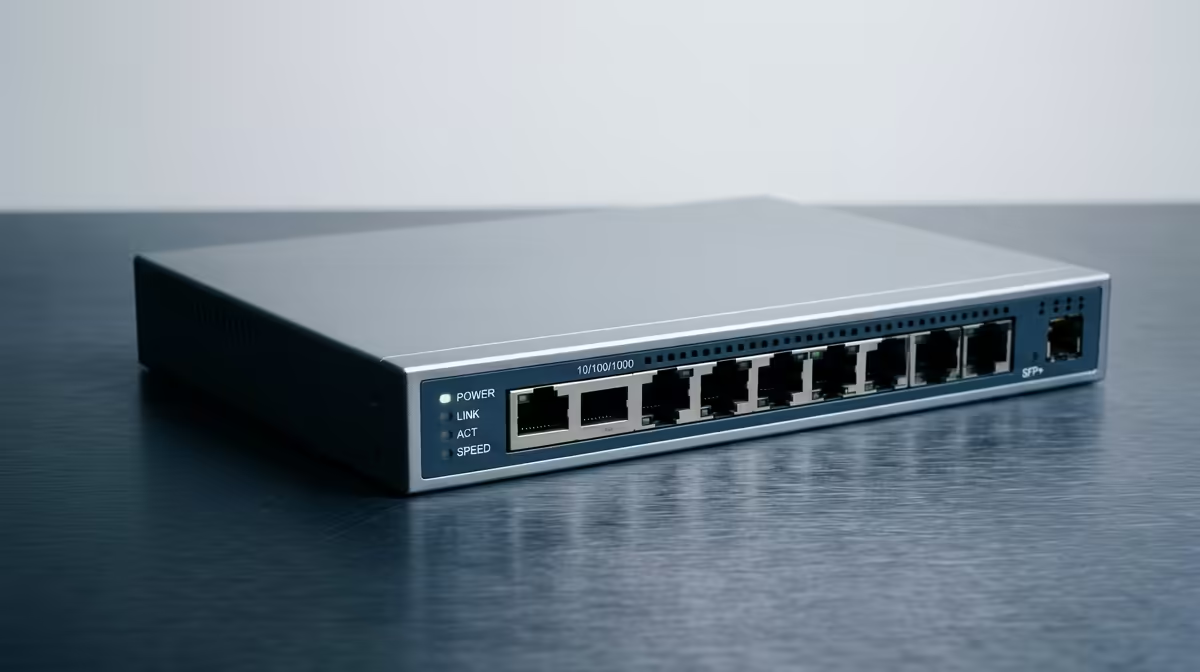
Most of us have a simple, unmanaged switch or a basic router from our ISP. It’s a plug-and-play device that does one job: it directs internet traffic. Think of it as a roundabout with no traffic lights. A managed switch, however, is a massive upgrade. It’s a smart hub that lets you decide which data gets the green light first.
For households juggling gaming, streaming, and work-from-home demands, managed switches offer a level of control you can't get otherwise. You get to fine-tune your network, ensuring the most important devices always have the speed they need.
Real-World Wins: How Managed Switches Solve SA Network Nightmares
The real magic of a managed switch isn't in its specs… it's in how it solves those frustrating, everyday problems. We’ve heard countless stories from South African households sharing real experiences with managed switches, and a few patterns emerge.
The Gamer's Edge: Banishing Lag Spikes 🚀
Picture this: you're in the final circle in Warzone, the tension is thick, and just as you line up the winning shot… lag spike. Your character freezes, and you’re sent back to the lobby. This often happens because someone else in the house started streaming a 4K movie, hogging all the bandwidth.
A managed switch with Quality of Service (QoS) lets you prioritise your gaming PC or console. You can literally tell your network, "This device is the most important." It ensures your game data gets a dedicated fast lane, even when the rest of the network is busy. It's a fundamental part of building a truly reliable wired networking setup for competitive play.
Find Your MAC Address
To use QoS, you'll need your device's MAC address. On a Windows PC, open Command Prompt, type ipconfig all, and look for the "Physical Address". On PlayStation or Xbox, you'll find it in the network settings menu.
The Work-From-Home Lifeline ⚡
An unexpected outage is bad enough without your internet connection also failing you during a critical client presentation. When your home network is shared between work laptops, smart TVs, phones, and security cameras, your connection can become unstable.
This is where VLANs (Virtual Local Area Networks) are a lifesaver. A managed switch can create separate, isolated networks. For instance, you can put all your work devices on one VLAN and all entertainment devices on another. This prevents your kids' YouTube marathon from interfering with your video call quality. It's a powerful way to bring enterprise-level stability home, often working alongside an upgraded wireless networking system.
The Smart Home Conductor
From smart geysers to security cameras and dozens of Wi-Fi-connected light bulbs, the modern home is a complex ecosystem. A managed switch helps you organise and control this traffic. You can monitor data usage per device, identify bandwidth hogs, and ensure your critical devices, like security cameras, always stay online and responsive.
Many modern networking solutions from popular brands like TP-Link offer user-friendly interfaces to manage these features, making network optimisation less intimidating. Similarly, affordable and powerful options from Cudy are bringing these advanced tools to more homes.
Taking control of your home network is easier and more affordable than ever. It’s about investing in a smoother, faster, and more reliable digital life for everyone under your roof.
Ready to Tame Your Home Network? Stop fighting for bandwidth and start controlling your connection. Explore our range of powerful managed switches and give your home the stable, high-speed network it deserves.









