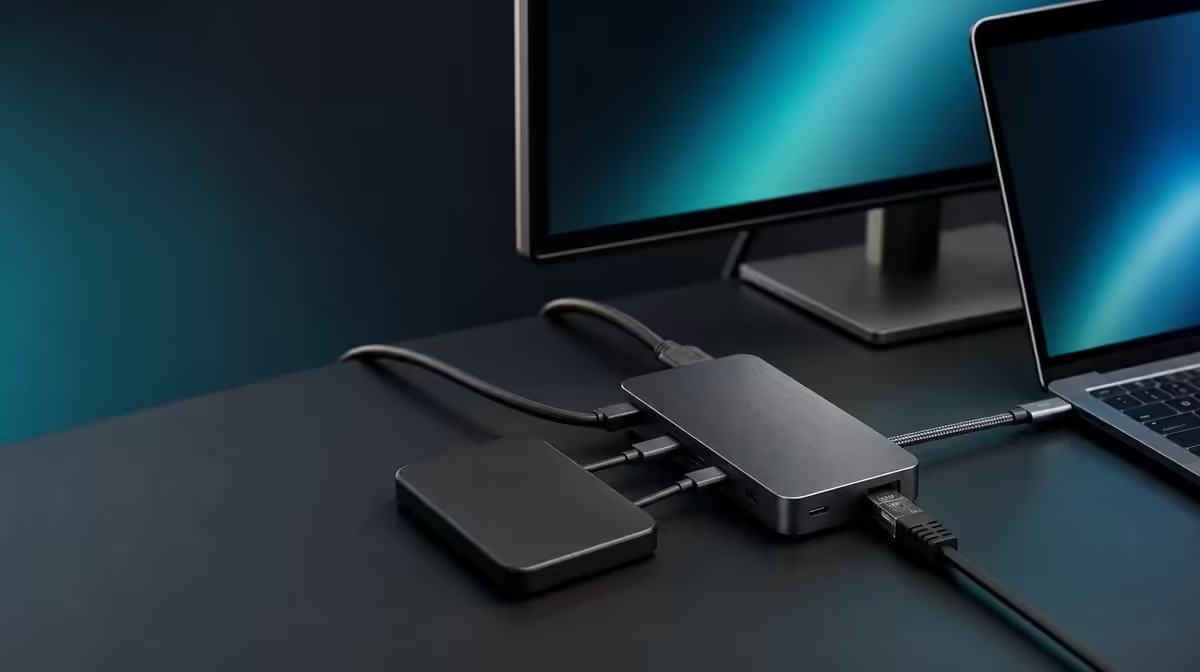
One cable can become a useful desk connection centre, but only after every part of the chain has a defined job. A reliable 8-in-1 USB-C hub setup begins with the host and power arrangement, then adds the display, network, SD card, and USB devices in a sequence that makes faults easy to isolate.
Quick Answer
Connect any required compatible charger to the hub, attach the UExtend to the host USB-C port, and confirm the basic connection before adding peripherals one at a time. The R399 UPERFECT UExtend supports 4K video, up to 60W Power Delivery, 1000Mbps Ethernet, SD reading, and two USB data devices on compatible systems.
🔌 Establish the host and power path
Start with the laptop or other supported source switched on and its USB-C capabilities understood. A connector with the right shape does not by itself confirm display output or a particular charging mode. The host must support the function being requested, while the cable and charger need to suit the power route.
If charging is part of the desk, connect the compatible power source and check what the laptop reports. The UExtend's 60W figure is a passthrough ceiling, not power created by the hub. Laptop demand, charger output, cable capability, and negotiation all influence the result.
Browse Evetech's USB hub selection with the same host checklist in hand. Port count matters only after the source can use the intended functions.
🖥️ Add the display before busy data work
Connect the monitor through the stated 4K output path using a suitable display cable. Select the matching monitor input, then open the operating system's display settings and confirm detection. Choose the resolution and arrangement that the source, cable, hub, and screen support together.
Do this before attaching storage or starting large transfers. If the monitor remains blank, the smaller setup gives a clear diagnostic path: verify source display support, hub connection, display lead, selected input, and the requested mode. A working lower-complexity route is more useful than changing five variables at once.
Buyers building a permanent multi-screen station can also compare the docking-station category. The UExtend is a compact R399 reference; a different desk may need another confirmed port arrangement.
🌐 Bring network and storage online separately
Attach the Ethernet cable and confirm that the system establishes a wired link. The port is rated at 1000Mbps, but actual network results still depend on the cable, router or switch, internet service, remote destination, and concurrent traffic. Treat link capability and internet speed as different measurements.
Insert an SD card only after the base connection is stable. Confirm that the card appears, open a small known file, and eject the volume safely before removal. Follow the same pattern with the two USB data ports: connect one device, verify it, then attach the next. This sequence reveals which addition changes the system.
Keep removable storage still during transfers and avoid moving the hub by tugging on a connected lead. A cable-management route that protects plugs is more valuable than one that merely looks neat.
🧪 Prove the completed eight-function routine
Once every required device works alone, test the normal combined workload. Display a document, check the wired network, read the SD card, access the USB devices, and observe charging. The goal is not to force every function to an assumed maximum; it is to confirm that the intended daily combination behaves predictably.
Restart or reconnect the complete setup once. Record the host port, charger, cables, display selection, and storage positions that worked. That note turns the hub from an experiment into a repeatable workstation.
Evetech's broader gaming-accessories range can help complete the peripheral side of the desk without changing the hub compatibility checks. Recheck the UExtend's R399 price and current availability when buying.
Turn the order into a diagnostic tree
If the completed station behaves unexpectedly, return to the last confirmed state. No host recognition points to the source port or hub connection. A detected hub without video shifts attention to host display support, the display lead, screen input, and selected mode. A working picture with no network link sends the test towards the Ethernet cable and network equipment. A missing card or USB device should be checked alone before the whole setup is dismantled.
This tree preserves useful evidence. Disconnecting everything and reconnecting in a new order may restore the desk, but it does not explain which part changed. A recorded sequence makes the UExtend easier to move between locations and quicker to recover after an operating-system restart.
Audit the physical workspace
Route the host and power leads where they cannot pull when the laptop lid moves. Give the display connection room to bend gently and keep the Ethernet plug away from chair or foot traffic. SD cards and removable USB storage should remain reachable without lifting the hub during an active write.
Photograph the finished connection layout or make a short port map. Label which USB device occupies each data socket and note the source port used on the laptop. The map becomes especially valuable when a similar-looking cable or USB-C socket has a different capability.
Complete a realistic 30-minute session rather than ending at device detection. Open the normal applications, use the screen arrangement, access a network resource, read from the SD card, and exercise both USB devices. Observe the charging state throughout. The setup is ready when each function remains dependable in the workload for which it was chosen.
Frequently Asked Questions
Should every peripheral be connected immediately?
No. Adding the monitor, network, card, and USB devices separately makes a failed link much easier to identify.
Does an eight-in-one label prove every host feature?
No. The laptop or supported device still has to provide the relevant USB-C video, data, and power behaviour.
What should be recorded after setup?
Note the working host port, charger, cables, monitor mode, and device positions so the arrangement can be rebuilt consistently.
Can 1000Mbps Ethernet guarantee that internet speed?
No. It states the wired-port rating; service, network equipment, cabling, destinations, and traffic shape real results.
Why eject storage before removal?
Safe eject allows pending activity to finish and reduces the chance of interrupting a write.
Ready to turn one USB-C connection into a practical desk hub?
Compare Evetech's current USB hubs against your laptop, display, charging, network, and storage checklist before choosing the right port mix.