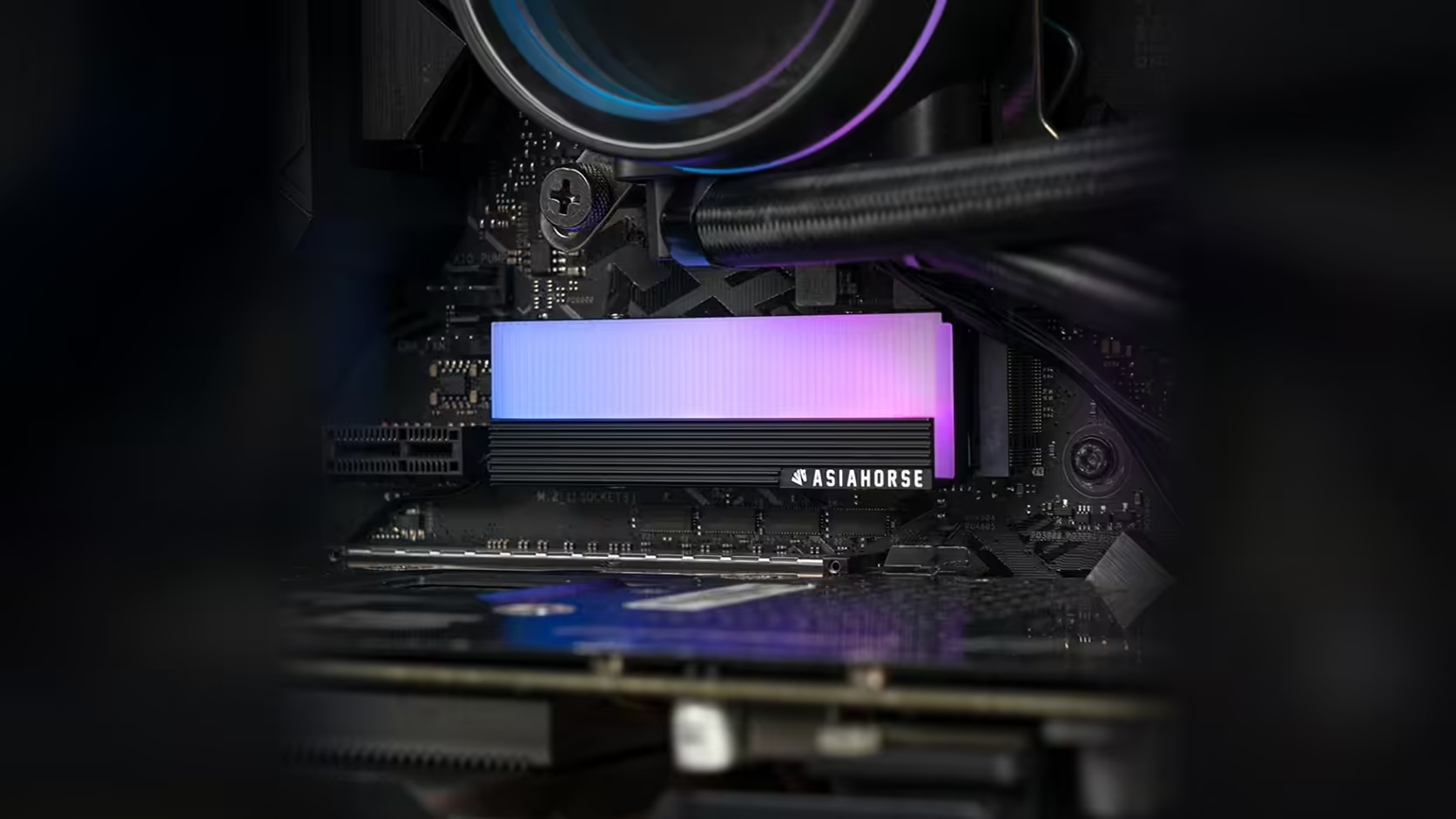
Ordering a component before you have confirmed it fits is a habit most builders eventually get burned by once. A quick footprint sketch around your intended M.2 slot is a cheap way to avoid that with the AsiaHorse aluminium heatsink, especially since this particular cover gives you nothing in the way of official dimensions to work from.
Quick Answer
This M.2 2280 cover is priced at R199, VAT already worked in, though that figure is Evetech's to adjust, and it takes up more board area than the bare drive underneath it, and no body dimensions are published to plan against. Sketching a rough footprint around your intended slot before ordering, based on the drive's own known 2280 length, is the most practical way to catch an obstruction before it becomes a return.
✏️ Why a footprint, not just a height
Most clearance conversations around M.2 covers focus on the vertical gap under a graphics card, and that matters, but it is not the whole picture. The cover also extends outward beyond the drive's own footprint on the board surface, and that width can bring it into contact with a chipset heatsink, a nearby capacitor cluster, or the edge of the first PCIe slot, depending on your board's layout.
Drawing it out
Mark the known 2280 outline, 22mm by 80mm, directly onto or above your board's M.2 area, using tape or even just a mental note of where the drive itself sits. Then allow a margin around that outline for the cover, since it is larger than the drive by an amount this listing does not specify. It is an approximation rather than a precise measurement, but it is considerably better than assuming the cover will simply disappear into the available space.
📷 Why photos alone are not enough
Product photography shows shape and relative proportion reasonably well, but without a stated scale you cannot reliably convert what you see into millimetres. That is exactly why a physical check, whether with the part in hand or against a careful sketch of the drive's known dimensions, remains the more dependable method here.
🎯 Where obstructions usually turn up
Height against a graphics card is the most commonly cited issue, but width matters just as much on boards where components crowd close to the M.2 slot. If your board has more than one M.2 position, sketching the footprint for each shows you which offers the more comfortable fit before you commit to moving a drive. A tape measure, the solid state drive range, and a browse through case accessories cover everything this particular sketching exercise needs.
🔧 What the cover should never rest against
Whatever the sketch tells you, the cover should never come into physical contact with a neighbouring component once installed. Where the margin looks marginal rather than comfortable, treat that as a reason to pick a different slot rather than force the fit.
🧾 Why a sketch beats a guess every time
A guess carries no record you can check against later, while a sketch, even a rough one done in a couple of minutes, gives you something to compare the physical cover against once it actually arrives. It also means a second person looking at the same build, whether that is you a week later or someone helping with the install, is working from the same reference rather than a memory of what the gap looked like. For a R199 accessory with no published dimensions to fall back on, that small bit of documentation is doing a genuinely useful job.
Frequently Asked Questions
Why does the cover's footprint matter beyond its height?
Because it surrounds the drive on the board surface, extending beyond the drive's own outline into whatever sits nearby, which varies from board to board.
What typically sits close to an M.2 slot?
Chipset heatsinks, board components, and sometimes the edge of a neighbouring expansion slot, all of which differ between board models.
How accurate does the sketch need to be?
It is meant as a useful approximation rather than an exact measurement, since the cover's true dimensions are not published to work from precisely.
Do product photos help with this at all?
They show the general shape, but without a stated scale the size is uncertain, which is why a physical comparison still matters more.
Does a footprint sketch replace the need to check with the part in hand?
No. It narrows down likely problems in advance, but a physical comparison once the cover has arrived is still the step that actually confirms the fit rather than merely estimates it.
Should I check more than one M.2 slot if my board has them?
Yes, if available. Sketching each position shows which slot offers the easier fit before you commit to moving a drive.
Planning your M.2 layout before parts arrive?
Browse Evetech's NVMe drive range and sketch your fit against the board you already have.