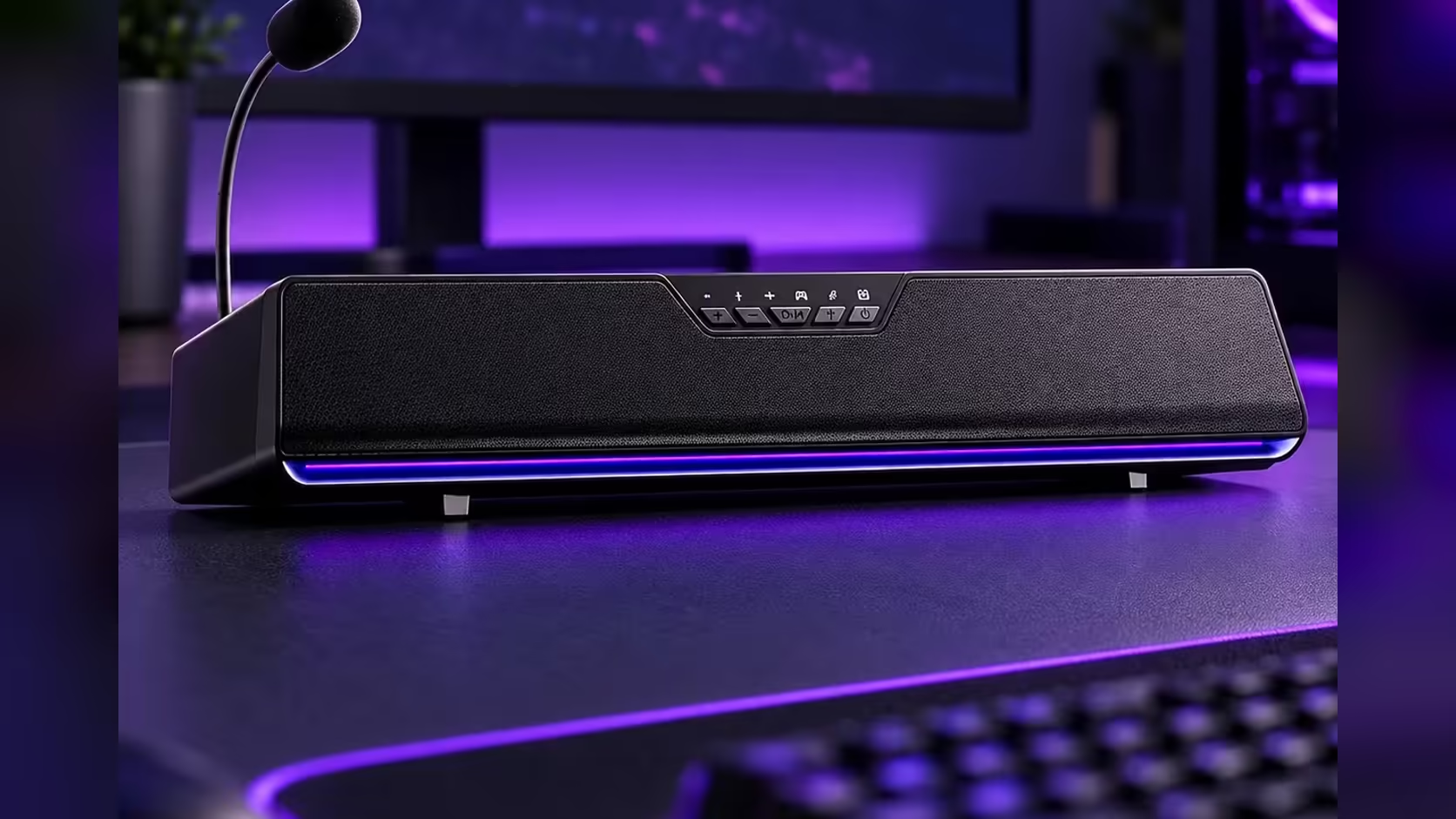
Not everything worth hearing lives on the PC. A playlist on your phone, a match replay on a tablet, a podcast while the computer is busy rendering: all of them sound better through a desk speaker than through a phone's own tiny drivers. The AULA GS6 Pro has a second input for exactly that. Its AULA GS6 Pro Bluetooth 5.4 connection lets a phone or tablet play through the bar instead of the computer.
Quick Answer
Pair a phone or tablet with the AULA GS6 Pro over Bluetooth 5.4 and the bar plays from that device instead of the PC. With no battery on AULA's spec sheet, the bar keeps drawing power through its 1.4m USB cable during Bluetooth playback. The Game, Music and Movie modes on the bar's button stay available, and the RGB effects keep running. The GS6 Pro sells for R349 at Evetech.
📲 Pairing a phone or tablet
AULA's product page confirms Bluetooth 5.4 but does not describe the exact button sequence for putting the bar into pairing mode. Use the quick guide in the box for that step. The phone side works the same way as with any Bluetooth speaker.
On the bar
- Make sure the GS6 Pro is powered through its USB cable.
- Put it into Bluetooth pairing mode using the method in AULA's quick guide.
On the phone or tablet
- Open the Bluetooth settings and switch Bluetooth on.
- Wait for the GS6 Pro to appear in the list of available devices.
- Tap it to connect, and confirm if the phone asks.
- Play something at low volume to confirm the sound is coming from the bar.
Once paired, most phones reconnect to a known speaker automatically when both are in range and Bluetooth is on, so the full process is usually a one-time job.
Keep the USB cable connected
Because no battery is listed, the USB cable remains the bar's power supply in Bluetooth mode. That cable is 1.4m long, so the bar stays where it is on the desk; Bluetooth frees the source, not the speaker.
🎬 Choosing a mode for what you are playing
The three sound modes sit on a button on the bar, so they work regardless of where the audio comes from:
- Movie mode for a series or film on a tablet.
- Music mode for a phone playlist or streaming radio.
- Game mode for mobile games or match footage with clear effects.
Switching takes one trip to the button. There is no app involved, which is handy on a phone or tablet where AULA's driver software is not available.
💡 Lighting and the mic in Bluetooth mode
RGB
The 15 RGB LEDs along the base keep working, since AULA says they need no driver. Its music-rhythm effect is a nice match for a phone playlist, pulsing along with the audio. Solid, flowing and breathing effects are there if you prefer something calmer.
What stays on the PC side
AULA's driver software, with its EQ, voice changer, AI noise cancellation and 7.1 surround effect, runs on Windows 10 and above. A phone or tablet does not get those extras; it gets the bar's built-in sound, the C-Media chip's processing and the onboard modes. For casual listening that is plenty.
Headphones
If you want to listen privately, plug wired headphones into the bar's 3.5mm output. AULA says headphones there receive the speaker's sound processing.
🔄 Moving between phone and PC
The GS6 Pro has two routes: USB from the computer, and Bluetooth from a phone or tablet. When you want to return to the PC's audio, disconnect Bluetooth on the phone. How the bar prioritises the two inputs when both are active is not described on AULA's page, so if audio does not switch as you expect, check the quick guide or disconnect the device you are not using.
A useful routine for a shared desk: keep the PC as the default, and pair each household phone once. Anyone can then play through the bar without touching the computer's settings, and the bar stays in the same position, powered by the same cable.
Need something different for the phone-and-PC desk? Evetech's desktop speakers and its broader speakers range are both worth a browse. Whichever device feeds the GS6 Pro, a hardware fault is covered by its 1 Year Local Warranty from Evetech.
Frequently Asked Questions
Which Bluetooth version does the GS6 Pro use?
Bluetooth 5.4.
Does the bar run on battery in Bluetooth mode?
AULA's page lists no battery, so plan on keeping the 1.4m USB cable connected for power.
How do I put the bar into pairing mode?
Follow the steps in AULA's quick guide. The page confirms Bluetooth 5.4 but does not describe the button sequence.
Do EQ and 7.1 work from a phone?
No. Those live in AULA's Windows driver software. A phone gets the bar's onboard modes and processing.
Will the RGB react to phone music?
Yes. The music-rhythm effect runs without a driver, so it follows audio from any source.
Can a tablet use Movie mode?
Yes. Modes are chosen on the bar's button, so they apply to Bluetooth audio too.
Ready to put your phone's playlists on a proper desk speaker?
Phones, tablets and PCs can all feed one desk speaker, and the Bluetooth-ready choices sit in Evetech's speakers range.