



Fix Wrong Refresh Rate on a RX 9070 XT Build Setup
Wrong Refresh Rate on a RX 9070 XT Build setup is usually a display chain, driver, cable, or settings issue. Check monitor mode, GPU output, OS settings, and game settings first.
Read moreVA measures apparent power while watts measure real power. For a load with known power factor, VA equals watts divided by power factor: 600W at 0.8 needs 750VA before headroom. Always keep the result below both limits printed for the UPS.
UPS sizing gets clearer when VA and watts are kept in separate columns. UPS VA vs watt capacity is not a theoretical distinction: either number can rule a purchase out when a PC, monitor and network hardware are added together.
VA measures apparent power while watts measure real power. For a load with known power factor, VA equals watts divided by power factor: 600W at 0.8 needs 750VA before headroom. Always keep the result below both limits printed for the UPS. The RCT's R1,649 price and 2000VA label are useful comparison facts, but its published watt limit must also cover the measured load.
List each device that must remain powered: tower, monitor, fibre equipment if required, and any essential external storage. Measure them together at the wall while the PC runs a demanding task. Do not substitute the power supply's label for a meter reading. It describes supply capacity, not what the components are using at that moment.
For a known 0.8 power factor, divide watts by 0.8. A 600W measured group then needs 750VA before headroom. At 0.9, a 720W group is 800VA. If power factor is not known, do not invent it. Use the equipment information available and compare against both UPS limits. Add 20% to 25% headroom to the planned load so normal peaks do not sit on the boundary.
Suppose a gaming tower and display together measure 520W under the workload that matters. A 25% allowance makes the planning figure 650W. If power factor is documented as 0.8, the apparent-power figure is about 813VA. The selected UPS must clear both the 650W and 813VA planning figures. Runtime is then checked at a load near 650W, not at an unrelated light-load example.
The case where the obvious answer is wrong is a unit that shows a generous VA number but a watt ceiling lower than your calculated need. This is why two ratings must be read side by side.
Once capacity fits, inspect socket type, earthing, cable condition, AVR details and runtime curve. The RCT has an SA wall socket output, boost and buck AVR, automatic restart on AC recovery and optional monitoring. Browse UPS options and review the PC power supply category as part of the same plan.
Take the measured watt total, multiply it by 1.25, then compare that planning figure with the UPS watt rating. If the equipment documentation supplies a power factor, divide the same planning watts by it for a VA estimate. For a 520W desk, the margin produces 650W; at 0.8 power factor, that is about 813VA. Both results need to fit.
Finally, read the runtime curve near 650W. A VA result alone cannot predict minutes because battery capacity and discharge behaviour differ. This is why the calculation ends with a runtime check rather than with a single division.
Do not accept a calculation because only one column passes. A candidate with 900VA available but a watt ceiling below the 650W planning result fails, even though 813VA looked safe. The reverse can also happen where watts fit but apparent power does not. Keep the two limits beside the same measured load.
Once both fit, remove devices that do not need shutdown time and repeat the reading if the group changes. The RCT's AVR and SA socket are useful operational details, but they come after the numerical fit. UPS options and the power supply category provide comparison context.
List the devices that must stay connected: for example, a PC, monitor, router and ONT. Measure the combined wall draw during a realistic task rather than copying the power-supply label. If that measured group is 600W and its power factor is 0.8, 600 divided by 0.8 gives 750VA. Add 25 percent planning headroom and the starting point becomes 750W and about 938VA.
Those numbers are a selection screen, not a runtime estimate. The candidate UPS must remain below both its published watt ceiling and its VA rating. Then read its runtime chart at the planned load. A few minutes may be enough to save files and shut down safely after an unplanned interruption; a longer objective requires the same calculation with fewer or different devices.
The common mistake is assuming 2000VA means 2000W. It does not. The watt limit, power factor assumptions, starting surges and battery condition all matter. Keep high-draw heaters, printers and non-essential equipment outside the protected group. Once capacity is correct, check the SA wall socket, earthing, ventilation and cable condition before testing the setup.
Both matter. A safe selection stays within the UPS limits for both apparent power and real power.
It leaves room for normal variation and avoids sizing a continuous load at the edge of the unit's rating.
No. Runtime depends on the battery and the actual watt load, so use the model's published curve.
Ready to turn a desk load into a defensible UPS choice? Compare Evetech UPS specifications only after recording watts, VA assumptions and the margin your equipment needs.
Both matter. A safe selection stays within the UPS limits for both apparent power and real power.
It leaves room for normal variation and avoids sizing a continuous load at the edge of the unit's rating.
No. Runtime depends on the battery and the actual watt load, so use the model's published curve.
Wrong Refresh Rate on a RX 9070 XT Build setup is usually a display chain, driver, cable, or settings issue. Check monitor mode, GPU output, OS settings, and game settings first.
Read more
Screen Flickering on an RX 9070 XT is usually a setup, driver, cable, firmware, display, or configuration check. Work through safe steps before replacing parts or blaming one component in an SA build.
Read more
X870E motherboard crashing can involve BIOS, RAM, chipset drivers, storage, power, heat, or device conflicts. Check logs and repeatable load patterns before replacing the board in a South African gaming PC.
Read more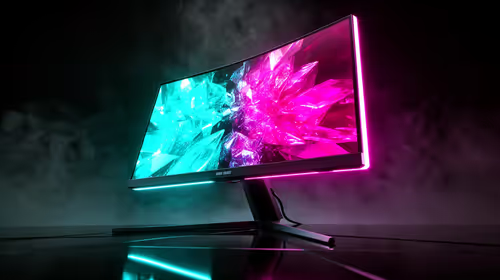
OLED gaming monitor crashing after a GPU driver update needs a careful rollback path. Start with recent changes, safe boot options, driver or BIOS settings, logs, cables, and restore points before replacing hardware. Change one thing at a time.
Read more
Computer Science laptop + Bishopscourt digs should be shortlisted around the job it must do. South African buyers should compare CPU, GPU, RAM, and screen quality, warranty path, and upgrade room before treating any pick as best.
Read more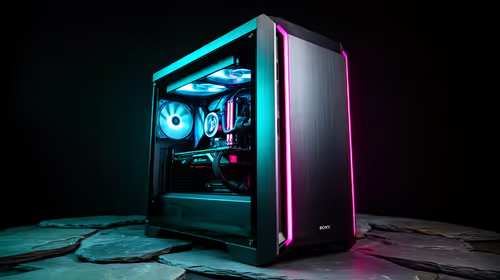
Wits Information Systems student in Waterkloof? needs a balanced parts plan, not a random basket. Map the CPU, GPU, RAM, SSD, cooling, and monitor target to the budget so SA builders know where to spend first.
Read more
Steam game recording black screen needs a fresh capture and export test before a hardware upgrade. Check the recording mode, free space and whether another game records correctly. Community reports suggest testing broadcasting settings, but that is not a universal fix.

MSI Stealth 16 RTX 5070 specs need an exact SKU check because current listings disagree on GPU memory. One UK listing says 12GB while MSI's family table says 8GB. Confirm the supplied configuration rather than assuming either describes every machine.

SHIELD TV Pro price increase means a higher US price for the existing streaming box. NVIDIA confirmed the change starts on 2 October and cited component costs. Compare playback needs, regional service access and the full local quote before buying.

Is a transparent phone mount the key to clearer windshield views? 🚗 We analyze if these see-through accessories actually reduce obstruction while driving or if they’re just a clever marketing gimmick. Find out which mount keeps your dash clean. 📱

Steam game missing from library usually needs an account and filter check before a reinstall. Match your receipt to the signed-in account, clear library filters and inspect hidden games. Installed files do not establish ownership on the account you are using.
Steam game recording black screen needs a fresh capture and export test before a hardware upgrade. Check the recording mode, free space and whether another game records correctly. Community reports suggest testing broadcasting settings, but that is not a universal fix.

Windows 11 two finger scroll not working needs a gesture and driver check first. Test pointer movement and scrolling in more than one app, inspect Touchpad settings and use Windows Update or the laptop maker's driver. A new mouse is only a workaround.

Windows 11 Insider 26220.9587 is a Beta preview released on 2 October. Microsoft lists Unicode text support, Settings performance work and a Cloud Rebuild entry point. These are preview changes, not a reason to move your only working PC onto a test build.
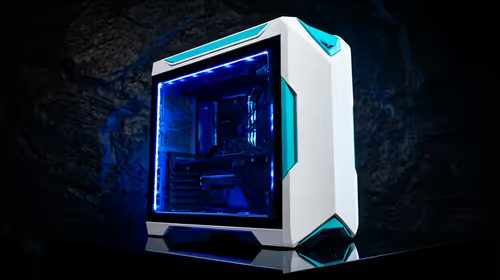
white PC builds in SA is worth checking through fit, cost, availability, and upgrade impact instead of a blanket trend claim. SA builders should compare setup details before changing parts or priorities.
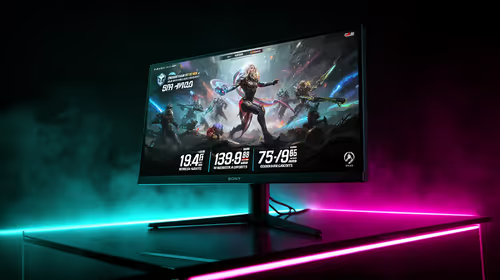
IPS vs OLED depends on Competitive esports needs, platform limits, and budget fit. Compare compatibility, latency, upgrade path, and real setup constraints before choosing for an SA build.
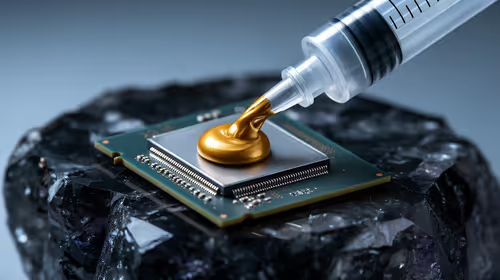
Should I use thermal paste or thermal pads should be shortlisted around the job it must do. South African buyers should compare GPU tier, VRAM, cooling, and PSU headroom, warranty path, and upgrade room before treating any pick as best.
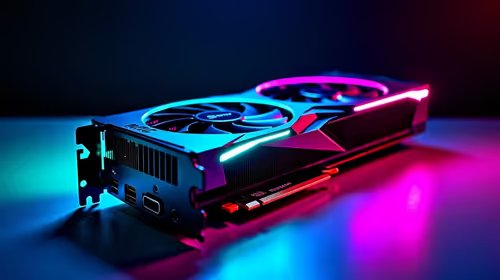
Skip the RTX 5060 for local AI workloads if memory headroom is the bigger need. SA buyers should compare VRAM capacity, CUDA support, PSU needs, case space, gaming overlap, software stack, and realistic model sizes before choosing a GPU for your PC.