


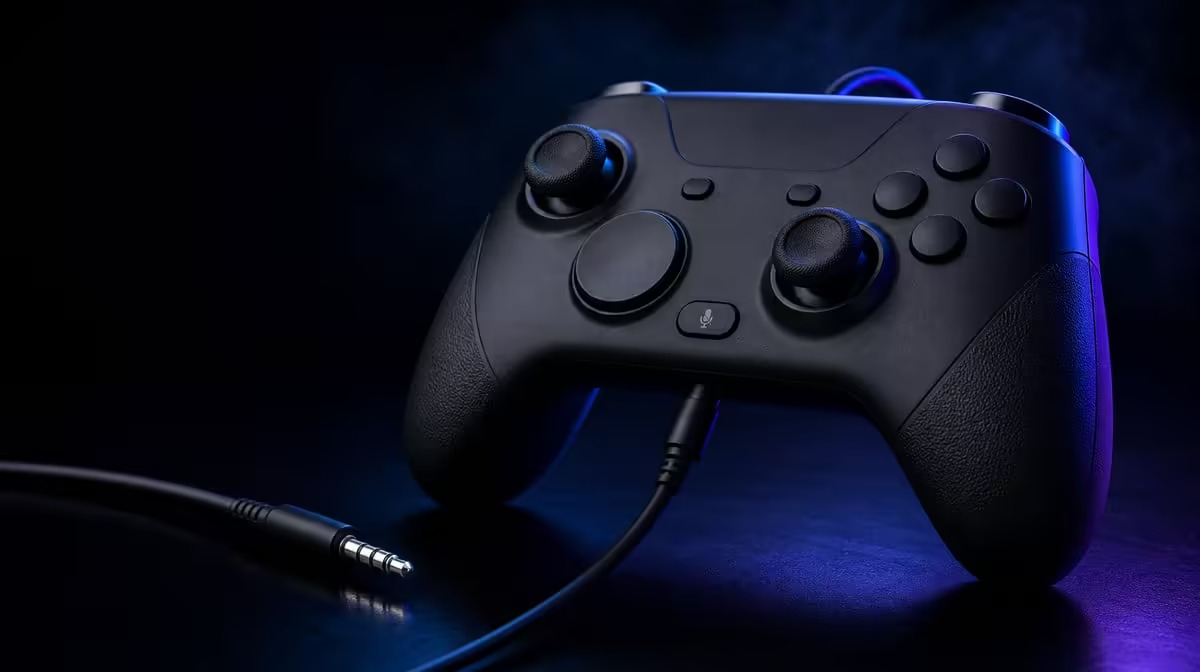
Multiplayer audio should be checked before teammates are waiting. A G7 HE controller audio setup begins with a fully seated compatible 3.5mm headset, then proves playback, microphone input and Mic Mute state in a safe screen.
Quick Answer
Connect a compatible wired headset to the R899 GameSir G7 HE, confirm audio output, test voice input and learn the dedicated Mic Mute Button state before multiplayer. Keep both controller and headset leads comfortable around the player's grip.
🎧 Establish playback
Connect the wired Xbox controller and seat the 3.5mm plug firmly without forcing it.
Use moderate volume and check left/right playback if the setup provides a suitable test.
Inspect system output selection before changing game audio.
Compare controller-audio features through Evetech's gaming controller category.
🎙️ Prove microphone input
Use a safe voice test or recording screen. Speak normally and confirm a consistent signal.
Then open the intended multiplayer title and check its input device, chat mix and privacy settings.
Connector shape alone does not prove every headset path. Confirm the exact compatible combination.
🔇 Learn mute behaviour
Press the Mic Mute Button and have another person confirm that voice stops and returns.
Identify the state indication rather than trusting memory. Test it again after reconnecting.
Include mute in a short routine: playback, voice, mute, unmute, join.
🧵 Route both cables
Leave controller slack to the Xbox and headset slack to the player's head. Avoid loops across armrests or walkways.
Test rear-button grip with the headset connected because cable tension can change hand position.
Evetech's gaming-audio accessory range and current customer favourites help frame live cable and headset choices.
At R899, the G7 HE audio features are valuable when the complete wired path stays clear and repeatable.
Create a pre-multiplayer card with six checks: controller recognised, plug fully seated, playback present, voice present, mute confirmed and cable paths clear. Practise it before teammates are waiting.
Use a second person or safe recording to confirm microphone quality. The player hearing game audio does not prove that voice is reaching the expected chat input.
Test unmute as carefully as mute. A privacy control must stop voice when requested and restore it without leaving the player silent for the next round.
Check system and title chat mix separately. A voice signal may exist but be overwhelmed by game sound. Preserve the working balance instead of resetting several levels.
Run the audio check while the two rear buttons use their normal profile. If cable tension changes grip and produces an accidental input, reroute the lead before changing mappings.
Include dual rumble in a live test. Vibration may expose a loose connector or create cable contact noise near the microphone. Seat the plug and adjust slack, then repeat the same event.
After a faceplate change, inspect the audio opening and Mic Mute access. The panel should align without making the control difficult to identify.
For diagnosis, maintain a last-known-good note containing headset, game, output route and mute state. This makes future problems easier to isolate.
At session end, unplug through the connector body rather than pulling the cable and store the lead without sharp bends. Audio reliability depends on ordinary handling as much as menu knowledge.
Add a reconnection test after the controller has been stored. Seat the plug, follow the six checks and compare the result with the last-known-good card.
Test a quiet and loud game scene. Chat mix may feel correct in a menu yet hide voice during action.
Use another person to confirm whether Mic Mute changes immediately and whether unmute restores the same level.
Keep controller and headset wires on different paths where possible. Crossed leads can create noise and grip tension.
If a symptom appears only after rumble, reproduce the exact feedback event and inspect plug seating before changing software.
Review the routine monthly and remove steps that never isolate a fault. A concise, practised audio setup is easier to trust during multiplayer.
Create separate labels for system output and game chat input. Similar names can still represent different paths.
Test Mic Mute after a restart and after changing games. Privacy state should remain understood across both events.
Use another compatible screen when one title fails, preserving all system settings.
Check the headset lead during full head movement and strong rumble.
Keep the successful combination dated beside the R899 controller.
The audio routine is complete when output, voice, mute and two cable paths can be restored without opening several menus.
Add a thirty-minute live session after the pre-check.
Listen for intermittent sound during head movement, rumble and trigger use.
Confirm voice level in both quiet and action-heavy scenes.
Keep the headset name and working chat mix dated.
Restore the agreed mute default after play.
Store both leads separately without tight loops.
Build a pre-match card with five checks: plug seated, playback audible, microphone selected, Mic Mute state understood and both cable routes relaxed. Use the same order every time so privacy is never inferred from silence.
For microphone confirmation, speak at ordinary volume through the intended compatible headset and have another person or safe test screen verify the result. Then mute, repeat the sentence and unmute once more.
Launch the real game without changing the system path. If chat fails there, inspect the title's input, channel and permissions while preserving the known working output and voice settings.
During the live trial, turn the head, shift the controller and use both rear buttons. The headset line should not tug the 3.5mm plug or cross the fingers, while the Xbox cable retains comfortable slack towards the console.
Repeat a voice check during dual rumble and a magnetic-trigger action. Intermittent audio that appears only under movement needs a physical route investigation before several menus are reset.
End by recording the headset, game, working mix and preferred mute default. That dated state gives the R899 controller a reproducible multiplayer setup rather than a one-time successful lobby.
Frequently Asked Questions
What headset connector is included?
The G7 HE has a 3.5mm audio jack for a compatible wired headset path.
Why test playback before voice?
It confirms the output side first, keeping microphone diagnosis separate.
What does Mic Mute provide?
It gives a direct controller button for chat privacy.
Can a short cable affect control?
Yes. Tension can pull the pad or alter rear-button grip.
What is the controller price?
The GameSir G7 HE costs R899.
Ready to make chat work before the match starts? Explore Evetech's controller and headset choices, then test the G7 HE audio path from plug seating to mute state.











