Plug a Windows-layout keyboard into a Mac and the modifier keys feel wrong: the key where your thumb expects Command does something else, and shortcuts misfire. Most AULA keyboards solve this with a Mac mode switched from the keyboard itself, but the key combination differs between models, and a couple need the keys held for several seconds. This guide collects the AULA keyboard Mac mode shortcuts in one place, plus what to expect from the software on a Mac.
Quick Answer
Hold Fn + S for 5 seconds to put the AULA WIN68 MAX or HERO 84 HE into Mac mode, and Fn + A to go back to Windows. The HERO 75 HE and S102 PRO take a quick Fn + S and Fn + A. The AC306 uses Fn + E for Mac and Fn + W for Windows, and the L99 and F99 Max list Windows and Mac support. Evetech's price list for these runs from R239 for the AC306 set to R1,099 for the L99.
🍎 What Mac mode actually changes
Mac keyboards put Command next to the spacebar, with Option beside it, while Windows boards put Alt next to the spacebar with the Windows key beside that. Mac mode swaps the behaviour of those keys so your thumb lands on Command where a Mac user expects it. AULA's page for the WIN68 MAX describes exactly this: Mac mode swaps the Win and Alt keys.
The printed legends do not change, so the keycaps still show Windows labels. After a day or two, muscle memory takes over.
⌨️ The shortcut for each board
Hold for 5 seconds: WIN68 MAX and HERO 84 HE
On both boards, hold Fn + S for 5 seconds for Mac mode, or Fn + A for 5 seconds to return to Windows. The long hold is deliberate: it stops the layout switching by accident during a game.
Quick press: HERO 75 HE and S102 PRO
The HERO 75 HE and the S102 PRO office keyboard use Fn + S for Mac and Fn + A for Windows, without the long hold.
Different keys: AC306
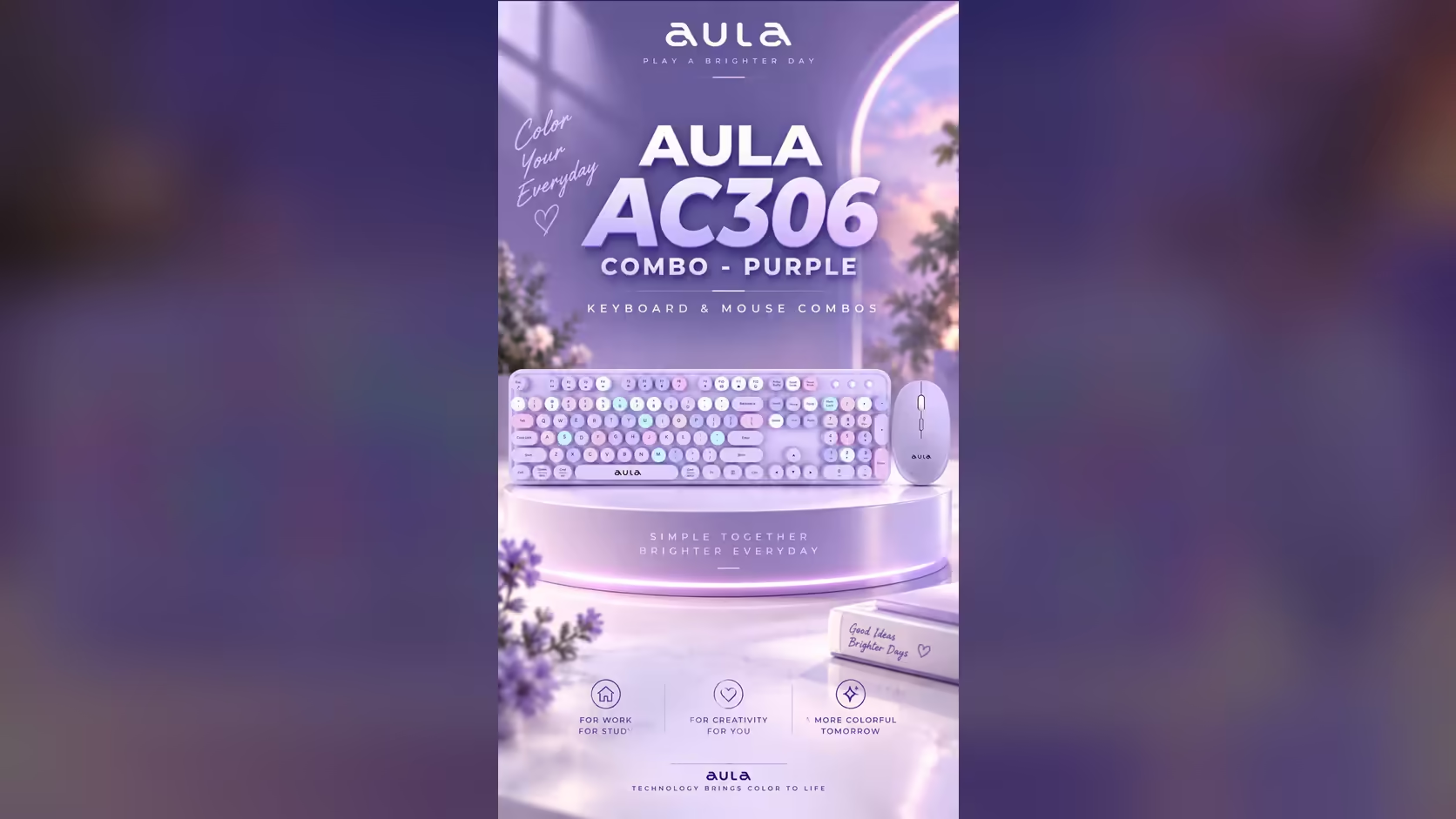
The AC306 keyboard-and-mouse set uses Fn + E for Mac mode and Fn + W for Windows mode.
Listed support: L99 and F99 Max
The L99 has Windows and Mac modes, and the F99 Max works with Windows and macOS. AULA's pages for these two do not print the key combination, so check AULA's manual or the driver for the exact shortcut.
💻 Will AULA's software run on a Mac?
This varies by board, so it is worth knowing before you buy:
- WIN68 MAX: AULA states the web driver itself is Windows only, even though the keyboard has a Mac mode.
- HERO 84 HE: its web driver runs in a Chromium browser, and AULA's page says it works on both systems.
- HERO 75 HE: you set up the AULA HUB web driver in a browser, but AULA's store describes that tool as Windows software.
- F99 Max: macOS is supported for typing, while customising it means a Windows PC with the board plugged in by cable.
A practical approach for Mac owners: set up lighting, key modes and actuation once on a Windows PC if the driver needs one, save the settings to the board, then use the keyboard on the Mac. Settings stored on the board travel with it.
📶 Connecting to a MacBook
Over Bluetooth
The HERO 75 HE, L99 and F99 Max are tri-mode, and each pairs with a Mac over Bluetooth. The S102 PRO pairs with two Bluetooth devices. For a MacBook with only USB-C ports, Bluetooth avoids the need for an adapter.
Over USB
The WIN68 MAX and HERO 84 HE are wired-only, so a MacBook with USB-C ports needs a USB-C cable end or an adapter to match. The AC306 connects through a small USB receiver, so check that its plug matches your MacBook's ports, or use an adapter.
Does the AC306 work with a MacBook?
Yes. AULA lists Mac compatibility, and Fn + E sets Mac mode. On a newer MacBook with only USB-C ports, an adapter may be needed for the receiver.
Warranty for Mac users
The magnetic and mechanical boards in this guide sit in Evetech's gaming keyboards category, and the hot-swap ones can take new keyboard switches later. Cover is identical whether you use Windows or macOS. Evetech backs the magnetic WIN68 MAX, HERO 75 HE and HERO 84 HE with a 2 Years Local Warranty, and gives one year on the L99, F99 Max, S102 PRO and AC306.
Frequently Asked Questions
What does Mac mode change?
It swaps the modifier keys so Command sits where a Mac user expects it. On the WIN68 MAX, AULA says it swaps the Win and Alt keys.
Will AULA's drivers run on a Mac?
It depends. The HERO 84 HE's web driver runs on both systems, while the WIN68 MAX and F99 Max software are Windows only.
Which boards need the 5-second hold?
The WIN68 MAX and HERO 84 HE. The HERO 75 HE and S102 PRO switch with a quick press.
Does the AC306 set work with a MacBook?
Yes, with Fn + E for Mac mode. A MacBook with only USB-C ports may need an adapter for the receiver.
Which AULA boards connect to a Mac by Bluetooth?
The HERO 75 HE, L99, F99 Max and S102 PRO.
Is the warranty different for Mac users?
No. It depends on the board, not the operating system.
Using a Mac at your desk?
Browse the keyboards at Evetech and choose one with a Mac mode and a connection that suits your MacBook.