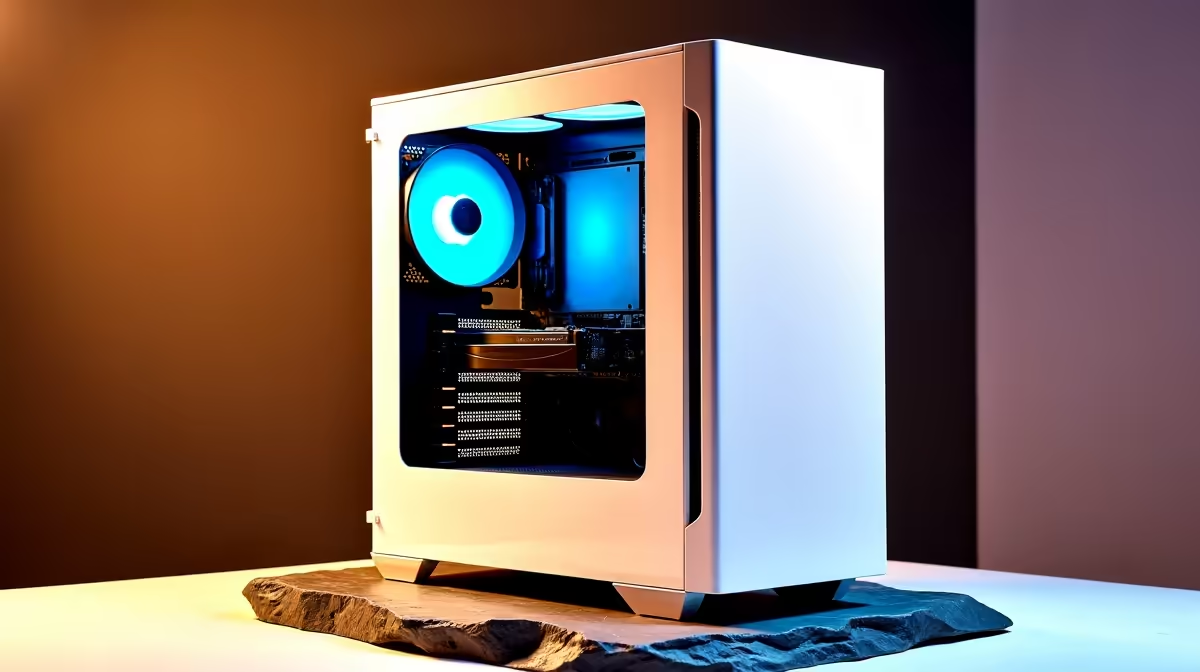
That crisp, arctic-white PC build… it’s more than a machine; it’s the centrepiece of your setup. But in sunny South Africa, dust is a constant battle, and the fear of that brilliant white turning a sad shade of beige is real. Keeping your white gaming PC clean isn’t just about looks—it’s about protecting your investment and performance. Here’s how to master your white PC build maintenance routine and keep that rig looking flawless. ❄️
The Importance of Keeping a White PC Clean
A pristine white PC doesn't just look incredible; its cleanliness is directly linked to performance. Dust is the enemy of cool thermals. When it clogs fans, heatsinks, and filters, your components run hotter, which can lead to thermal throttling and reduced performance during those intense gaming sessions. Proper white PC build maintenance ensures your machine breathes easily, preserving the power you paid for.
This is true for any rig, whether it's one of the best gaming PC deals or a custom-built monster. A clean PC not only runs better but also holds its value far longer.
Your Essential White PC Cleaning Toolkit 🔧
You don’t need a fancy lab to get professional results. A simple, effective toolkit is all it takes to keep your white PC components shining. Forget harsh chemicals; the basics are your best friends.
- Compressed Air: The number one tool for blasting dust out of tight spots like heatsink fins and fan blades.
- Isopropyl Alcohol (99%): Perfect for cleaning thermal paste off a CPU or removing stubborn smudges from components without leaving residue.
- Microfibre Cloths: Essential for wiping down case panels, glass, and cables without scratching or leaving lint.
- Soft-bristled Brushes: Ideal for gently dislodging stubborn dust from motherboards and circuit boards.
- Cotton Swabs: Great for getting into the tiny corners of fan shrouds and connectors.
Regularly cleaning your machine ensures the powerful components inside, like those found in our all-Intel PC deals, operate at peak efficiency.
A Step-by-Step Guide to a Pristine PC
Ready to get started? Power down your PC completely and unplug it from the wall. Find a well-lit, ventilated area and follow these steps for a comprehensive clean.
Exterior Care: The First Line of Defence
Start with the outside. Mix a tiny drop of dish soap with water, dampen a microfibre cloth (don't soak it!), and wipe down all external panels. For the iconic white cables, a cloth lightly dampened with isopropyl alcohol can lift off scuffs and grime. This simple routine keeps any rig looking sharp, from a dedicated gaming setup to one of our versatile home and office PCs.
Interior Deep Clean: The Performance Polish
With the side panels off, it's time to tackle the inside.
- Blast the Dust: Use compressed air in short bursts to blow dust out of your case fans, GPU fans, and CPU cooler. Always hold the fan blades gently to prevent them from spinning too fast.
- Wipe and Brush: Use your soft brush to gently sweep dust off the motherboard, RAM, and other surfaces. Follow up with a dry microfibre cloth.
- Glass Panels: Clean glass or acrylic panels with a separate, clean microfibre cloth to avoid streaks.
A clean interior allows critical components, like the processors in our all-AMD Ryzen PC deals, to get the airflow they need to dominate.
Stop the Yellowing! ☀️
White plastic and paint can yellow over time due to UV exposure. The biggest culprit? Direct sunlight. Position your PC away from windows where it will be baked by the sun all day. This single proactive step is the most effective part of long-term white PC care and costs nothing.
Proactive White PC Care: Prevention is Key
The best white PC build maintenance strategy is prevention. Your goal is to stop dust from getting inside in the first place.
First, locate and clean your case’s dust filters every few weeks. They are your PC's first line of defence. Second, ensure your case has positive air pressure—meaning you have more intake fans pulling air in than exhaust fans pushing it out. This helps push air (and dust) out of unfiltered cracks and crevices.
This level of care is what makes a PC last for years, and it's a smart habit whether you own one of our affordable budget gaming PCs or a top-tier custom rig. Consistent care ensures that even great value systems, like the powerful PCs you can buy for under R20k, retain their aesthetic and performance for years to come. ✨
Ready for a Fresh Start?
The satisfaction of a flawless, clean build is unbeatable. Whether you're planning a new pristine white rig or upgrading your current setup, Evetech has the components and pre-built PCs to make it happen. Explore our massive range of PC deals and build the masterpiece you deserve.