



Cell C 5G Is Live: What South African Users Should Know
Cell C has enabled 5G access through partner radio networks for compatible phones in covered areas. Customers should verify device support and real coverage before changing hardware.
Read moreBazzite Deck 44 replaces core handheld control tools and adds a graphical updater, but some devices temporarily lose features. Users should pin a working deployment before testing it.
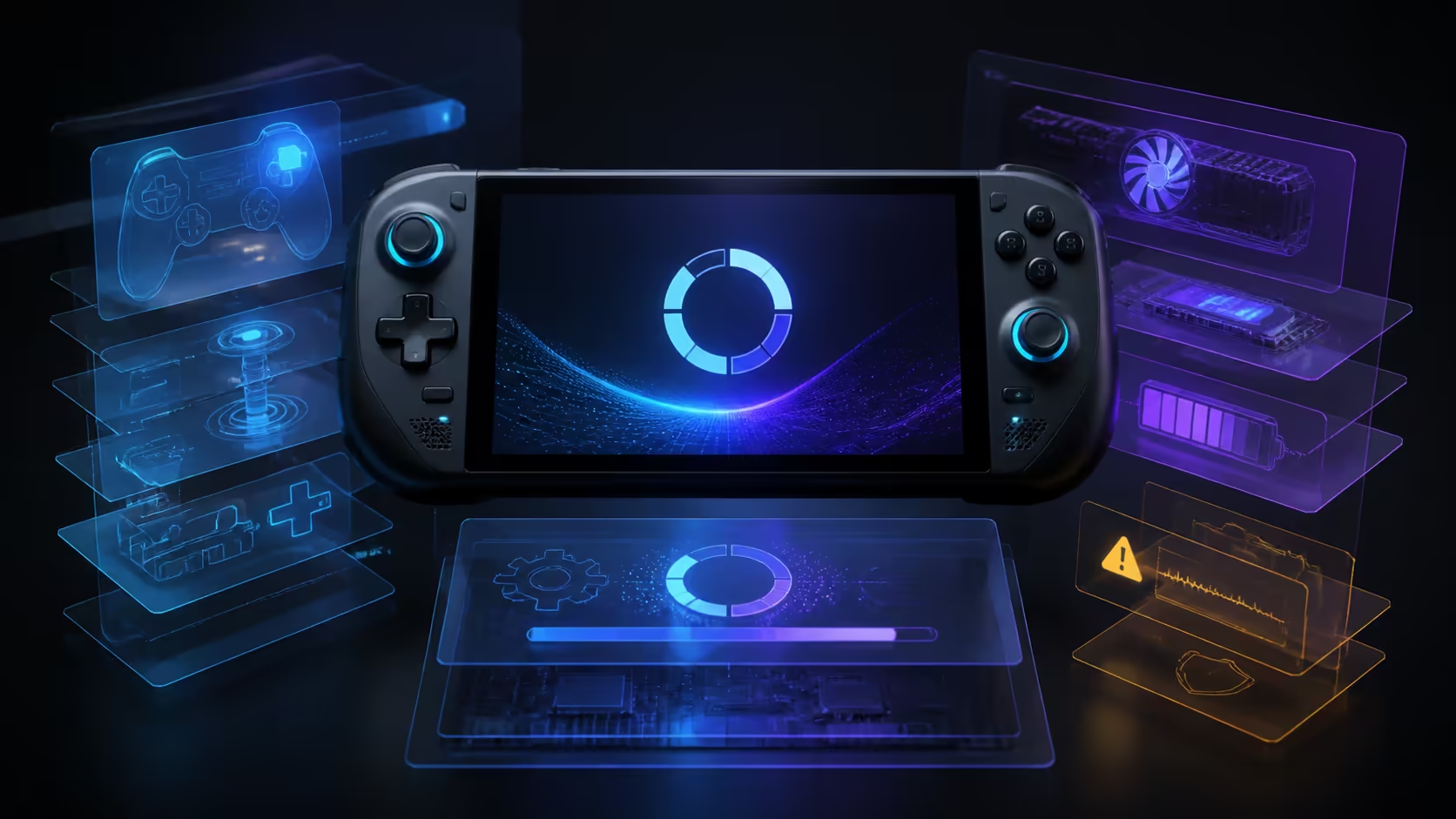
Bazzite Deck 44 is the project's largest image update so far, with roughly 700 commits and a replacement handheld control stack. It brings power controls into Steam's Quick Access Menu and adds a graphical updater, but the project also documents temporary regressions on specific devices. This is an update to test reversibly, not a reason to abandon a stable handheld setup.
Bazzite itself does not add a new hardware purchase price, but a failed update can cost time and access to device features. Pin the current working deployment before moving to Deck 44. Update when the supported controls solve a real problem, and wait if the documented fan, gyro or lighting regressions affect your handheld.
Deck 44 replaces HHD with a collection aligned more closely with SteamOS: InputPlumber, SteamOS Manager, PowerStation and OpenGamepadUI. Together they handle gamepad input, device behaviour, power controls and interface integration. The practical benefit is tighter access to supported TDP settings through Steam's Quick Access Menu.
That is a substantial internal change even when the desktop looks familiar. Device-specific button mappings, extra controls and power limits depend on hardware support. Owners should read the notes for the exact handheld rather than assuming a successful report from another model applies to theirs.
The current handheld gaming console category is useful for comparing hardware form factors. It does not establish Bazzite support. Compatibility comes from the operating-system project and the device community, not from the retail category label.
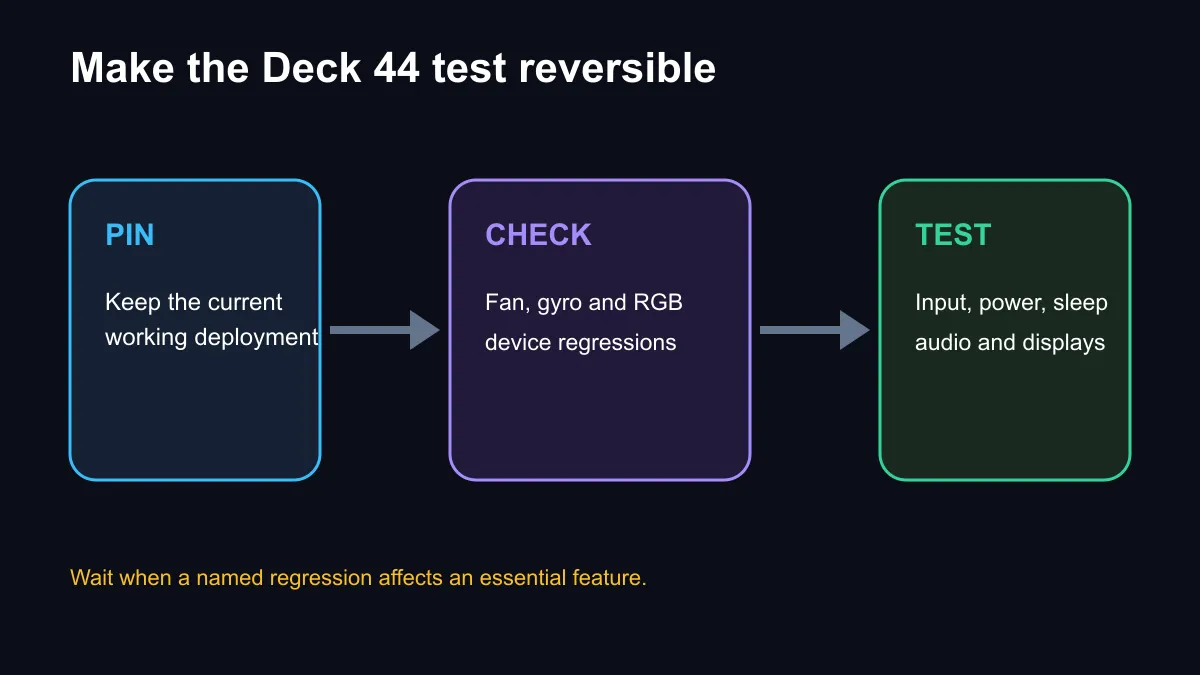
The announcement names temporary limitations affecting some fan controls, the original Legion Go gyro and certain ASUS RGB functions. These are not abstract warnings. Fan behaviour can matter to temperature and noise, gyro can be central to a control scheme, and lighting buttons may be part of a device's everyday interface.
If one of those features is essential, staying on the working deployment is the sensible choice. Bazzite does not force automatic updates, so there is no need to move on release day. Waiting also gives maintainers and users time to document model-specific behaviour.
Users outside the named cases should still check audio, sleep and wake, charging, external displays, controller detection and performance profiles after updating. A system can boot correctly while one important handheld feature has changed.
Bazzite's image-based approach allows deployments to be retained and selected. Before updating, pin the current known-good deployment and confirm how to select it at boot. Back up saves and any local configuration that is not synchronised elsewhere. A rollback path is useful only when it has been understood before the problem occurs.
After installing Deck 44, test in a controlled order. Confirm input and power limits, then sleep and wake, charging, Wi-Fi, Bluetooth, audio and external-display behaviour. Finally run the games and launchers that matter. This sequence makes it easier to identify which layer changed.
The release also adds a graphical updater and portal, which can make routine maintenance clearer. Ease of updating should not remove the habit of reading release notes. Major stack migrations deserve more care than a small package refresh.
Deck 44 does not turn every handheld into the same machine. Screen, processor, cooling, controller layout and firmware remain physical limits. Software can improve integration, but it cannot add missing controls or guarantee equal battery life across models.
The gaming controller range offers alternatives for docked play when built-in controls are uncomfortable or temporarily affected. The gaming monitor category is relevant for a docked setup, but external display support should be tested before buying around a new software release.
Update now when the new Quick Access power controls or supported device integration solve a real issue and a rollback is ready. Wait when the current deployment is reliable, the new functions are optional or a named regression affects daily use.
No. The project says users are not forced onto the new deployment, so a stable version can remain in place.
InputPlumber, SteamOS Manager, PowerStation and OpenGamepadUI form the new handheld stack.
Yes, on supported devices the new stack exposes TDP controls in Steam's Quick Access Menu.
Check input, power limits, fan behaviour, sleep, charging, wireless connections, audio, displays and the games you use.
Planning a portable gaming setup? Keep the update reversible, confirm device support and buy accessories only after the new deployment passes your own checks.
It is a major Bazzite image update that changes the handheld input, power-management and update stack.
The release moves to a SteamOS-aligned stack using InputPlumber, SteamOS Manager, PowerStation and OpenGamepadUI.
Yes. The new stack exposes supported TDP controls through Steam's Quick Access Menu.
The project says it does not force automatic updates, so users can remain on a working deployment.
The release notes list temporary limits for some fan controls, original Legion Go gyro support and certain ASUS RGB controls.
Pin the current working deployment, read the device-specific notes and update only when the new features outweigh known regressions.
Cell C has enabled 5G access through partner radio networks for compatible phones in covered areas. Customers should verify device support and real coverage before changing hardware.
Read more
black friday flight stick strategy guidance for South African gamers keeps the choice practical. Compare fit, features, comfort, support, and total setup needs before treating any option as the right pick.
Read more
The Bambu Lab H2D delivers a 350x320x325mm build volume, dual independent nozzles, a 350C hotend and a 65C heated chamber for PC, PA and carbon-fibre composites with PVA soluble support. This combination unlocks geometries previously requiring industrial hardware.
Read more
A Copilot+ PC is not a capable local AI coding machine despite its 40+ TOPS NPU, because that silicon is tuned for background assistant workloads and on-device features rather than the GPU compute and unified-memory bandwidth that large coding models depend.
Read more
Black Friday is a strong time to buy a creator laptop in South Africa if the deal lifts you into a proper work machine. Use the ProArt P16 at R49,999 as the budget anchor, then plan large file syncs over a R309 broadband line instead of repeated R152 2GB top-ups.
Read more
Windows 11 update KB5121003 is linked to crashes in several multiplayer games on versions 24H2 and 25H2. Check the build, report the fault and avoid risky file or update changes unless the problem is confirmed on your PC.

Sennheiser's Momentum True Wireless 5 adds user-replaceable batteries, 12-hour playback and a $299.95 launch price. There is no confirmed South African date, so compare longevity with live earbuds from R199 to R2,999.

AVerMedia's GC531 and GC535 are professional HDMI capture devices for continuous streaming, with RGB24 capture up to 2K30 and 4K30. South African creators should compare them with live 4K capture cards from R2,099.

From 1 October 2026, WhatsApp Business Platform service replies in South Africa are expected to cost about $0.0076, or 12 cents, per delivered message.

CISA has added Windows IKE flaw CVE-2026-33824 to its actively exploited list. Supported Windows systems need the April 2026 security update or tightly limited IKE exposure.
Windows 11 update KB5121003 is linked to crashes in several multiplayer games on versions 24H2 and 25H2. Check the build, report the fault and avoid risky file or update changes unless the problem is confirmed on your PC.

Comsol's standalone 5G network covers about one million Gauteng homes and starts commercial ISP service in September. Early packages range from R275 to R875 a month, but coverage and fair-use rules still decide the real value.
Sennheiser's Momentum True Wireless 5 adds user-replaceable batteries, 12-hour playback and a $299.95 launch price. There is no confirmed South African date, so compare longevity with live earbuds from R199 to R2,999.

A 650W PSU is a risky ceiling for an RTX 5090 system if you want comfortable safety headroom. SA builders should check total platform draw, PSU age, cable support, case airflow, and upgrade plans before relying on it.

80+ Gold and 80+ Platinum affect 4K video editing through power efficiency and heat. The real-world difference is lower wasted energy, steadier PSU thermals, and quieter long renders for SA creator workstations with hungry CPUs and GPUs.

How to fix low FPS Windows 11 Ryzen 7 9800X3D starts with BIOS, chipset, thermals, and graphics settings. Use this SA checklist to confirm the build is boosting correctly before blaming the CPU, GPU, RAM, or display.

AM5 vs AM4 for Strategy and Sim Games comes down to CPU path, motherboard features, memory support, I/O needs, and upgrade timing. SA buyers should match the choice to their setup instead of assuming one option always wins.