Building a gaming rig in Mzansi feels tougher than a final boss fight sometimes, doesn't it? With the Rand doing its thing and prices climbing, finding cheap PC components in South Africa that don’t compromise on performance can seem impossible. But what if we told you it's not? With a bit of savvy and a solid plan, you can assemble a powerful machine without emptying your wallet. Let's get you gaming. 🚀
Start with a Smart Foundation
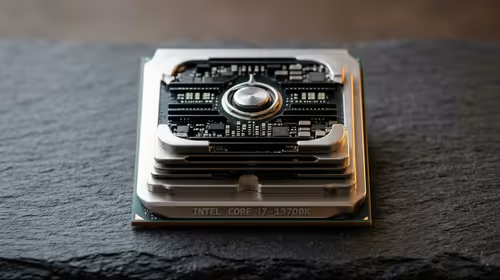
Your motherboard and CPU are the heart of your PC. It's tempting to splash out here, but the secret to a budget build is balance. You don't need the absolute top-tier model to run the latest titles smoothly. Instead, look for a solid mid-range CPU and pair it with a compatible motherboard that has the features you actually need, like enough USB ports and M.2 slots for fast storage.
Focusing on last-generation parts can also unlock incredible value. A high-end chip from a year or two ago often outperforms a brand-new budget one for a similar price. Explore our range of affordable Intel and AMD motherboards to find the perfect starting point for your build. Getting this combo right is the first step to securing affordable computer components that last.
Finding Graphics Power Without the Price Tag
Let's be honest: the graphics card (GPU) is where most of your gaming budget will go. This is the component that renders those beautiful worlds in Baldur's Gate 3 or gives you the high frame rates needed for a clutch win in Warzone. While top-end cards can cost as much as a small car, the mid-range is where the magic happens for budget builders.
Cards like NVIDIA's RTX 4060 or AMD's RX 7600 offer fantastic 1080p performance at a fraction of the flagship cost. Keep an eye on specials and don't be afraid to check benchmarks—you might find that a slightly older model offers 90% of the performance for 60% of the price. Check out the full lineup of NVIDIA and AMD graphics cards to compare prices and find your sweet spot.
Don't Skimp on These Key Parts
When you're hunting for cheap PC components in South Africa, it's easy to cut corners on the less "exciting" parts. Big mistake. Here’s where to invest smartly.
RAM: Your PC's Short-Term Memory
For modern gaming, 16GB of RAM is the gold standard. It allows you to run your game, Discord, and a few browser tabs without your system grinding to a halt. For ultra-budget builds or upgrading an older system, even cost-effective DDR3 gaming RAM can provide a noticeable boost, though we recommend DDR4 or DDR5 for any new build to ensure future compatibility.
Power Supply: The Unseen Guardian ⚡
Your Power Supply Unit (PSU) is the one component you should never, ever cheap out on. A poor-quality PSU can be inefficient, unreliable (especially with an unexpected outage), and can even damage your other expensive parts if it fails. You don't need a 1000W monster; a quality 550W-650W unit from a trusted brand is perfect for most budget builds. A reliable Corsair power supply is a fantastic investment in your PC's health and stability.
PSU Power Tip 🔧
Unsure how much power you need? Use an online PSU calculator like the one from OuterVision or Cooler Master. Just plug in your components (CPU, GPU, etc.), and it will estimate the wattage your system requires. Always add a little headroom—about 20-30%—for future upgrades and peak efficiency.
Cooling & Casing: Keeping it Chill
Your CPU will come with a stock cooler, which is fine for basic use. But for just a few hundred Rand, you can dramatically lower temperatures and noise levels with an aftermarket solution. Better cooling means more consistent performance, especially during long gaming sessions. Browse our selection of effective CPU coolers to find one that fits your budget.
Finally, your case isn't just a box. It's about airflow. Look for budget-friendly computer cases that have a mesh front panel and include at least one or two fans. Good airflow keeps all your carefully selected components running cool and lasting longer.
The Smartest Shortcut: Component Bundles
Feeling a bit overwhelmed? We get it. Matching a CPU to a motherboard and RAM can be tricky, especially with all the different sockets and chipsets. This is where bundles come in. They are one of the best ways to get started with cheap PC components in South Africa.
By grabbing a pre-selected motherboard, CPU, and RAM combo, you eliminate the guesswork. You know for a fact that the parts are 100% compatible, and you often save a decent amount of cash compared to buying them separately. It's the perfect solution for first-time builders. Take a look at Evetech's component bundle packs to see how much you can save. ✨
Ready to Build Your Budget Beast?
Assembling a powerful, affordable gaming PC in South Africa is totally within your reach. Focus on balance, invest where it counts, and you'll have a machine that punches well above its weight. Explore our massive range of PC components and start building the rig you deserve.