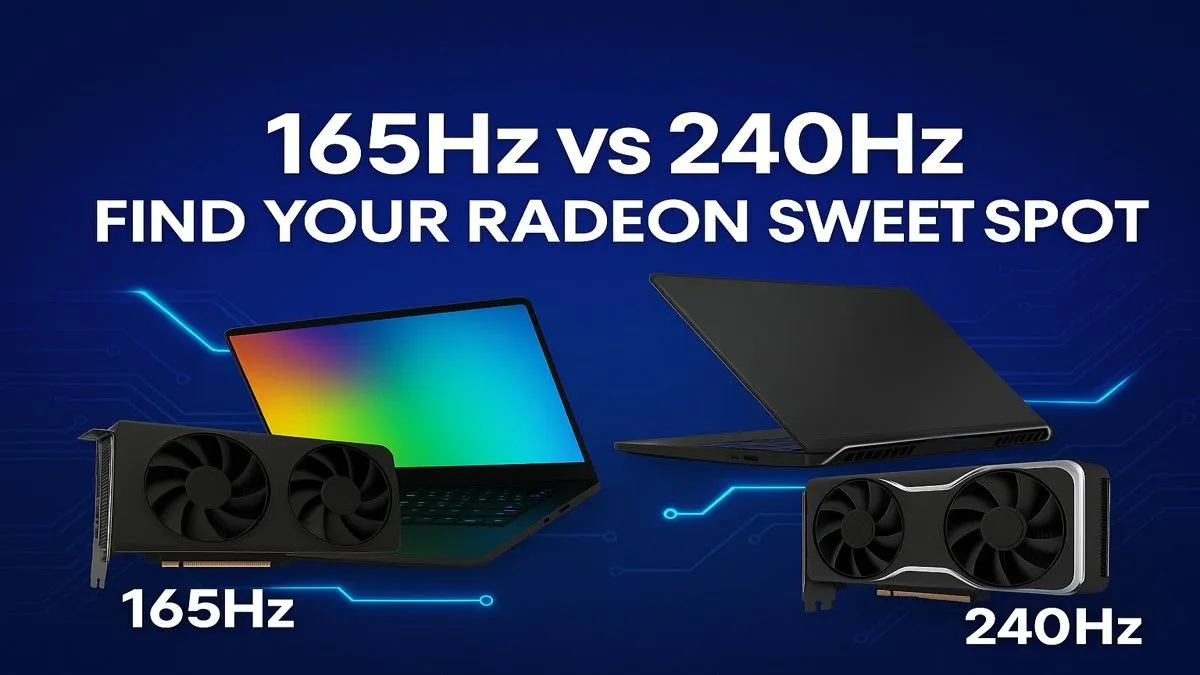
Understanding the Hz Hype: Your Ultimate Guide to Radeon Monitors
Mzansi gamers, ever stare at monitor specs and feel like you need a degree in astrophysics? Especially when it comes to refresh rates like 165Hz vs 240Hz? Choosing the right display is crucial for that competitive edge, and with Radeon monitors pushing boundaries, the decision gets even tougher. Welcome to your ultimate guide for 2025, where we’ll cut through the jargon and help you decide which refresh rate truly elevates your game.
What Refresh Rates Mean for Your Gameplay
Before we dive into 165Hz vs 240Hz Radeon monitors, let's nail down what refresh rate actually means. Simply put, it's how many times per second your monitor can redraw the image on its screen. Measured in Hertz (Hz), a higher number means smoother motion, less blurring, and a more responsive feel. For competitive gaming, this isn't just a luxury; it's a necessity that can directly impact your reaction times and visual clarity.
165Hz Monitors: The Balanced Performer for Radeon Setups
For many South African gamers, a 165Hz monitor hits that perfect sweet spot. It's a significant upgrade from the common 60Hz or 75Hz displays, offering noticeably smoother gameplay without demanding the absolute top-tier graphics card. If you're running a solid mid-range Radeon GPU, or perhaps eyeing some of the fantastic laptop specials for sale in South Africa that offer great performance, a 165Hz display is often the most sensible choice.
It's fantastic for immersive single-player adventures and still highly competitive for online multiplayer. You'll experience fluid motion, reduced input lag, and a generally more enjoyable gaming experience without breaking the bank.
240Hz Displays: For the Apex Predator of Gaming
Now, if you're chasing every single frame and have the hardware to back it up, 240Hz Radeon monitors are your ultimate weapon. This refresh rate offers an unparalleled level of fluidity, making fast-paced competitive titles like CS:GO, Valorant, or Apex Legends feel incredibly responsive. The difference between 165Hz and 240Hz might not be as dramatic as 60Hz to 144Hz, but for esports pros and serious enthusiasts, every millisecond counts.
To truly leverage a 240Hz display, you'll need a powerful graphics card capable of consistently pushing frames well above 200 FPS. Pairing your high-refresh monitor with one of the best gaming laptop deals ensures you're getting the most out of your investment. Think lightning-fast flick shots and pinpoint accuracy.
Why Radeon Monitors Shine: FreeSync and Beyond ✨
When discussing 165Hz vs 240Hz monitors, it's impossible not to mention AMD's FreeSync technology. Many Radeon monitors come equipped with FreeSync, which synchronises your monitor's refresh rate with your Radeon GPU's frame rate. This eliminates screen tearing and stuttering, providing a buttery-smooth visual experience, especially when your frame rate fluctuates. This adaptive sync technology is a game-changer, ensuring that whether you opt for 165Hz or 240Hz, your visual fidelity remains top-notch.
Optimising Your Radeon Setup
Always ensure your AMD FreeSync is enabled in both your Radeon Software settings and your monitor's OSD (On-Screen Display) menu. This crucial step guarantees you're getting the full adaptive sync benefits from your Radeon monitor.
For those loyal to Team Red, our AMD laptops on special offer fantastic synergy with these FreeSync-enabled displays, creating a cohesive and powerful gaming ecosystem. Of course, Intel laptops on special also provide powerful platforms for gaming, often paired with dedicated graphics cards that can drive these high refresh rates.
Making Your Choice: 165Hz vs 240Hz – What's Right for You?
Deciding between a 165Hz vs 240Hz Radeon monitor boils down to a few key factors:
Your Graphics Card (GPU) 🚀
If you're rocking a powerful Radeon RX 7800 XT or higher, a 240Hz monitor can truly shine. For GPUs like the RX 7600 or RX 7700 XT, a 165Hz display offers excellent value, allowing you to hit those high frame rates consistently without overspending on a monitor you can't fully utilise. Don't forget, you need the frames to justify the Hz!
The Games You Play 🎮
Are you a competitive esports fanatic who lives for that split-second advantage? Then 240Hz is calling your name. If you enjoy a mix of graphically intensive single-player titles and some casual multiplayer, 165Hz will provide an incredible experience without compromise.
Your Budget
Generally, 240Hz monitors come with a higher price tag. Factor in not just the monitor cost, but also the potential need for a more powerful GPU to drive it. A 165Hz Radeon monitor often provides a better performance-to-price ratio for the average South African gamer.
Other Monitor Features
Beyond refresh rate, consider resolution (1080p, 1440p), panel type (IPS for colour accuracy, TN for fastest response), and response time. A 1ms response time is ideal for competitive play, regardless of refresh rate.
The Ultimate Guide to Your Radeon Monitor Upgrade for 2025
Whether you lean towards the balanced brilliance of a 165Hz display or the unadulterated speed of a 240Hz monitor, the key is matching your choice to your gaming habits, your hardware, and your budget. Both options, especially when paired with AMD's FreeSync technology in Radeon monitors, offer a phenomenal upgrade to your gaming setup.
In 2025, the choice between 165Hz vs 240Hz for Radeon monitors isn't about one being definitively "better" than the other, but rather which one is "better for you." Consider your priorities, assess your current rig, and prepare to elevate your gameplay.
Ready to Upgrade Your View?
Stop missing those crucial frames. Explore Evetech's extensive range of high-performance gaming monitors and find the perfect Radeon display to match your ambition. Shop now at Evetech for performance that leaves lag in the dust.