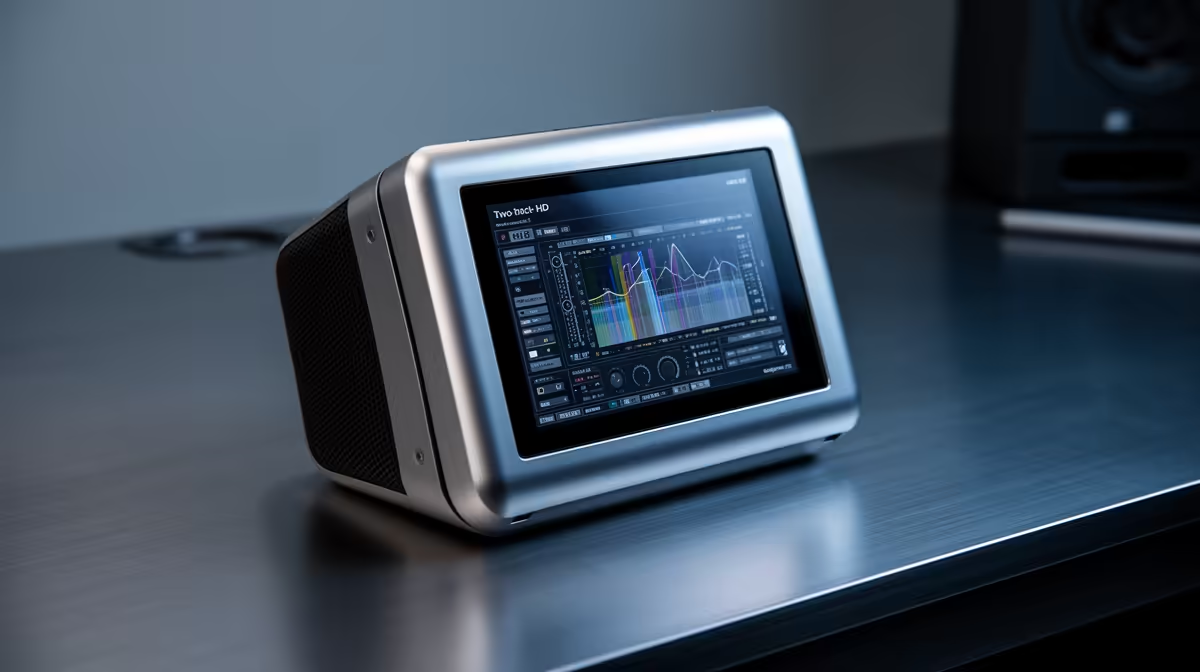
Audio monitoring decisions used to boil down to trusting your ears and glancing at a software level meter. The proliferation of mixers with integrated 2-inch HD LCD displays changes that calculation: a hardware screen mounted on the unit itself never disappears behind a game window, never freezes when the app crashes, and never demands you pull focus from a live broadcast to diagnose a clipping channel. Whether that physical panel beats a software dashboard depends on what you are actually monitoring and where you need that information.
Quick Answer
A 2-inch HD LCD on a mixer shows live input levels, gain values, mute states, and sound mode at a glance without touching the PC. Software dashboards meter with finer resolution, typically to the 1dB, but depend on the PC staying stable. For live streaming the onboard screen wins; for critical recording, a software meter adds precision.
📺 What a 2-Inch HD Mixer Display Actually Shows
A 2-inch panel on a modern prosumer mixer is denser than its size suggests. The display typically renders live input level bars for each channel, the numeric gain value currently set on each knob, which sound mode is active (voice, music, podcast, or a custom preset), and the mute state of every channel simultaneously.
The gain value displayed numerically is the key convenience. Without a screen you read gain by feel and memory; with a display you confirm the exact value at a glance and know you have not accidentally nudged the knob since last session. For streamers who set their levels once and run them for hours, this confirmation is worth more than it first appears.
Mode icons are a subtler benefit. When a mixer offers multiple EQ presets or reverb configurations, the LCD labels the active one. Instead of counting button presses to figure out which preset is loaded, one look at the panel shows "voice" or "reverb 3" directly. Beginners find this particularly useful because it removes a whole category of uncertainty from the live setup.
How the panel handles fast transients
A 2-inch HD LCD refreshes at approximately 30 times per second, which is quick enough to display peak levels before they clip. The bars respond to transients in real time and hold a brief peak indicator so you can spot a momentary clip even if it passed in a fraction of a second. For visual feedback during a live stream, that rate is more than adequate.
🖥️ Software Dashboards: Where They Have the Edge
Software metering tools, whether native to your DAW, built into OBS, or running as standalone plugins, offer measurement precision that a 2-inch panel cannot match in raw numbers. A software VU meter commonly resolves to 0.1dB increments across a full dynamic range display. Spectral analysers can show frequency content in real time to identify which band of a vocal is clipping. Phase correlation meters, true peak limiters, and LUFS loudness measurements all live in software.
For mastering, critical mixing, or voice-over work where loudness standards matter, those tools have no physical equivalent. The International Broadcast specification for streaming audio sits at -14 LUFS integrated; you need software to measure compliance reliably.
Software dashboards also display as large as your monitor allows. A 27-inch screen running a full DAW mixer gives you a level view impossible to replicate on 2 inches of glass mounted to a hardware device.
Pro Tip ⚡
Pin your software metering window to a secondary display or a corner of the screen before going live. That way you keep the precision of software measurement without it disappearing behind your game or browser. The onboard LCD handles the quick confidence checks; the software meter handles compliance and troubleshooting.
🔧 The Stability Argument for Hardware Displays
The scenario that shifts preferences toward hardware is a live broadcast where PC stability is not guaranteed. OBS crashes mid-stream. A browser tab consumes available RAM. The streaming PC throttles under thermal load. Each of these events risks taking software metering with it at the worst possible moment.
An onboard LCD is part of the mixer's firmware, not the operating system. It continues displaying levels accurately whether OBS is open, frozen, or closed entirely. For solo streamers in Cape Town or Joburg running a single PC for both gaming and broadcasting, this independence from PC state is a genuine operational advantage rather than a theoretical one.
The same argument applies during latency spikes. A software meter can stutter or freeze for a second or two during a sudden CPU spike; the hardware display does not.
🎯 Choosing the Right Monitoring Tool for Your Setup
The practical answer for most streamers and podcasters is to use both, assigned to different jobs. The onboard LCD handles confidence monitoring: you glance down to confirm levels are healthy, mute states are correct, and the right sound mode is active. Software metering handles any task requiring precision, from setting initial gain to verifying loudness before exporting.
If your setup is a single-PC stream with no secondary monitor available, the LCD earns disproportionate weight. Having gain and mute state visible on the hardware at all times, regardless of what the PC is doing, removes a source of uncertainty that costs streamers clean audio at the worst moments.
Podcasters recording to a DAW benefit more from software metering than live streamers do, because the stakes of a clipping moment are different. A post-recording clip can potentially be repaired; a live clip is in the feed permanently.
Frequently Asked Questions
What information does a 2-inch LCD display on a mixer typically show?
Most panels show live input level bars per channel, the current numeric gain value for each channel, the active sound mode or EQ preset, and channel mute states. Higher-end units also display headphone volume levels and USB bus activity. The key advantage is seeing all of this at a single glance without switching app windows.
Is onboard LCD monitoring accurate enough for broadcast use?
For monitoring purposes yes. The panels in current mixers respond to transients at roughly 30 frames per second and show accurate level readings for operational decisions during a stream. They are not calibrated metering tools for precision loudness compliance; use software for LUFS or true peak measurements against broadcast standards.
Why does the LCD keep working when software crashes?
The display is driven by the mixer's own processor and firmware, entirely separate from the PC operating system. It reads the analogue and digital signals passing through the hardware and renders them independently. No driver update, no crashing app, and no OS event affects the physical display.
Which monitoring approach suits beginners better?
The onboard LCD. One look at the panel tells a new streamer their gain is at the right value, both mics are unmuted, and the right sound mode is loaded. A software dashboard with multiple meters, spectral displays, and plugin chains can overwhelm someone who is simultaneously managing a live stream. Start with the hardware display and add software tools as you understand what each one measures.
Can I run both monitoring methods simultaneously?
Yes, and that is the recommended approach for anyone who can. The LCD provides instant hardware-level confirmation that nothing has gone wrong physically with the mixer. OBS or DAW metering provides the precision resolution for setting levels correctly and verifying loudness compliance. They measure the same signal from different vantage points and complement each other well.
Ready to monitor your audio with confidence at every broadcast?
Browse the audio mixer range at Evetech to find units with onboard LCD displays built for South African streamers and podcasters who need clear, reliable level feedback during live sessions.