Quick Answer
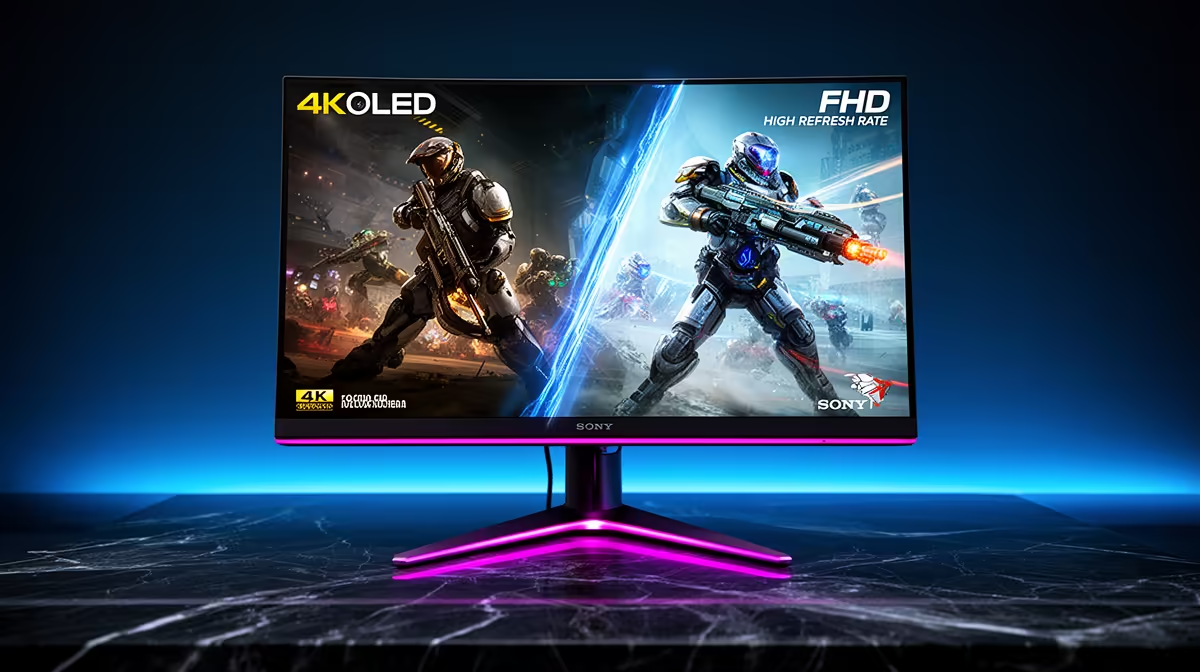
Use 4K OLED mode for immersive single-player games, HDR content, and any session where visual quality is the priority. Use FHD high-refresh mode for competitive multiplayer titles where maximum frame rate and minimum input lag matter more than resolution. Most dual-mode monitor owners switch between both depending on the game, not the time of day.
4K OLED: What Makes It Distinctive 🎮
A 4K OLED panel at 27 to 32 inches delivers 138 to 163 ppi depending on size, producing visibly sharp textures, clean anti-aliased edges, and the OLED-specific infinite contrast ratio that makes black areas genuinely black rather than lit grey. In HDR-enabled titles like Cyberpunk 2077, Microsoft Flight Simulator, or Gran Turismo 7, the wide colour gamut (typically 98% to 99% DCI-P3) and per-pixel brightness control create highlights that pop above the SDR white ceiling in ways no LCD can replicate. The trade-off is GPU demand: reaching 240Hz at 4K requires an RTX 5080 or RTX 4090, while 120Hz to 144Hz at 4K is achievable with an RTX 4080 or RX 9070 XT.
FHD High Refresh Rate: The Competitive Advantage ⚡
At 1920x1080 on a 480Hz or 360Hz panel, the GPU load drops dramatically. An RTX 4070 pushes 400 fps-plus in CS2, Valorant, and Apex Legends at low settings, saturating even a 480Hz display. At those frame rates, the time between frames is 2.1 ms, meaning crosshair position updates 480 times per second. For South African players on local ZA game servers with pings of 10 to 30 ms, high refresh genuinely matters: the combination of low ping and high refresh produces measurably faster target acquisition times. The resolution step-down from 4K is visible in textures but irrelevant in fast competitive play where all visual settings are reduced for performance anyway.
Choosing Your Mode by Game Type 🖥️
A practical decision framework: if the game has a story, exploration, or visual spectacle at its core, use 4K OLED mode. If the game is purely about shooting, reacting, or ranking, use FHD high-refresh mode. Many dual-mode OLED monitor users report using 4K mode for roughly 60% of their gaming time for narrative and creative use, and FHD 480Hz for the remaining 40% during competitive sessions. The flexibility of having both on one panel, currently available from around R20,000 at Evetech, is the core value proposition of dual-mode OLED gaming monitors.
DLSS and FSR Mode Matching ⚡
In 4K OLED mode, use DLSS 4 Quality (Nvidia) or FSR 4 Quality (AMD) to maintain visual fidelity while relieving GPU load. In FHD high-refresh mode, disable upscaling entirely and render natively at 1920x1080 for the lowest possible latency. Upscaling adds a small processing delay that competitive players want to avoid at 480Hz.
FAQ
Can I use 4K OLED mode with a PS5 or Xbox Series X on the same monitor?
Yes. HDMI 2.1 at 4K 120Hz is supported by both consoles and most current OLED gaming monitors. Enable Game Mode on the monitor's HDMI input for minimum latency. HDR works natively with the PS5's HDR calibration routine.
Does the resolution switch between 4K and FHD affect Windows display settings?
Yes, Windows detects the resolution change when you switch OSD modes and may need a few seconds to rearrange your window layout. Using virtual desktops, one for 4K work and one for FHD competitive gaming, helps maintain separate window arrangements.
Is 4K 240Hz noticeably smoother than 4K 144Hz in single-player games?
For most single-player content yes, but the difference between 144Hz and 240Hz is smaller than between 60Hz and 144Hz. At 240Hz the image has a very slight sheen of extra smoothness in panning shots, but it requires a flagship GPU to maintain consistently. 4K 144Hz on an OLED is already an exceptional gaming experience.
Choosing between 4K OLED and high refresh rate gaming modes?
Evetech stocks dual-mode and single-mode OLED gaming monitors for both immersive and competitive play, find the display that matches your GPU and game library today.