



Hot-Swappable PCB Architecture in Modern Keyboards: Guide
Learn hot-swappable PCB architecture in modern keyboards—what it is, how sockets and traces work, and how to pick the right board. Speed up swaps, reduce risk, and upgrade faster 🔧⚡
Read moreWondering what 7.1 surround sound does on a gaming headset like the Razer BlackShark V2 X? Here’s what it actually affects, what it doesn’t, and how to use it for better positioning 🎮🔊
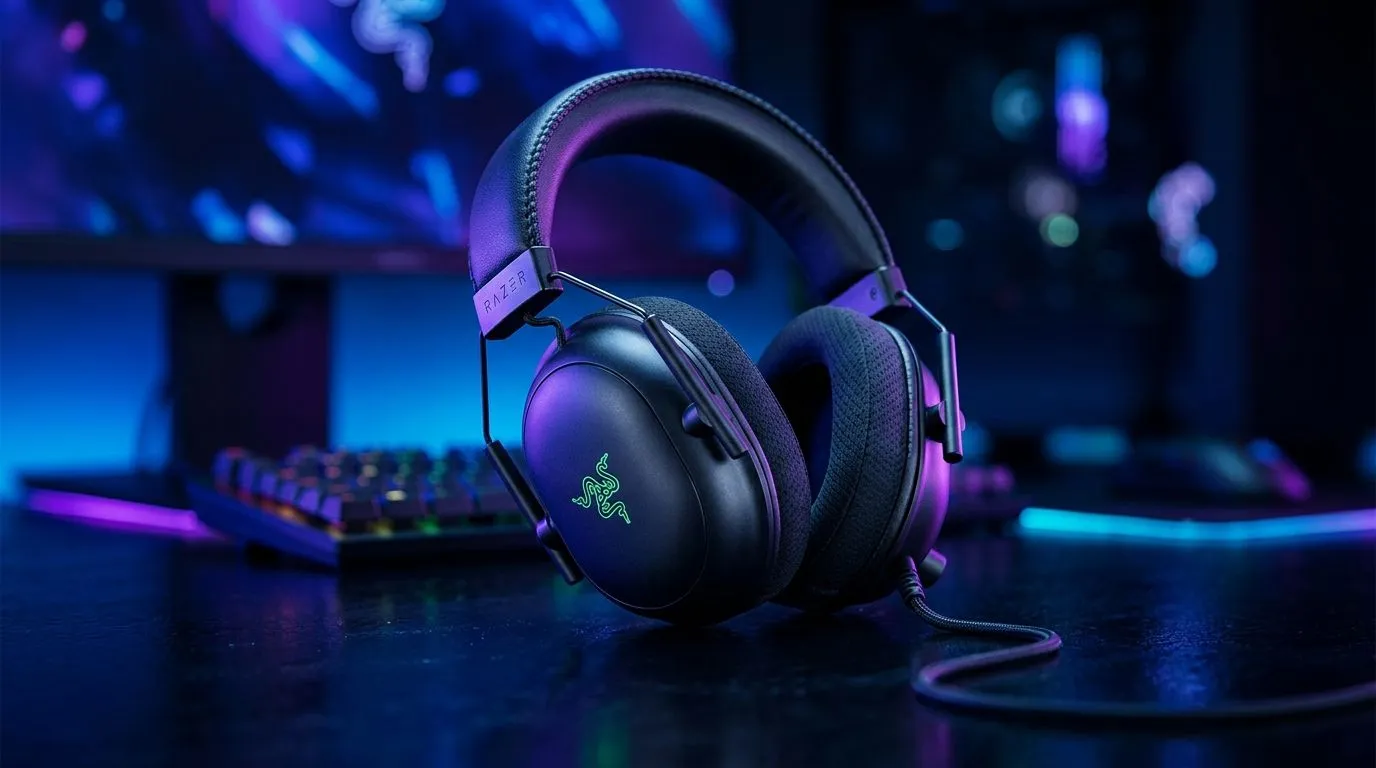
If you’ve ever thought “this headset is great… but is it actually better?”, you’re not alone. In South Africa, we spend a lot on gear for one reason: performance you can feel. So when a box says 7.1 surround, it’s worth understanding what you’re really getting, especially for FPS, racing, and co-op chat.
In short: 7.1 surround sound in a gaming headset is mostly about how audio is processed and positioned… not magically adding eight real speakers to your head. Let’s break it down, then help you choose wisely. 🔍
7.1 surround refers to a multi-channel surround setup in home theatre. In headsets, you usually don’t get eight physical drivers. Instead, you get software or DSP (digital signal processing) that reshapes stereo input into positional cues.
Here’s what that typically does well:
What it won’t do:
If your headset lineup supports surround modes, it’s worth checking whether the audio chain is wired for gaming EQ and spatial processing. For example, Evetech’s selection includes models built for surround-style gaming listening, such as the Razer Barracuda X Chroma Wireless (with audio features for positioning and tuning):
see the Razer Barracuda X Chroma Wireless headsets at Evetech
7.1 processing usually helps most when:
In competitive shooters, surround modes can make it easier to “read” the sound stage. In single-player games, it can improve ambience and directionality, so you feel where threats or story moments are coming from.
But beware a common trap… turning on surround when you should be using the game’s built-in spatial audio (if it supports it). Some titles handle spatial better natively, while extra processing can smear the mix if both systems stack.
Before you judge a 7.1 headset, do this:
Windows, use the built-in Sound settings to keep playback consistent across apps: set your headset as the default device, then disable “Enhancements” if you hear weird volume jumps. This helps when you’re comparing Stereo vs 7.1 modes in games, Discord, and YouTube at the same time. That way you’re evaluating the headset, not the software layer.
Instead of chasing “7.1” as the headline feature only, focus on:
Evetech stocks a wide range of headset options across categories, so you can compare the surround-capable models side-by-side:
explore Razer gaming headphones and headsets
For broader browsing, start with:
headphone & headset options from Evetech
And if you specifically want to filter by audio type:
headsets filtered for 7.1 audio
If you want the clean “no extra processing” comparison first, check:
headsets filtered for Stereo audio
If you mostly play competitive FPS, your best sign of a good 7.1 headset is simple: you can point to where the sound is coming from without straining. For many players, that means using the surround mode often… but not always. Once you find your sweet spot, it’s surprisingly consistent.
Ready to stop guessing and start matching your headset to your games?
Ready to Find Your Perfect Match? The Mac vs Windows debate is complex, but for maximum power, choice, and value in South Africa, Windows is hard to beat. Explore our massive range of laptop specials and find the perfect machine to conquer your world.
7.1 can improve direction cues in some games by expanding stereo into virtual channels, but it will not perfectly match real multi-speaker surround.
In the BlackShark V2 X, 7.1 typically applies virtual surround processing to help you hear where sounds come from more clearly for gaming.
Often it can be helpful if it improves left-right and front-back cues. The best choice depends on your headset tuning and the game’s audio mix.
Virtual processing can change EQ and spatial cues, which may blur details in certain mixes. Disabling 7.1 can sound clearer in those cases.
Games that use 3D positional audio (or support surround-style rendering) tend to benefit more than titles that only output basic stereo.
For most setups, choose one consistent source of spatial processing. Mixing multiple effects can cause conflicts and reduce clarity.
Compare stereo vs 7.1 in the same session, using consistent audio cues like training maps, then pick the setting that gives the most accurate positioning.
For music and movies, results vary by mix. Some tracks benefit from wider imaging, while others lose center focus or sound less natural.
Learn hot-swappable PCB architecture in modern keyboards—what it is, how sockets and traces work, and how to pick the right board. Speed up swaps, reduce risk, and upgrade faster 🔧⚡
Read more
Mechanical switch lifespan explained—what the 50 million keystroke rating really means, plus tips to extend switch life and reduce double-press issues 🔧⌨️
Read more
60-percent vs full-size mechanical keyboard layouts—learn what each layout includes, who it suits, and how to choose the right fit 🧩⌨️ for typing, gaming, and productivity.
Read more
Double injection keycaps last far longer than standard printed keycaps in most setups. Learn typical lifespan ranges, what shortens them, and how to maximize durability for smoother daily typing and gaming 😊⌨️
Read more
Full-key anti-ghosting: does it stop missed inputs during fast-paced gaming? We break down latency, polling, and key matrix limits so you can buy smarter 🎮⚡
Read more
Protect mechanical keyboard switches from South African dust and summer humidity with practical cleaning and storage habits. Keep your switches smooth, reduce failures, and extend lifespan. 🌬️💧
Read more
Wondering if a TKL wireless mechanical keyboard is worth it for everyday productivity? We break down latency, battery life, comfort, and workflow gains for real work. ⚡⌨️

Maximise battery life on a fanless 15-inch laptop using efficiency core architecture. Cut idle drain, tune power profiles, and improve thermals for longer runtime. 🔋⚙️

Learn how to reduce desk clutter with a TKL wireless keyboard using fewer cables, smart placement, and tidy essentials. Get a faster, calmer workspace with better ergonomics. ✅🧼

RGB keyboard lighting too distracting? Learn how to manage backlight modes, set brightness, and reduce distraction for focus and productivity 😌🖱️

Are themed gaming keyboards worth the extra cost? Compare build quality, switch options, features, and resale value to find the best fit for your setup 🎮⌨️

Full-Size vs Tenkeyless mechanical keyboards for gaming: find out if a smaller layout truly improves aim, speed, and comfort. We break down layout, desk space, latency-feel, and keybinds 🎮⌨️

Dedicated media rollers vs function key shortcuts: learn which setup gives you better workflow control, faster media access, and fewer mistakes. 🖱️🎧

Best Mechanical Switch Type for Gaming: Clicky vs Linear vs Tactile. Find your feel, speed, and noise balance with practical guidance for FPS, MOBA, and productivity 😄🎮

Direct mouse answer: Mouse not keeping up with your work? Everything that matters about dual-mode 2.4GHz + BT 5.0: DPI behaviour, channel switching, battery curves and per-app button mapping. Covers when 2.4GHz USB wins (low-latency desk) and when BT 5.0 wins (laptop, d

Plain wireless mouse guide: Mouse not keeping up with your work? Everything that matters about wireless productivity mouse: DPI behaviour, channel switching, battery curves and per-app button mapping. Includes DPI tuning tips, channel switch shortcuts, and ZAR-aware fea

Real productivity numbers: Set up your wireless mouse in this order: everything that matters about wireless productivity mouse: DPI behaviour, channel switching, battery curves and per-app button mapping. Includes DPI tuning tips, channel switch shortcuts, and ZAR-aware

Pen not feeling like paper? Stylus lag and skipping usually trace to old drivers, dirty nibs, or display refresh mismatches, not the pen itself. Covers pressure curve tuning, tilt thresholds, nib swap timing, and SA pricing brackets.