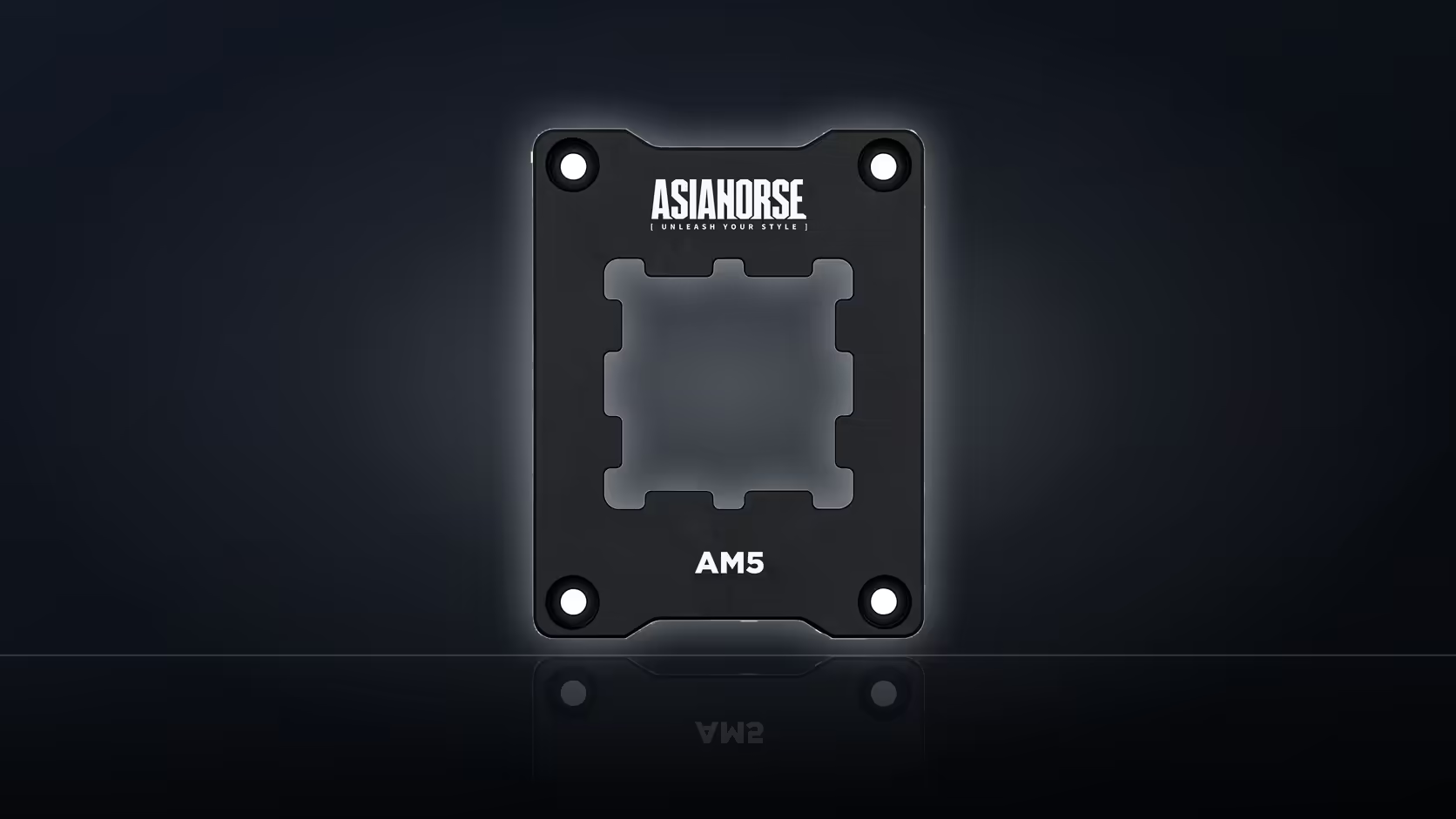
A rig that used to idle cool and now runs warm under the same load points to two very different culprits, and it pays to test the cheap one first. Fresh thermal compound costs a small fraction of what an AsiaHorse Pulsar contact frame costs, and both fixes demand the exact same amount of disassembly - the cooler still has to come off the processor either way.
Quick Answer
On a machine that has started running hot, apply fresh thermal paste before spending R299 on a contact frame. Both require removing the cooler, so paste is the lower-cost test of the more common explanation - dried or unevenly spread compound - before spending on hardware that addresses mounting pressure specifically.
🌡️ Reading the symptom correctly
Rising temperatures on a machine that used to run cool rarely announce their cause up front. The compound between the processor's integrated heat spreader and the cooler's base does the actual heat transfer, and that layer degrades over time - it can dry out, pump out from repeated thermal cycling, or simply have been applied thinly or unevenly at the last rebuild. None of that has anything to do with the metal retention arms holding the cooler down. A contact frame changes how evenly clamping pressure spreads across the processor's surface, which is a genuinely different mechanism from paste quality, but the two symptoms can look identical from the outside: temperatures climbing under the same workload that used to run cooler.
Why paste is the cheaper first move
Removing a cooler to inspect and replace thermal compound is a five-minute job for anyone who has done it before, and the compound itself costs a fraction of R299. If the existing application has visibly dried, is unevenly spread, or was applied years ago, replacing it is close to a free diagnostic step. Compare temperatures under an identical workload before and after - the same game, the same benchmark loop, run for the same duration - because that comparison is the only one that actually isolates the variable. A vague impression that "it feels cooler" does not count as evidence either way.
What the frame is built to address instead
AsiaHorse describes the Pulsar frame as spreading mounting pressure evenly, aiming for steadier cooler contact than the stock arms provide - a design intention rather than a measured, published guarantee. It replaces the stock AM5 retention arms with an all-aluminium anodised piece, secured with four included screws and a hex wrench, and fits AM5 boards on the X670, B650, and A620 chipset families. If uneven pressure genuinely is the bottleneck - which shows up as one side of the processor running hotter than the other, or contact that looks patchy when the old paste pattern is inspected on removal - the frame targets that specific issue in a way paste cannot.
🔬 Running both changes as one clean test, or two
Because both jobs need the cooler removed, there is a real temptation to fit the frame and replace the paste in the same session. That is efficient use of time, but it means a single before-and-after comparison cannot tell you which change actually helped if temperatures improve. If isolating the cause matters - say, before deciding whether to recommend the frame to someone else with a similar board - re-paste alone first, run the workload, record the number, then fit the frame afterwards and run the same workload again. Two data points instead of one.
What the frame does not include
The box contains the frame itself, four screws, and a hex wrench. Thermal paste is not part of the package, which is worth noting given that fitting the frame is precisely the kind of job that makes fresh paste necessary anyway. Anyone ordering the frame should add compound to the same order rather than discovering the gap mid-rebuild. Evetech's thermal solutions range covers that gap directly.
A quick word on what "hot" actually means here
It helps to define the symptom precisely before chasing either fix. A machine that idles fine but spikes under sustained load points somewhere different from one that runs warm even at idle. The first pattern often lines up with paste that has pumped out or dried after months of thermal cycling under gaming loads specifically, since that is when the compound sees the most repeated expansion and contraction. The second, a persistently elevated idle temperature, is more consistent with a mounting or contact issue that never lets the cooler do its job properly in the first place, which is closer to the mechanism the Pulsar frame targets. Neither pattern proves the cause on its own, but noting which one applies before opening the case narrows down which fix is worth trying first.
🧯 When neither fix moves the needle
If both paste and frame leave temperatures unchanged, the cause likely sits elsewhere. Case airflow - intake and exhaust fan count, filter cleanliness, cable routing blocking airflow paths - accounts for a large share of thermal complaints that get misdiagnosed as cooler or socket problems. The cooler itself may also be undersized for the processor's sustained power draw, in which case no amount of contact-pressure tuning closes that gap; a browse through Evetech's cpu coolers range against the processor's rated TDP is the next reasonable step. Processor behaviour under sustained load - boost algorithms holding higher clocks than the cooling solution can sustain - is a further possibility worth checking against the motherboard's power limit settings before assuming a hardware fault.
Frequently Asked Questions
Why try paste first?
It costs far less than R299 and requires the same cooler removal, so it tests the simplest explanation for the cost of the paste alone.
What would paste fix?
Dried or badly applied compound, which is a common cause of rising temperatures on a machine that was previously fine.
What does the frame address instead?
Mounting pressure, which the description says it spreads evenly for steadier cooler contact.
Can both be done together?
They can, and doing so saves a second cooler removal, though it then becomes unclear which change helped.
Does the frame include paste?
No. Four screws and a hex wrench come in the box, and paste has to be supplied separately.
How would I know if paste worked?
Compare temperatures under the same workload before and after, since that is the only comparison that means anything.
What if neither helps?
Then the cooler itself, the case airflow or the processor's own behaviour under load are the next things to look at.
Chasing down a hot AM5 build?
Work through Evetech's cooling and thermal ranges to rule out the cheaper fixes before reaching for socket hardware.