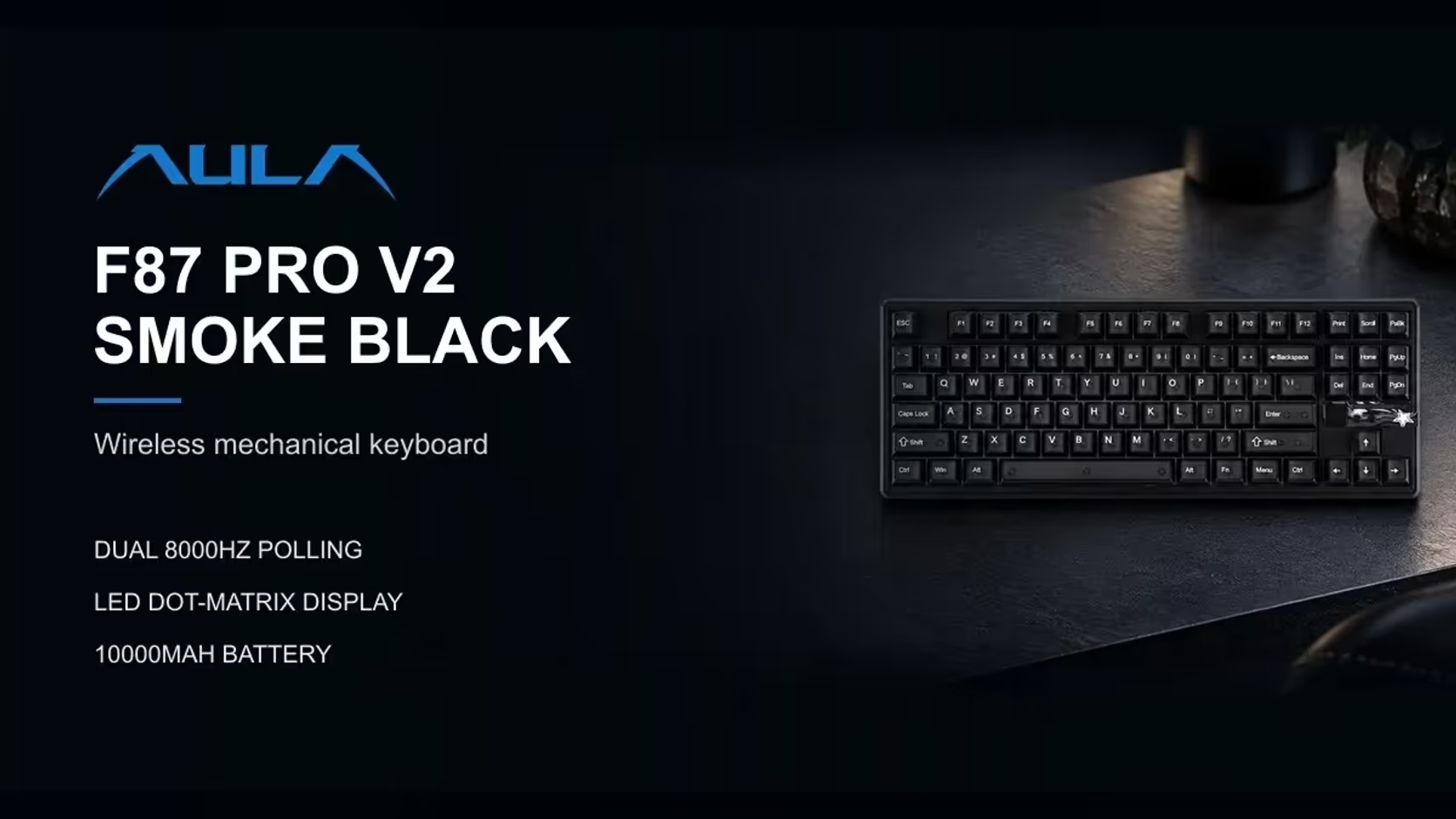
AULA builds two quite different ideas of a "keyboard with a display" into its F-series boards. The F87 Pro V2 is a TKL whose display is a grid of lights that dances to your audio. The F99 Max is a 96% board with a proper number pad, a small smart screen and a rotary knob for volume. Deciding between a keyboard with a screen and knob and a TKL with a light-up display really means deciding how you use your desk.
Quick Answer
Go for the F87 Pro V2 when you want a compact tenkeyless board with a 49-LED dot-matrix display that tracks live audio, plus 8000Hz polling, SOCD and a 10000mAh battery. Take the F99 Max if you need a number pad, a volume knob and a TFT smart screen that shows the time, battery level or your own GIF. Both are tri-mode and both carry a 1 Year Local Warranty; Evetech sells the F87 Pro V2 for R899 and the F99 Max for R799.
🔢 Numpad or no numpad
This is the most practical difference, so settle it before anything else.
The F99 Max is a 96% layout with 97 keys, including a full number pad. It squeezes that pad into a shorter body than a traditional full-size keyboard by tightening the gaps between key groups. If you enter figures regularly, for spreadsheets, accounts or data work, the F99 Max keeps those keys under your fingers.
The F87 is tenkeyless: no number pad at all, yet Insert, Delete, Home, End and both Page keys survive above the arrows, and the shorter board lets your mouse sit closer in. On desks built mainly for play, especially with low mouse sensitivity, that extra room is the reason people choose TKL.
🖥️ Two very different displays
The F99 Max's smart screen and knob
The F99 Max has a TFT smart screen and a rotary knob set into the board. The screen shows the time, the battery level or a GIF you choose, and Fn plus Backspace switches it off to save power. The knob controls volume by default; hold Fn and turn it to adjust the RGB backlight instead. It is a practical control centre: glance down for the time or charge, twist for volume.
The F87 Pro V2's dot-matrix grid
Over on the F87, 49 separate LEDs make up a dot grid. It carries no information to speak of; it is a visual that reacts. Its signature mode draws a live spectrum from whatever audio is playing, and it can instead play custom GIFs set in AULA's software. Around it, the case is lit in what AULA calls a 360-degree light zone.
Which suits music while you play?
Both respond to music in their own way. The F87's grid visualises the audio directly. The F99 Max's south-facing RGB, in 16.8 million colours, includes music-sync effects among its presets, and its knob gives you instant volume control. If you want to see the sound, lean F87. If you want to control it, lean F99.
🔌 Connections and batteries
Both boards are tri-mode, running on a cable, a 2.4GHz receiver or Bluetooth. The F99 Max pairs with up to five devices, which suits a desk shared between a PC, a laptop, a tablet and a phone. The F87 tops out at three.
The batteries differ in size. The F87's cell is 10000mAh, which AULA labels as true capacity. The F99 Max carries 8000mAh, and switching off its screen or lowering the backlight stretches a charge further. AULA does not rate either in hours.
One software note for Mac users: the F99 Max works with Windows and macOS, but its customisation software runs on Windows only and needs the keyboard connected by cable.
🎮 Feel and competitive features
The F99 Max uses pre-lubed LEOBOG Reaper linear switches with a light diffuser: 45gf actuation, 55gf bottom-out, 1.8mm pre-travel and a 60 million keystroke rating. The board is gasket-mounted with five dampening layers of IXPE, foam, silicone and PET inside a thick ABS case. It is hot-swappable for 3-pin and 5-pin switches, and a switch puller is included.
The F87 also floats on gaskets, with seven damping layers and hot-swap sockets across the board. For competitive players it adds things the F99 Max's listing never mentions: reports sent 8000 times a second (0.125ms apart, in AULA's words), SOCD for opposing strafes, and the Mod-Tap and Toggle key modes. If fast shooters are your main game, that list points to the F87.
Living with each one
Day to day, the F99 Max rewards people who reach for controls: the knob sits where a thumb falls naturally between typing bursts, and switching the screen off with Fn and Backspace is a two-key habit once learned. The F87 rewards people who like their desk to feel alive: nothing to operate, just a display that moves whenever sound plays. Neither approach is better in the abstract. Think about the last week at your desk, and whether you reached for the volume more often than you wished the room looked more lit.
✅ Quick decision guide
- Work with numbers daily: F99 Max.
- Want a volume knob and a clock on the board: F99 Max.
- Pair five devices: F99 Max.
- Want the display to react to your music: F87.
- Play competitive games and care about polling and SOCD: F87.
- Need the most mouse space and the biggest battery: F87.
Compare both with the rest of the range in Evetech's gaming keyboards, and let the keyboard best sellers show you which of the two layouts buyers lean towards.
Frequently Asked Questions
Which board suits spreadsheet and accounts work?
The F99 Max. Its 96% layout keeps a full number pad, which a tenkeyless design leaves out.
Does either have a physical volume control?
The F99 Max does. Its rotary knob controls volume by default and adjusts the backlight when turned with Fn held.
How are the two displays different?
One informs, one performs: the F99 Max's small screen gives you the clock, charge or a chosen GIF, while the F87's LED grid turns sound into moving bars or runs an animation.
How many devices can each connect to?
Five for the F99 Max, three for the F87.
Which has the larger battery?
The F87 wins here, 10000mAh to 8000mAh.
Which is aimed more at competitive gaming?
The F87. Its spec sheet lists 8000Hz polling and SOCD, while the F99 Max's does not.
Can I customise the F99 Max from a Mac?
The keyboard works on macOS, but its customisation software runs on Windows only and requires wired mode.
Ready to choose between a knob-and-numpad board and a TKL light show?
Compare the F87 Pro V2 and F99 Max side by side with Evetech's wider gaming keyboard range and pick the desk setup that suits you.