A vertically mounted graphics card producing no image and a lighting chain that is misbehaving in the same build looks, at first glance, like one big installation gone wrong. It is not. A missing image versus lighting fault are two entirely unrelated systems that happen to share the same assembly session, and treating them as one problem sends the search off in exactly the wrong direction.
Quick Answer
The AsiaHorse riser carries the card's PCIe slot connection out to a vertical mount, while addressable lighting runs over completely separate 5V three-pin connections - the two systems share no wiring, no signal path, and no failure mode in common. When a build shows both no image on a vertical mount and a lighting chain that is not behaving, the R1,299 riser and card connection should be diagnosed entirely separately from whatever is happening with the ARGB chain.
🔌 Why the two problems are genuinely unrelated
The riser's entire job is passing the full x16 PCIe slot connection through to a card mounted away from the board, carrying the same signals a card would normally receive plugged directly into its slot. Addressable lighting has no involvement in that connection whatsoever - it runs on its own separate 5V three-pin wiring, entirely independent of anything the riser or the graphics card's data connection is doing. A fault in one system has no mechanism by which it could cause a fault in the other, despite both problems showing up in the same build at the same time.
Why they tend to appear together anyway
Both connections typically get made during the same assembly session - mounting the card vertically, connecting the riser at both ends, and wiring up any lighting on or near the card all happen within a short window of physical work. That overlap in timing is coincidental rather than causal, and a single work session introducing two genuinely independent faults is far more common than it might initially seem.
🖥 Diagnosing the missing image first
A vertical riser build producing no image most often traces back to the riser connector at either end - the board-side slot connection or the card-side connector - not being fully seated, or to the card itself not being properly supported and level within its vertical mounting bracket. Reseat both ends of the riser with the machine completely powered off, checking each connection sits firm before powering back on, and confirm the card is genuinely square and supported in its bracket rather than resting at an angle that could be straining the connection.
Testing the card directly, separate from the riser
Returning the card to its standard horizontal board slot, bypassing the riser entirely, is the fastest way to confirm whether the card itself is working at all - if the image returns in the standard slot, the card is fine and the riser or its connections are the actual problem.
💡 Diagnosing the lighting fault, on its own track
The lighting fault gets followed using the same method that applies to any addressable chain, entirely separately from the image issue: start at the last device still lighting normally in the chain and work forward from there, checking the connection immediately after it before assuming any specific device has failed. Nothing about this process touches the riser or the card's data connection at all, since they are wired completely independently.
What the riser's own build says about where to look
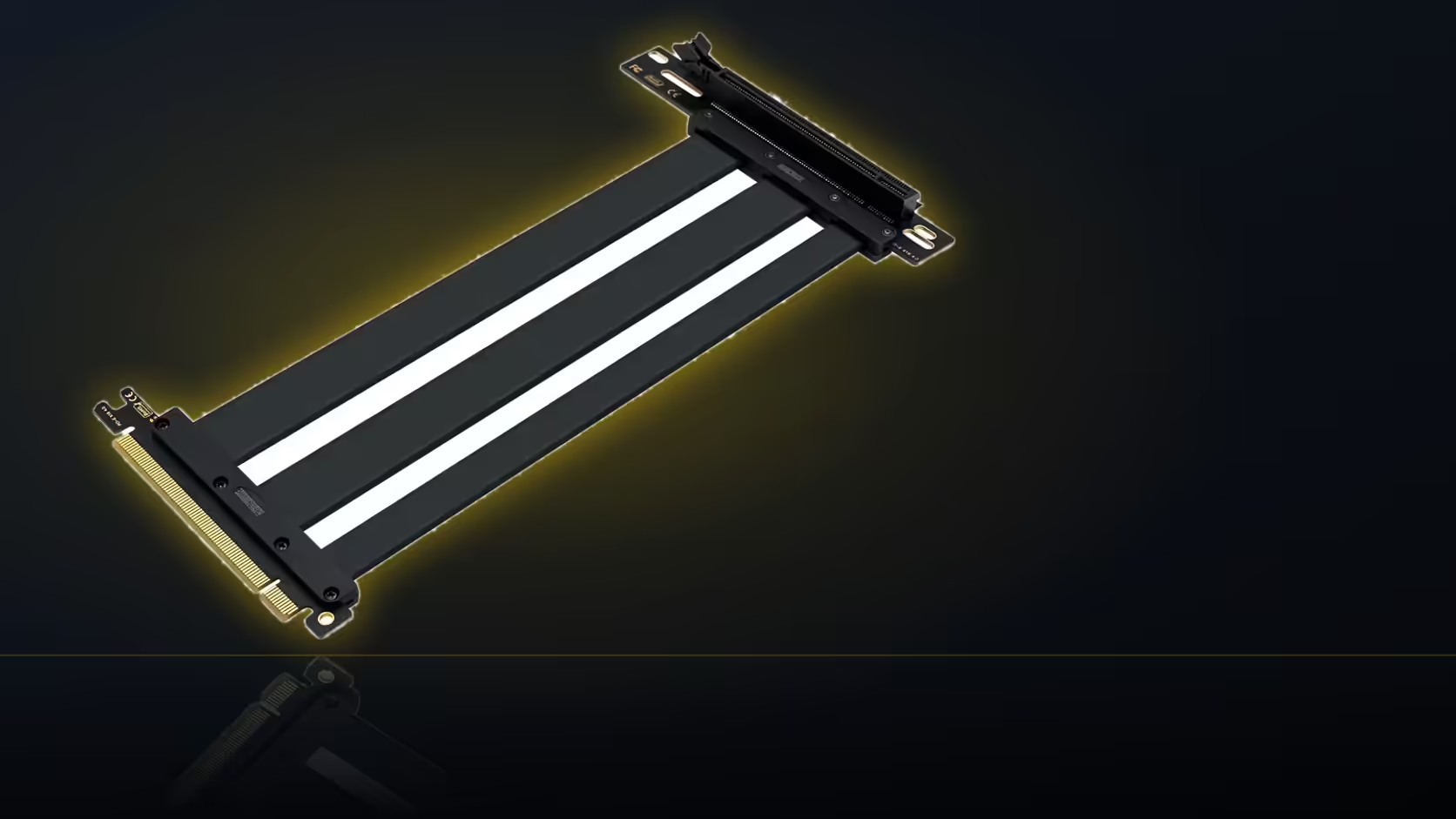
The riser itself is 200mm long, with its slot connector set at a right angle to the ribbon and gold-plated contacts inside a protective ABS shell, and it works in PCIe 5.0, 4.0 and 3.0 slots without needing a specific generation to function. None of that changes the reseating check above, but it does narrow where a poor connection is likely to be found: the right-angle bend at the board end is the point most likely to carry mechanical stress from the card's weight pulling on it once mounted, so that end is worth reseating and re-checking even if the card-end connector already looked firm on the first pass.
Which problem should get fixed first
The missing image, generally, since a machine that will not display anything is considerably harder to continue working on than one whose lighting happens to be behaving incorrectly - solving the display issue first gives you a working system to troubleshoot the lighting on afterward.
🧩 A methodical approach to both at once
Working the image and lighting faults as two entirely separate investigations - never assuming a connection between them just because both problems surfaced in the same session - is what keeps the search efficient rather than circular. Vertical-mount hardware for the case itself lives in the case accessories category, while both the riser and the lighting chain draw their cables from the cable solutions range.
Is this covered if it turns out to be a genuine fault
Yes - once reseating both ends, checking the bracket, and testing the card directly in its standard slot have all been done and a fault genuinely remains, the 1 Year Local Warranty on the riser covers a defect in the part itself. Working through the reseating and isolation steps first, rather than assuming a fault the moment no image appears, is worth doing regardless, since most no-image cases on a fresh vertical mount trace back to a connection that was never quite fully seated rather than a faulty riser.
Frequently Asked Questions
Are the missing image and the lighting fault actually connected?
Not at all - the riser carries the card's PCIe slot connection while lighting runs over entirely separate 5V addressable connections, sharing no wiring in common.
What usually causes no image on a vertical riser build?
Most often the riser connector at either end not being fully seated, or the card not sitting properly supported and level in its mounting bracket.
How is that checked properly?
Reseat both ends of the riser with the machine powered off, and confirm the card sits square and fully supported in its vertical mount.
And how is the lighting fault followed separately?
By starting at the last device still lit in the chain and working forward, exactly as with any other addressable lighting fault investigation.
Why do both problems tend to show up together?
Because both connections are typically made during the same assembly session, so one work session can introduce two entirely independent faults at once.
Which problem is worth fixing first?
The missing image, since a machine that will not display is considerably harder to continue working with than one whose lighting is simply behaving oddly.
Does testing the card directly help isolate the fault?
Yes - returning it to the standard board slot confirms whether the card itself works at all, separating the card from the riser immediately.
Troubleshooting a vertical GPU mount with more than one issue?
Check riser-compatible cases and hardware in the case accessories range and cable solutions category.