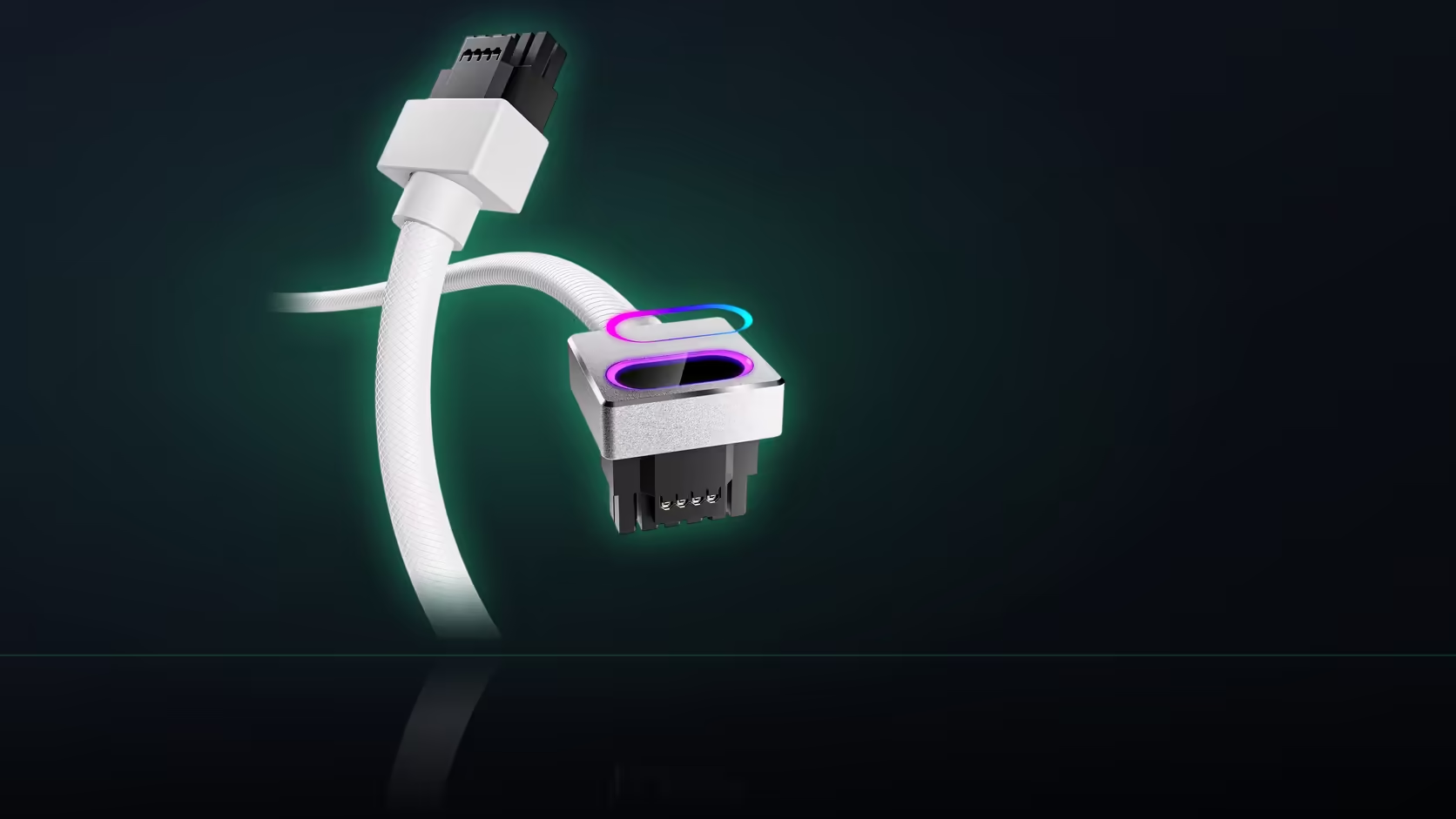
Eight pins and sixteen pins look, at a glance, like a difference of degree - just more of the same connector. They are not. The Hydrus 16-pin cable requires a specific socket type that is genuinely different in shape and purpose from the eight-pin positions sitting right next to it on a power supply's modular panel, and confusing the two is the single most common reason this cable turns out to be the wrong purchase for a given build.
Quick Answer
Available for R699 in either colour, this AsiaHorse cable requires a native 16-pin socket on the power supply's modular panel - a genuinely different connector from the eight-pin PCIe sockets nearby, not an upgraded or combined version of them. A supply without a dedicated 16-pin position cannot take this cable, regardless of how many eight-pin sockets it offers.
What actually distinguishes the two connectors
Pin count and physical shape separate a 16-pin 12VHPWR socket from an eight-pin PCIe position. This is not a scaled-up version of the same connector family; it is a distinct standard introduced specifically for the higher current demands of recent graphics cards, with its own pin layout and its own mechanical footprint on the modular panel. A supply's specification sheet lists these as separate items for exactly this reason.
Why two eight-pin sockets do not add up to one 16-pin
It might seem intuitive that combining two eight-pin connections should equal the capacity of one 16-pin socket, and in a rough electrical sense there is some truth to that. But this cable has a single 16-pin connector at the supply end, built to plug into a matching single socket - there is no version of this specific product designed to draw from two separate eight-pin positions instead. The cable's physical design assumes the native socket exists; it does not adapt around its absence.
Where age fits into this
Many older power supplies simply predate the 16-pin connector, since it is a comparatively recent addition tied to newer graphics card power requirements. The presence of the port is the check that actually matters, rather than the unit's age or its general reputation - a recent supply without the connector is just as unusable for this cable as an old one, and an older supply that happens to include it is just as usable as a new one.
Confirming which sockets your supply actually has
Two reliable methods exist. The first is pulling the case's side panel and looking directly at the modular panel with the supply's cables removed or loosened, where socket types are typically printed beside each position. The second is reading the supply's own published specification sheet, which lists every modular connection it provides - this is often the faster route if the case is already assembled and you would rather not open it up just to check.
Is an adapter a legitimate substitute?
The stated requirement is a native port, which means an adapter bridging two eight-pin connections into a 16-pin head is not what this cable is designed to plug into. AsiaHorse's compatibility framing assumes a genuine 16-pin socket on the supply side; introducing an adapter changes the electrical path in a way outside what the product has been designed and rated for.
How the card end relates to this
The graphics card side of the cable terminates in a right-angle 12VHPWR head, which is the same connector standard viewed from a different physical form. Both ends of this cable, in other words, relate to the same underlying standard - the supply end as a straight socket connection, the card end as an angled plug - which is worth keeping in mind when comparing this cable against the eight-pin cables also sitting on your supply's panel.
The fallback if the port is missing
If the socket check comes back negative, the fallback is straightforward: keep using the cable that shipped with your power supply, which is matched to whatever sockets that specific unit actually provides. There is no cable substitute that safely bridges the gap when the native 16-pin port simply is not there.
Where this leaves an upgrade decision
If the socket check comes back negative and you were hoping to fit this cable regardless, the honest options narrow to two. Either the power supply itself needs replacing with a unit that carries the native 16-pin socket, or the plan drops back to the factory-supplied cable and the visual upgrade this product offers is set aside for another time. There is no safe middle ground involving an adapter, whatever a forum post or a marketplace listing might suggest - the compatibility statement is specific about the port being native, and that specificity exists for a reason grounded in how the connector standard itself is built.
Weighing a supply replacement purely to unlock this cable is a genuinely different decision from replacing a supply for capacity or age reasons, and it is worth being honest with yourself about which one is actually driving the choice before spending on a new unit.
Browse comprehensive cable solutions for the full Hydrus range, and once the port is confirmed, graphics card accessories has the rest of what a 12VHPWR build needs.
Frequently Asked Questions
What actually distinguishes a native 16-pin socket from an eight-pin one?
Pin count and physical shape. A 16-pin 12VHPWR socket is a distinct connector standard, not a variation on the eight-pin positions beside it.
Can two eight-pin sockets be combined to substitute for the 16-pin requirement?
Not for this cable. It has a single 16-pin connector designed to plug into a matching native socket, not to draw from two smaller ones.
Do older power supplies typically have this port?
Many do not, since the connector is a comparatively recent addition. The presence of the port itself is the check, regardless of the unit's age.
How can I confirm whether my supply has the native port?
Look directly at the modular panel with the side off, or check the supply's published specification, which lists its modular sockets.
Is an adapter an acceptable substitute for the native port?
No. The requirement is stated as a native port, and an adapter arrangement is outside what this cable is designed to plug into.
Does the card end use a different connector standard?
No, the same standard in a different physical form - a right-angle 12VHPWR head, compared with the straight socket connection at the supply end.
What should I do if my supply lacks the port entirely?
Keep using the cable that shipped with the supply, since it is matched to the sockets that specific unit actually provides.
Still working out which sockets your power supply actually has?
Check the modular panel directly, then browse Evetech's power supply range if an upgrade turns out to be the answer.