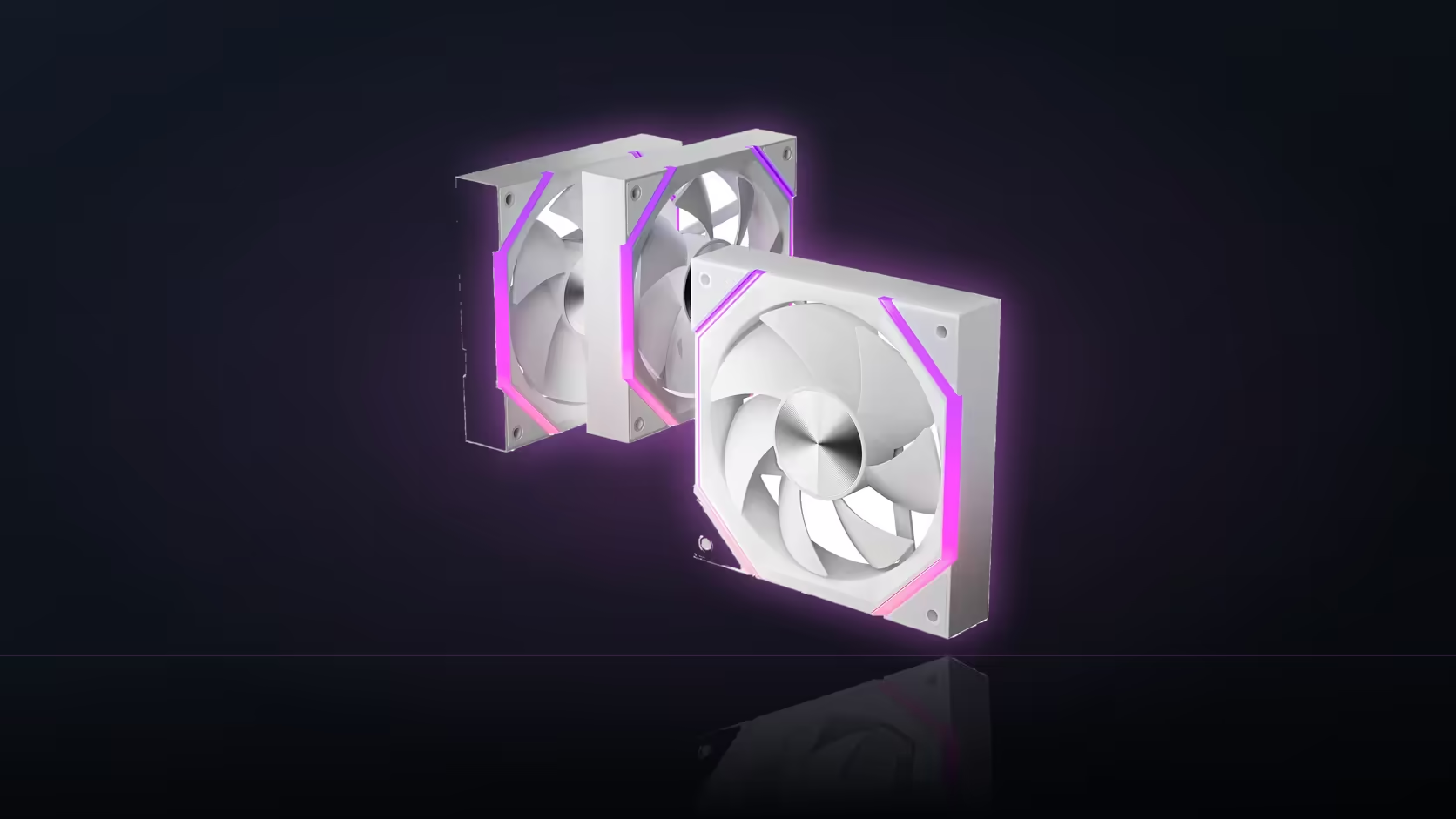
There are two fundamentally different ways to tell a fan header what to do, and the choice matters more for how a build actually sounds day to day than most people expect. For the Nyota A12, deciding between a temperature-linked curve and a fixed duty setting is worth thinking through properly rather than leaving at the board's default.
Quick Answer
A temperature-linked curve adjusts Nyota A12 fan speed as the machine's workload changes, while a fixed duty setting holds one constant speed regardless of load. Each suits a different goal: fixed duty gives predictable, unchanging noise, while a temperature curve gives cooling that responds only when it's actually needed. Both operate within the fan's 800 to 2000 RPM range. The three-pack costs R499.
🎛️ Two approaches, two different experiences
A fixed duty setting locks the fan at one speed and keeps it there no matter what the CPU or GPU is doing. That predictability is genuinely useful - a fan that never changes speed never draws attention to itself by suddenly getting louder mid-session, which some people find more liveable with than a fan that constantly shifts.
A temperature-linked curve does the opposite by design: it reads a sensor and maps that reading to a duty percentage, so the fan works harder only when the build actually needs more airflow. At idle, that typically means the A12 sits near its 800 RPM floor rather than holding a higher speed continuously for no reason.
Where each genuinely wins
Fixed duty makes sense where changing fan noise is the more distracting thing - a home studio setup, a late-night gaming session in a quiet house, anywhere a rising and falling hum draws more attention than a steady one. A temperature curve makes more sense for a build under variable load throughout the day, where running at a constant elevated speed all the time would waste both quiet time and, over years, some fraction of the fan's rated life.
🌡️ Building a curve that behaves well
A shallow curve with a high trigger threshold is the usual middle ground - it keeps the fan near its floor for longer stretches and only ramps meaningfully once temperatures genuinely climb, rather than reacting to every small fluctuation. That approach captures much of the responsiveness of a full curve without the fan constantly hunting for a new speed.
Picking the right sensor to follow
Whichever approach you choose, the temperature source matters. A case fan tracking processor temperature tends to spike and settle rapidly with short bursts of load, producing a curve that ramps and falls more often than feels necessary. A board or case-level sensor moves more gradually and tends to produce steadier, more predictable behaviour for a fan whose job is moving air through the whole case rather than cooling one specific component.
The 800 RPM floor applies either way
Neither approach can push the A12 below its documented 800 RPM minimum - a fixed duty set "as low as possible" and a curve's idle point both land at the same floor. That shared limit is worth remembering when comparing the quietest achievable setting under either method.
🔀 Mixing both approaches across a build
Nothing says every header has to use the same method. A rear exhaust running fixed duty for consistent, predictable background noise, paired with front intakes on a temperature curve that ramps under gaming load, is a genuinely workable split - and one that plays to the strengths of each approach rather than forcing one method across the whole case.
🧮 Working out which approach actually saves wear
There's a case to be made that fixed duty is gentler on the fan over years of use, simply because it avoids the constant small speed changes a curve introduces every time the tracked temperature crosses a threshold. Whether that difference is meaningful in practice depends on how aggressively the curve is set - a shallow curve with few transitions a day behaves closer to fixed duty than a twitchy one reacting to every load spike. The A12's rated 50,000-hour bearing life is a manufacturer figure under stated conditions rather than a promise tied to either control method specifically, so neither approach should be assumed to meaningfully shorten or extend that number on its own.
What actually changes day to day
The more practical difference between the two methods shows up long before bearing wear becomes relevant. A fixed duty setup means never having to think about the fan again once it's dialled in - the same speed, the same sound, indefinitely. A temperature curve means accepting some variability in exchange for the fan doing less work, and making less noise, during the long stretches when the machine isn't under real load. Neither outcome is objectively better; it's a genuine trade between predictability and efficiency that depends entirely on what a particular build spends most of its time doing.
🎚️ Revisiting the choice after living with it
A curve or a fixed setting chosen on day one doesn't have to be permanent. Builds that see their workload change - a new game with heavier GPU demands, or a machine repurposed for longer render jobs - are worth revisiting once that shift becomes clear, since the balance between predictable noise and responsive cooling can tip differently once the actual daily use changes. Because both approaches operate within the same 800 to 2000 RPM range on the A12, switching between them later doesn't require any new hardware, just a return trip to the same BIOS screen the original choice was made in.
Frequently Asked Questions
What does a fixed duty setting actually give you?
A constant fan speed regardless of workload, which produces predictable, unchanging noise throughout a session.
How does a temperature curve differ in practice?
It raises and lowers speed based on a monitored temperature, so the fan works harder only when cooling demand actually rises.
Which approach suits a quiet room better?
Usually a curve, since it lets the fan rest near its 800 RPM floor at idle rather than holding a constant mid-range speed.
When would fixed duty be the better choice?
Where a fan that suddenly changes speed is more distracting than one that hums at a steady level throughout.
Can a curve be tuned to behave gently?
Yes - a shallow curve with a high threshold minimises how often the fan ramps, without losing responsiveness entirely.
Does the 800 RPM floor limit both approaches equally?
It does. Neither a fixed duty setting nor a curve's idle point can push the fan below its documented minimum.
Is it possible to mix both methods across one build?
Yes - different headers can run different approaches, so a rear exhaust and front intakes needn't share the same method.
Weighing up steady noise against responsive cooling? Evetech stocks a full case fans range plus case accessories worth a look before you finalise the airflow setup.
Deciding between steady noise and responsive cooling?
Have a look through Evetech's case fan range to plan a setup that matches how you actually use your build.