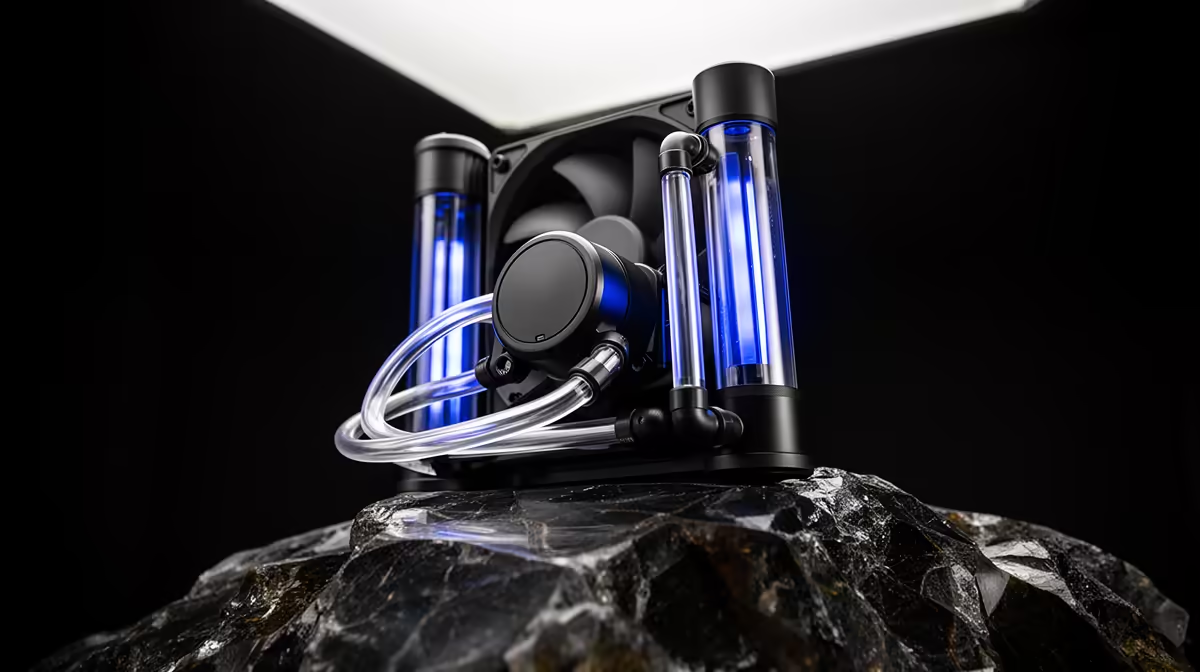
An AIO cooler is worth choosing over a large air cooler when radiator placement solves a tight socket area, you want its appearance or the processor can use the heat capacity of a strong model. A quality air cooler remains the lower-complexity choice for many gaming CPUs.
Quick Answer
Choose a big air cooler for value, service life and easy fault diagnosis. Choose an AIO after checking measured noise-normalised cooling, radiator fit and pump behaviour in your exact case. Compare products at the same noise level and CPU heat load, rather than treating every 240mm liquid cooler as faster than every tower.
Browse the CPU cooler range, then use current cooler best sellers to find practical models. Record the full cooler name and price as of July 2026 before deciding what the visual or thermal difference costs.
They Move Heat in Different Ways
An air cooler conducts heat into a fin stack above the socket, then one or two fans move air through it. An AIO moves heat into liquid at the cold plate, pumps that liquid to a radiator and uses fans to exhaust it.
Both end by putting heat into the room. Liquid does not remove the need for case airflow. GPU heat, motherboard components and SSDs still need a clear intake and exhaust path.
AIO liquid gives the system more thermal mass, which can slow short temperature spikes. During a long render or game, radiator area, fan airflow, pump speed and coolant temperature settle into a sustained result.
Compare at the Same Noise
Maximum-fan charts can reward a cooler that is unpleasant to live with. Look for noise-normalised testing at a heat load close to your processor. A few degrees at double the perceived noise is a poor trade for many desks.
Large air coolers use slow 120mm or 140mm fans and can be quiet under gaming loads. AIOs add pump tone to radiator-fan noise. The quality and placement of that sound can matter more than the decibel number.
Set fan curves after assembly. Avoid making fans surge with every brief CPU spike. A smoother curve tied to a sensible temperature source often sounds calmer.
AIO Size Changes the Result
A 120mm AIO has limited radiator area and often loses the value case against a good tower cooler. A 240mm model is a common fit. A 280mm unit gains fan and radiator area where the case supports it. A 360mm radiator can suit high sustained heat or a visual build.
Size alone does not guarantee performance. Cold-plate design, pump, radiator thickness and fans differ. Read model-specific testing.
Check whether the radiator blocks tall motherboard heatsinks, memory, the top EPS cable or a long GPU. Case compatibility tables can miss the interaction between several large parts.
Air Coolers Need Socket Clearance
A dual-tower cooler can overhang RAM and make the first fan sit higher. That raises total height and may stop the side panel closing. It can also make the top GPU latch and M.2 slot awkward to reach.
Check cooler height against the case limit and memory height against the cooler drawing. Confirm the mounting kit supports the socket.
Heavy coolers are safe when installed through the correct backplate and the PC is handled with care. For long rough transport, support the tower or follow the cooler maker's guidance.
AIO Placement Affects Airflow
A top-mounted radiator often exhausts CPU heat directly, while using warmer case air. A front intake radiator receives cooler room air and can raise the temperature of air reaching the GPU.
Neither layout wins in every case. A gaming system with a high-power GPU may favour top exhaust. A CPU rendering machine may benefit from front intake. Test both only when cable and tube routing allow safe installation.
Keep the pump from becoming the highest point where air collects. Follow the AIO maker's orientation guidance. Avoid sharp tube bends and fan cables touching blades.
Reliability Has Different Failure Modes
An air cooler's active failure point is usually a fan. The heatsink remains attached, and a standard replacement fan may restore full operation.
An AIO adds a pump, sealed tubing and coolant. Permeation over years can reduce liquid volume, and a failed pump can stop heat transport even while radiator fans spin. Leaks are uncommon in a sound unit but have higher potential consequences.
Use monitoring and sensible thermal shutdown settings. A new grinding or gurgling sound, rising load temperature or pump-speed loss needs investigation through the manufacturer or qualified service route. Do not open a sealed AIO.
Maintenance Is Straightforward
Dust filters, radiator fins and heatsink fins need cleaning when airflow becomes restricted. Hold fan blades still while using gentle air so they do not overspeed.
Check mounting only when there is a temperature problem, physical movement or manufacturer instruction. Repeatedly disturbing a working mount creates unnecessary risk.
Thermal paste can last for years. Replace it when the cooler is removed or when a verified interface problem remains after dust, fans and settings are checked.
CPU Power Determines the Need
Many gaming processors run well under a mid-range tower cooler. A flagship chip with sustained all-core work can use a larger radiator or top air cooler.
Read the processor's real package power in your workload. Motherboard enhancement settings can push power above standard limits for a small performance gain. Restoring sensible limits may reduce heat and noise more effectively than buying a larger cooler.
Gaming is often less CPU-intensive than rendering. Test the task that dominates your day, not a stress program designed to create the highest possible temperature.
Looks and Access Have Value
An AIO clears the view around the socket and can show RGB memory or a display pump cap. It can also make RAM replacement easier once the radiator is mounted.
A large air tower gives the build a mechanical look and avoids tubes. It may block the view but keeps the cooling system easy to understand.
Appearance is a valid use of budget when the performance target is already covered. Name the premium and decide whether you enjoy it more than extra storage or a quieter case.
Build the Compatibility Checklist
For air, record socket, case height, RAM clearance and fan direction. For liquid, record radiator length and thickness, fan stack, tube reach, pump header and the mounting position.
Check that the motherboard has the required pump and fan headers or plan a suitable controller. Avoid hiding critical pump monitoring on an unknown splitter.
Before ordering, sketch airflow from front or bottom intake to rear or top exhaust. The cooler should join that path, rather than fight it.
FAQ
Does an AIO always cool better than air?
No. Model quality, radiator size, heat load and noise level decide the comparison.
Is an AIO pump a reliability risk?
It is an additional moving part. Read warranty and monitoring options, and replace the whole unit if the sealed loop fails.
Does an AIO need refilling?
Most PC AIOs are sealed and not designed for user refilling. Follow the maker's care instructions.
Match cooler testing to your processor heat and noise target, then verify every RAM, radiator and case clearance before choosing air or liquid.