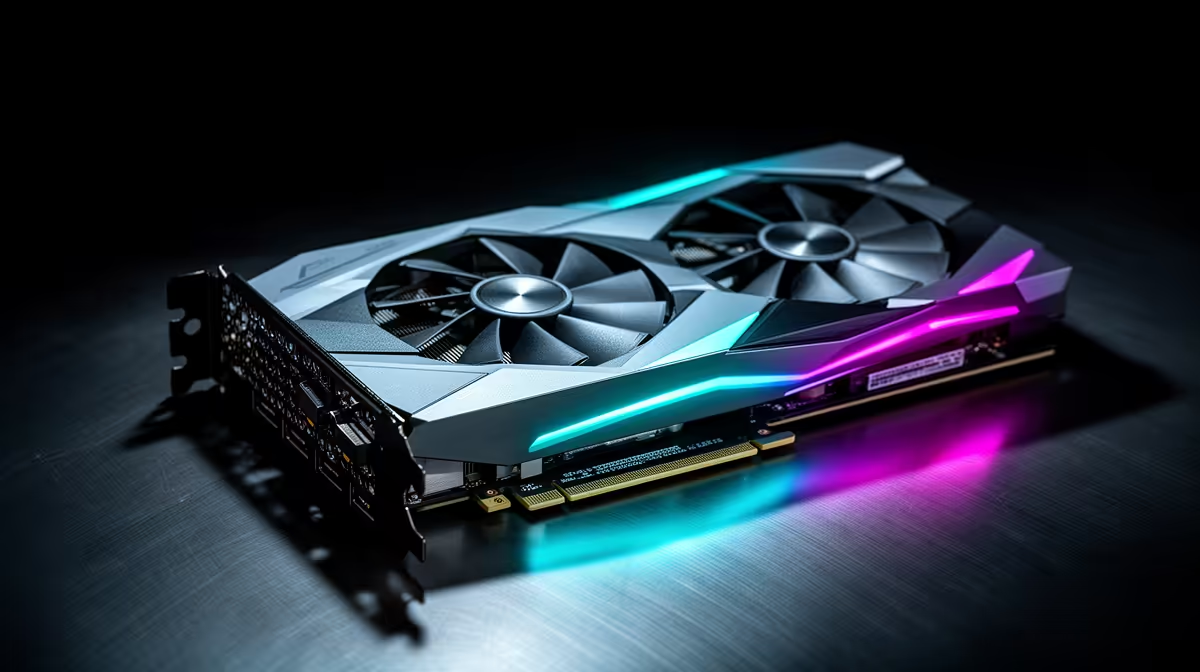
Picking a graphics card for Linux gaming is less about raw frames and more about how cleanly the drivers behave on your distro. AMD ships its drivers inside Linux itself, so a card works the moment you boot. NVIDIA relies on a separate proprietary driver that delivers strong performance but can clash with kernel updates. That single difference shapes the whole experience, and it is why the answer leans one way for most people.
Quick Answer
For most Linux gamers, AMD is the smoother buy because its Mesa RADV driver is built into every modern distribution, so cards run with no proprietary setup. NVIDIA performs well and is closing the gap fast with the open NVK driver, but its proprietary driver can occasionally conflict with kernel updates. Both brands are stocked at Evetech for SA buyers.
Why AMD Feels Effortless on Linux
AMD's Linux support lives in the kernel and in Mesa, the open graphics stack that ships with distributions like Ubuntu, Fedora and Pop OS. Install the system, plug in a Radeon card, and gaming through Steam and Proton generally just works. There is no driver to hunt down, no module to rebuild after an update, and the RADV Vulkan driver is mature and well-optimised for the Proton layer that runs Windows games on Linux. AMD also discontinued its proprietary AMDVLK driver in May 2025, so all engineering attention now flows into RADV, making it stronger than ever. For anyone who would rather game than troubleshoot, that out-of-the-box behaviour is the deciding factor.
Where NVIDIA Stands
NVIDIA cards are powerful and, once their proprietary driver is installed and working, they game very well on Linux. The friction is in maintenance. The proprietary driver is a separate module that occasionally needs reinstalling or breaks temporarily after a kernel update, which catches out users who expected the AMD-style plug-and-play. The picture is improving quickly, though: NVK, the new open-source NVIDIA driver developed within Mesa, is maturing and aims to give NVIDIA the same built-in, no-fuss experience that AMD already enjoys. As of 2026, NVK is usable for a range of titles but still trails the proprietary driver in raw frame rates. Buyers who want NVIDIA features today should simply be ready to manage the driver.
Performance Gap: How Big Is It Really?
In real-world Linux gaming, AMD on Mesa typically runs within 5% of its Windows performance. NVIDIA with the proprietary driver sits closer to a 15-20% gap compared to Windows in certain games, though results vary by title. That means an AMD card at a given price point often delivers more effective Linux gaming performance than an equivalent NVIDIA card, even before the driver convenience factor is considered. The gap narrows on Vulkan-native titles, where both platforms perform more evenly.
Wayland and the Modern Display Stack
The Linux desktop is moving from X11 to Wayland, the newer display protocol. AMD has had mature Wayland support for longer, making it the safer choice on distros that default to Wayland, such as Fedora and recent Ubuntu releases. NVIDIA added explicit sync support in its 555 driver series, which resolved the major Wayland issues, and millions of users now run NVIDIA on Wayland daily. If you are on a cutting-edge distro that defaults to Wayland, AMD still removes one potential source of friction.
Ray Tracing: Where NVIDIA Still Leads
One area where brand genuinely matters is ray tracing. NVIDIA's dedicated RT cores have been shipping for several generations, and the underlying hardware acceleration is fast. DLSS 4 with its transformer-based model adds image reconstruction that regularly beats native resolution in perceived quality. On the Linux side, the proprietary driver surfaces these RT features well, so a title like Cyberpunk 2077 with ray tracing enabled runs properly on a high-end NVIDIA card under Linux once the driver is stable.
AMD supports ray tracing through RDNA 2 and later architectures, and Mesa 26.0 (released February 2026) brought specific ray tracing performance improvements to RADV. For most titles the difference is playable, but in the heaviest RT workloads NVIDIA hardware holds a meaningful advantage. If ray tracing is a priority for you, that is one of the stronger arguments for NVIDIA even on Linux, provided you are comfortable with the driver maintenance.
VRAM and Future Proofing
At the same price bracket, AMD and NVIDIA cards often differ on VRAM amounts, and this matters more on Linux than on Windows. Linux uses VRAM for driver overhead slightly differently, and some Proton translations of memory-heavy DirectX 12 Ultimate titles benefit from a buffer. As a rough guide, 8GB VRAM is the practical floor for current mid-range gaming, and 12GB or more gives breathing room on demanding titles through Proton. Check the spec sheet for each card you compare, because VRAM amounts vary within a product family.
Matching the Card to How You Play
If you run a single stable distro, want minimal setup and value a quiet life, AMD is the natural pick. If you specifically need NVIDIA, perhaps for particular software or features, and you are comfortable handling the occasional driver hiccup, an NVIDIA card will serve you well. For RT-heavy titles where NVIDIA hardware shines, the extra driver effort can be worth it. The handheld Linux gaming scene leans heavily on AMD silicon for exactly the driver reasons above, and you can see that class of device in the handheld gaming consoles at Evetech, while complete machines sit among the PC best sellers.
The Practical Bottom Line for SA Buyers
Neither brand is a wrong choice, but they suit different temperaments. AMD removes setup and maintenance from the equation, which is why it has become the default recommendation for Linux gaming. NVIDIA rewards buyers who want its hardware and do not mind a little driver upkeep, and NVK is steadily eroding even that downside. Decide based on how much time you want to spend in the terminal versus in the game.
Frequently Asked Questions
Is AMD really easier than NVIDIA on Linux?
Yes, for most users. AMD's drivers ship inside the kernel and Mesa, so cards work immediately with no proprietary install. NVIDIA needs a separate driver that requires occasional maintenance, though the experience has improved considerably with each generation.
Does VRAM size matter differently on Linux?
VRAM impacts Proton gaming performance much the same way it does on Windows, but driver overhead can be slightly higher under Linux. 8GB is a practical floor for modern mid-range gaming, and 12GB gives more comfort with memory-hungry titles running through the Proton translation layer.
Can I still game well on NVIDIA under Linux?
Absolutely. Once the proprietary driver is set up, NVIDIA cards perform strongly with Steam and Proton. The consideration is managing the driver around kernel updates rather than any lack of power.
What is NVK?
NVK is an open-source NVIDIA driver being developed within Mesa. As it matures it should give NVIDIA cards the same built-in, hassle-free Linux experience that AMD already offers.
Does brand affect Proton compatibility?
Both brands run games through Proton well. AMD's RADV Vulkan driver is very mature, and NVIDIA also works fine once its driver is in place, so game compatibility is broadly similar on either.
Building a Linux gaming rig? Browse current GPUs and complete systems in the PC best sellers at Evetech and choose the driver experience that fits how you like to play.