A long range wifi extender earns its keep through placement and backhaul, not through the range figure printed on the box. Mounted high, halfway between the router and the dead zone, a decent unit can bring a garden flat or workshop online. Put in the wrong spot, even an expensive one just repeats a weak signal.
Quick Answer
For a garage, granny flat or yard, expect to spend around R300 to R1,200 on an extender, or R1,200 to R3,500 on an outdoor access point that runs off a cable. A plain repeater loses roughly half the speed at each hop, so choose a dual-band unit, or better still wire the far end with Ethernet. Treat the box range as an open-air best case.
📡 Why the printed range is a best case
Range claims are measured in open space with no walls and no neighbours. A typical South African house is plastered brick with steel reinforcing in the slabs, and every wall and ceiling soaks up signal. The 5GHz band is quicker but gives up faster through those walls, while 2.4GHz reaches further and runs slower and more crowded.
That is why distance on the box and distance in your yard rarely match. Plan on a fraction of the figure, test with your phone before drilling anything, and pick the position by how many walls sit in the path rather than by metres.
Read the antenna and power details
External antennas, a higher transmit power rating and good receive sensitivity all matter more than a sticker saying "1,000 metres". Models with swappable antennas give you room to upgrade later.
🔁 Backhaul: the part that sets your real speed
Browsing wireless range extenders is easier once you know this split. A single-radio repeater listens and talks on the same channel, so it can pass on at most about half of what it receives. A dual-band extender uses one band to talk to the router and the other to serve your devices, which avoids most of that loss. Wi-Fi 6 units with a dedicated backhaul do better again.
The cleanest answer is an Ethernet cable between the router and the extender, turning it into an access point. If a cable run is possible, a wireless router set up in access point mode, or a purpose-built outdoor access point, outperforms every repeater at distance. Ethernet runs to 100 metres on Cat5e or Cat6 cable, which covers most plots.
🌦️ Outdoors on the Highveld and the coast
If the device lives outside, look for an IP65 or higher ingress rating, which covers dust and rain. Summer afternoon storms on the Highveld and salty humid air in Durban or Cape Town are hard on indoor gear, so mount it under an eave and keep cable joints off the ground.
Outdoor units usually run on PoE, meaning power travels along the Ethernet cable, so no mains socket is needed at the far end. Lightning is a genuine risk in Gauteng, so fit surge protection on the cable run, and ask an electrician when the install goes near the roof.
🧮 A quick budget and sizing guide
Work out what the far corner really needs. A phone camera or a laptop for email needs perhaps 5 to 10Mbps, and a repeated signal handles that without trouble. A family streaming in 4K in an outbuilding, or a PC gaming from a granny flat, needs more than a repeater can promise, which is the point where a cable becomes the cheaper answer in the long run.
Cheap single-band repeaters sit at the low end of the R300 to R1,200 range, and dual-band units with Wi-Fi 6 sit near the top. Spending a little more on the backhaul is worth it, because the extender can never be faster than the link feeding it. Also confirm that the unit supports the same security mode as your router, such as WPA2 or WPA3, or it will refuse to connect.
📍 Placement that actually works
Treat the first week as a trial: note the speed on a phone at the far end at morning, midday and evening, since interference from neighbours changes through the day.
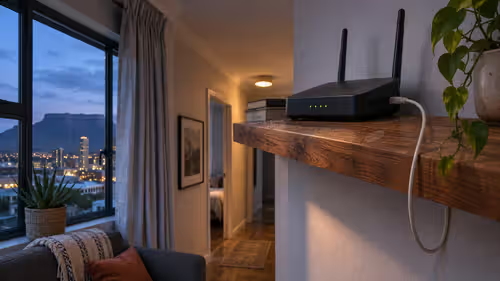
Halfway between the router and the area you want to cover is the rule. At the halfway point the extender should still show a strong signal from the router, because it can only rebroadcast what it hears. Mount it as high as practical, clear of metal gutters and roof sheeting, and facing the area you need.
Avoid putting it next to a microwave oven or cordless phone base, which share 2.4GHz and degrade it. Try two spots for a day each and compare speed on a phone at the far end.
🔌 Alternatives worth knowing
A powerline kit can carry data over the house wiring when the circuit allows it, and a mesh system roams cleanly between nodes. For a desktop PC in an outbuilding, a wireless adapter with a high-gain antenna can lift its connection without any extender at all.
Frequently Asked Questions
Can I trust the range printed on the box?
Not for planning. The number comes from open-air tests, so once brick, ceilings and neighbouring networks get involved, a plastered house delivers far less.
Is an outdoor access point better than an extender?
When the target is a large yard or a separate building and a cable can reach it, yes. A wired access point keeps its full speed, whereas a repeater gives up a large share.
Where do I mount a long-range extender?
Roughly midway, raised, and away from metal roofing or gutters. If the extender itself only sees one bar from the router, move it closer before judging it.
Does a long-range extender work with any router?
Generally yes, since it joins your Wi-Fi like a phone does. Matching mesh gear from one brand roams more smoothly between nodes.
What speed can I expect from an extender at distance?
Plan on half of the close-range speed or less. Enough for a camera feed, video calls and browsing, but not for fast online matches.
Do I need a separate power supply outside?
Usually not, as outdoor units tend to take power over the Ethernet cable (PoE). A qualified electrician should handle any roof or mains work.
Ready to push your signal to the far corner?
Look through the wireless range extenders and routers at Evetech to find a setup that fits your plot, walls and speed.