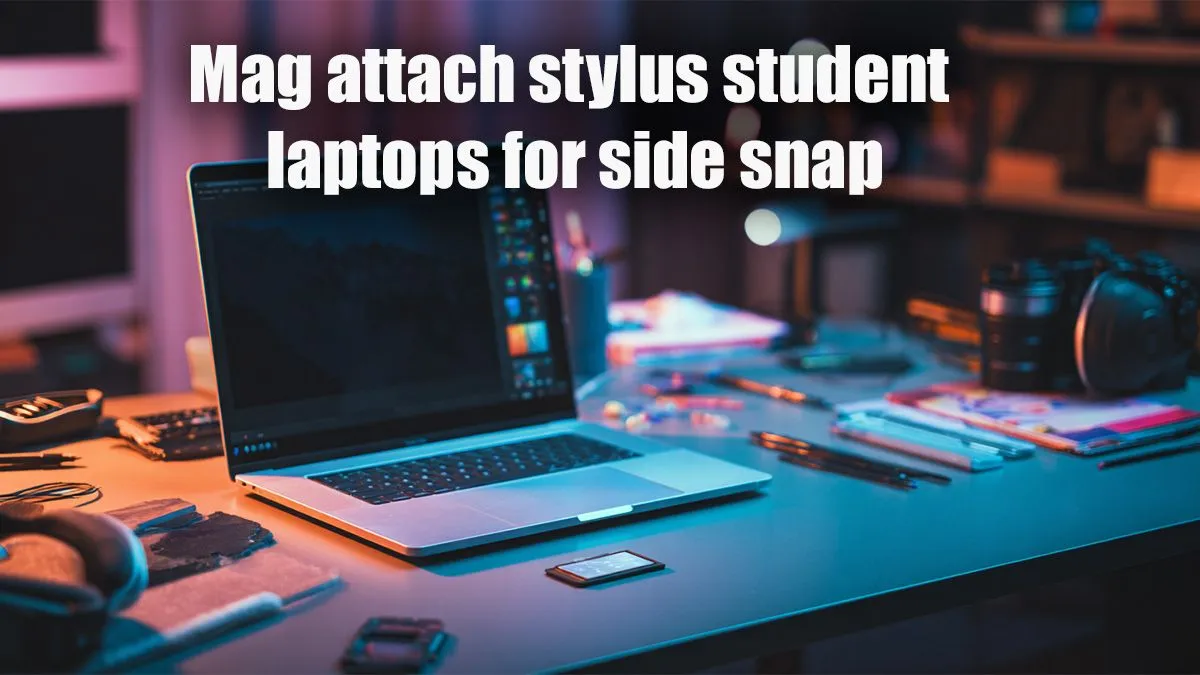
Best Stylus-Enabled Student Laptops with Magnetic Attachments
Struggling with mountains of notes, smudged drawings, or missing that crucial diagram in your lecture? For South African students and creatives, the days of cluttered desks and lost inspiration are over. Imagine a laptop that transforms into a digital canvas, a smart notebook, and a powerful study tool, all while keeping your stylus securely attached. We’re diving into the best stylus-enabled student laptops with magnetic attachments, revolutionising how you learn and create.
The Evolution of Learning: Why Stylus-Enabled Laptops are Essential
Gone are the days when a laptop was just for typing essays. Today, for many students, especially those in design, engineering, or medical fields, a digital pen is as vital as a keyboard. The convenience of a stylus lets you annotate PDFs, sketch complex diagrams, or brainstorm ideas directly on your screen. And let's be honest, who hasn't misplaced their stylus right before a crucial presentation? That's where the genius of magnetic attachments comes in, ensuring your digital pen is always ready when inspiration strikes.
Beyond Pen and Paper: The Power of Digital Note-Taking
Think about it: endless notebooks, scattered lecture notes, and the constant fear of losing important information. With a stylus-enabled student laptop, all your notes, diagrams, and doodles live in one organised, searchable place. You can easily highlight, erase, and reorganise your thoughts without a single tear or smudge. This isn't just about going paperless; it's about smarter, more efficient learning. Many students find that the tactile experience of writing directly on screen enhances retention, bridging the gap between traditional and digital methods.
Creative Freedom and Productivity Unleashed ✨
For the aspiring artist, designer, or architect, these laptops are a game-changer. Sketching, painting, and refining concepts directly on a high-resolution display offers unparalleled freedom. The precision of a modern stylus, often with thousands of pressure levels, mimics the feel of pen on paper, but with the added benefits of infinite undoes and a palette of colours at your fingertips. From quick edits to intricate designs, the combination of a powerful laptop and an intuitive stylus unlocks new levels of creative expression. Plus, with a secure magnetic attachment, your stylus is always charged and ready, whether you're in a campus coffee shop or burning the midnight oil.
What to Look for in the Best Stylus-Enabled Student Laptops with Magnetic Attachments
Choosing the right device can feel overwhelming, but focusing on a few key areas will help you find your perfect match. When considering stylus-enabled student laptops with magnetic attachments, here’s what truly matters:
- Display Quality & Responsiveness: Look for vibrant, high-resolution screens (at least Full HD) that offer excellent colour accuracy. Crucially, the screen needs to be highly responsive to your stylus, with minimal latency for a natural writing and drawing experience.
- Stylus Features: Not all styluses are created equal. Check for pressure sensitivity, tilt support, and programmable buttons. A comfortable grip and a reliable magnetic attachment are non-negotiable for student life.
- Performance that Powers Your Studies: For general note-taking and web browsing, most modern processors like the latest Intel Core i5 or AMD Ryzen 5 will suffice. If you're running demanding creative software, look for an Intel Core i7 or AMD Ryzen 7, paired with at least 16GB of RAM. Evetech offers a fantastic range of AMD laptops on special and Intel laptops on special to suit every performance need.
- Portability & Battery Life: Students are always on the move. A lightweight design (under 1.5kg) and a battery that lasts through a full day of lectures are vital.
- Durability: Campus life can be tough. Opt for a laptop with a robust build quality that can handle being tossed into a backpack.
Pro Tip: Prioritise Your Pen
When comparing stylus-enabled student laptops, don't just focus on the laptop specs. Research the specific stylus that comes with it. Factors like tip friction, battery life (or passive charging via magnetic attachment), and replacement nib availability can significantly impact your daily workflow. A great laptop with a mediocre stylus is a missed opportunity.
Finding Your Perfect Digital Companion: Evetech's Top Picks
While we can't name specific models that might change daily, Evetech always stocks a wide array of best stylus-enabled student laptops with magnetic attachments from leading brands. Whether you're a budget-conscious first-year or a final-year design student needing a powerhouse, there's an option for you.
- For the Everyday Academic: Look for convertible 2-in-1 laptops with solid mid-range processors. These offer the flexibility of a tablet for notes and a laptop for essays, often at a very competitive price point.
- For the Creative Professional-in-Training: Prioritise models with high-resolution, colour-accurate displays and more powerful CPUs/GPUs. These are often slightly pricier but offer the horsepower needed for graphic design, video editing, and 3D modelling.
- For the Versatile Student: Many students also enjoy gaming after lectures. While dedicated gaming laptops are a different beast, some stylus-enabled student laptops offer integrated graphics capable of light gaming. If you're looking for serious gaming performance, be sure to check out Evetech’s best gaming laptop deals alongside your study machine. Always remember to check Evetech's laptop specials for the latest deals and best value in South Africa.
Mastering Your Stylus-Enabled Laptop for Academic Success 🚀
Once you have your new digital companion, here are a few ways to get the most out of it:
- Software is Key: Explore apps like Microsoft OneNote, GoodNotes (if available), or Drawboard PDF for note-taking and annotation. For creatives, Adobe Fresco, Sketchbook, or Clip Studio Paint offer robust tools.
- Customise Your Stylus: Many styluses come with customisable buttons. Programme them for quick access to your most-used tools, like eraser, undo, or screenshot.
- Protect Your Investment: A good screen protector can enhance the pen-on-paper feel and protect your display from scratches. A durable sleeve or bag is also essential for transport.
- Backup, Backup, Backup: Your digital notes are invaluable. Utilise cloud storage services like OneDrive, Google Drive, or Dropbox to ensure your work is always safe and accessible from anywhere.
The future of learning is interactive, intuitive, and incredibly personal. By choosing one of the best stylus-enabled student laptops with magnetic attachments, you're not just buying a device; you're investing in a smarter, more creative, and ultimately more successful academic journey. Embrace the digital canvas and unlock your full potential!
Find Your Perfect Study Companion at Evetech
Ready to transform your academic and creative life? Explore Evetech's extensive range of cutting-edge laptops designed to empower every student. Shop now at Evetech for performance that leaves lag in the dust.