



PCIe 5.0 vs PCIe 4.0 for Video editing in 4k in SA
PCIe 5.0 vs PCIe 4.0 for video editing in 4k is mainly about fit, features, compatibility, cost, and upgrade path, not one automatic winner. SA buyers should match the choice to the setup.
Read more34-inch WQHD: fast-VA panels at 250Hz pair contrast and speed in a way standard VA never matches at the same refresh rate. Use the breakdown to match the right SKU to your screen and GPU. Quick answers come first, then technical detail.
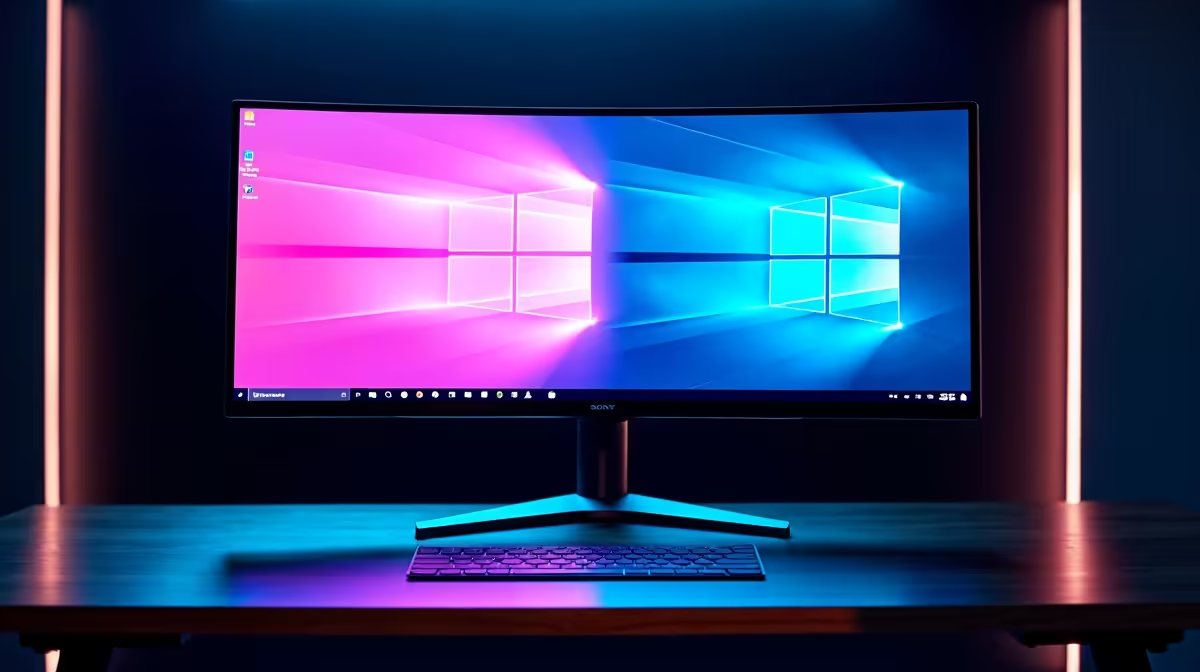
For most multitasking workflows, yes. A 34-inch WQHD ultrawide at 3440x1440 provides horizontal real estate equivalent to two 24-inch 1080p monitors side by side, without the bezel gap in the middle. For productivity, content creation, and gaming, a single ultrawide outperforms a dual-1080p arrangement in almost every measurable way.
Two 24-inch 1080p screens give 3,840 horizontal pixels, but with a bezel interrupting the display at the midpoint. A 34-inch WQHD ultrawide delivers 3,440 pixels continuously, 400 fewer but with zero interruption. More importantly, WQHD's 1,440 vertical lines versus 1,080 on each individual 1080p panel makes applications like Excel, Premiere Pro, and code editors noticeably more spacious. Windows 11 Snap Layouts support ultrawide natively with three or four tiled zones, making window management intuitive without third-party tools.
The biggest advantage for SA remote workers is the elimination of the bezel gap. Reading across documents, dragging files, or following a tutorial video while coding alongside it becomes seamless. Video editing benefits from a 3,440-pixel wide timeline in one coherent view. Ultrawide monitors also draw less power than two separate displays, produce less heat, and simplify cable management on any desk.
Dual screens have the edge in specific scenarios. If you need two completely unrelated tasks at genuinely different angles, a single ultrawide cannot pivot physically. Some professionals prefer two portrait-rotated screens for long-form document reading. Additionally, two entry-level 27-inch 1080p monitors can cost less than a quality 34-inch WQHD panel, which starts around R6,000 to R7,500 in South Africa. For students on tight budgets, the dual-screen route remains valid even if the ultrawide is ergonomically superior.
On a 34-inch ultrawide, hover over any window's maximise button to access Snap Layouts. You can split into three equal columns of roughly 1,146 pixels each, ideal for a browser, a document editor, and a communication app side by side. No third-party software required.
Most modern applications scale correctly to 3440x1440. Exceptions are some older games that show black bars on the sides. Productivity software, browsers, and creative tools all handle ultrawide natively in 2026.
Yes, provided the laptop outputs 3440x1440 via USB-C DisplayPort Alt Mode or HDMI 2.1. Many business and gaming laptops sold locally support this. The ultrawide extends your workspace significantly beyond the laptop's own screen.
A single ultrawide stand occupies roughly 28 cm of desk depth versus two 24-inch stands requiring 30 to 40 cm each plus the gap between them. A VESA monitor arm reduces the footprint further, saving considerable desk real estate.
Thinking of consolidating to a single powerful display? Evetech stocks a wide range of 34-inch WQHD ultrawide monitors. Explore the monitor range to find the right size and spec for your desk.
PCIe 5.0 vs PCIe 4.0 for video editing in 4k is mainly about fit, features, compatibility, cost, and upgrade path, not one automatic winner. SA buyers should match the choice to the setup.
Read more
Wi-Fi 7 vs Wi-Fi 6e for competitive esports comes down to router support, latency goals, device compatibility, and coverage. SA buyers should match the choice to the real network setup.
Read more
ATX 3.1 vs ATX 3.0 for mMO and live-service games buyers - what changes is mostly about compatibility, budget, upgrade path, and setup fit. SA buyers should check device support and real needs before expecting a clear win from either option.
Read more
LGA 1851 vs LGA 1700 can affect Twitch and YouTube streaming when gaming and encoding share CPU resources. For SA creators, the real-world difference depends on encoder choice, memory support, motherboard cost, thermals, and upgrade plans.
Read more
X870E vs X670E for aaa single-player gaming is mainly about fit, features, compatibility, cost, and upgrade path, not one automatic winner. SA buyers should match the choice to the setup.
Read more
Hall Effect switches vs Mechanical switches for mMO and live-service games is mostly about compatibility, budget, upgrade path, and setup fit. SA buyers should check device support and real needs before expecting a clear win from either option.
Read more
A fake 113GB GTA VI ISO reportedly used empty padding around a small malware payload. SA gamers should delete unofficial builds, keep Windows security active and wait for official channels.

Wi-Fi 6E vs Wi-Fi 6 matters for 4K video editing when files move across a network. The real-world difference between Wi-Fi 6E and Wi-Fi 6 for video editing in 4K depends on NAS access, cloud uploads, router range, and SA creator workflows.

The difference between PCIe 5.0 and PCIe 4.0 for SA gamers is mostly bandwidth headroom. Compare GPU slot needs, NVMe speed, motherboard support, and upgrade timing before paying extra for a newer platform.

Gaming PC stuck pixel checks in South Africa should confirm the monitor fault first. Use colour tests, screenshot comparison, cable swaps, display menu checks, and clear photos before deciding on support.

Shokz OpenFit Air 2 earbuds weigh 7.2g each and use a redesigned dual-driver open-ear layout. SA buyers should choose them for comfort and awareness, not maximum isolation.

AMD's current driver now lists a Radeon RX 9050 4GB, while product coverage details a narrowed memory system. SA buyers should weigh the low VRAM ceiling against current local Radeon options.

Samsung Display has demonstrated a 16-inch 2.5K OLED laptop panel running at 300Hz. SA buyers should wait for a named notebook, full panel specifications and a local price before planning an upgrade.

Microsoft says some Windows 11 game crashes after recent updates are linked to RGB-related drivers. Affected SA gamers should confirm the update and driver before using the published registry workaround.

Minisforum's M2 Pro pairs Core Ultra X7, Arc B390 graphics and 32GB onboard memory in 1.8 litres. SA buyers should weigh its fixed memory and $1,439 launch offer against local mini PCs.

Smart monitors can add apps and convenience, but they also add privacy settings and unwanted-software risk. SA buyers should audit the operating system before paying for extras.

Lenovo says Legion Go failures linked to BIOS N3CN42WW are not user error. Affected SA owners should stop retrying the update, preserve proof and open a support case.

The ROG Gjallar gaming soundbar is now listed in the US at $599.99. SA buyers should compare its 2.1.2 audio, wireless bass and built-in chat controls with simpler local options.